


Tutorial 1: Import robot and USD asset structure#
Before you inspect, filter, or tune a robot in Isaac Sim, import it into Isaac Sim. Robots may arrive as meshes, STEP files, Unified Robot Description Format (URDF), or MuJoCo XML Format (MJCF) files. Isaac Sim imports these assets into OpenUSD using the USD Asset Structure 3.0 standard.
Learning Objectives#
In this tutorial, you will:
Understand URDF links and joints, and import the Inspire Hand URDF into Isaac Sim.
See how Asset Structure 3.0 separates geometry, materials, metadata, instances, and physics into dedicated files.
Examine the Inspire Hand file hierarchy, asset stack, physics stack, and nested rigid-body structure.
Prerequisites#
Complete Setup.
URDF overview#
URDF describes a robot as links and joints:
Links are rigid bodies and reference frames on the robot.
Joints connect links to form the robot kinematic chain.
<link name="r_base_link">
  <visual>
    <origin xyz="0 0 0" rpy="0 0 0" />
    <geometry>
      <mesh filename="../meshes/r_base_link.STL" />
    </geometry>
    <material name="">
      <color rgba="0.827450980392157 0.83921568627451 0.827450980392157 1" />
    </material>
  </visual>
  <collision>
    <origin xyz="0 0 0" rpy="0 0 0" />
    <geometry>
      <mesh filename="../meshes/r_base_link.STL" />
    </geometry>
  </collision>
</link>
The visual tag describes the link’s visible mesh and material. The collision tag describes collision geometry used by the physics engine. A URDF also defines mass and inertia for each link.
<joint name="right_little_1_joint" type="revolute">
  <origin xyz="-0.00028533 -0.025587 0.1357" rpy="1.6755 0 0" />
  <parent link="r_base_link" />
  <child link="right_little_1" />
  <axis xyz="0 0 -1" />
  <limit lower="0" upper="1.344" effort="1" />
</joint>
The joint type determines how the links are constrained. The parent and child tags identify the connected links, and the limit specifies the lower and upper bounds, maximum effort, and, when supplied, maximum velocity.
Import the URDF#
Click File > Import to open the file importer.
Open
Isaac/Samples/Rigging/Inspire/module_1_start/inspire_urdf/urdf/inspire_hand.urdf.

In Collider, select Allow Self-Collision. This lets the hand collide with itself, which is important when you design controllers that avoid mesh penetration.
In Options, optionally set Robot Type to End Effector because the hand will attach to another component.
Leave USD Output empty to write the imported asset next to the URDF.
Click Import. Zoom with the scroll wheel if the hand appears too small.

USD Asset Structure 3.0#
USD Asset Structure 3.0 is the standard layout for robot assets in Isaac Sim 6.0. It provides:
Separation of USD components into multiple files for easier review and maintenance.
Layers, payloads, and variants for animation, simulation, and different physics engines.
Isolation of physics-engine-specific attributes so their opinions do not clash.
Separate physics tuning layers so you can change a runtime without overwriting shared geometry or metadata.
The resulting multi-layer structure shares geometry, materials, and metadata while composing physics-specific data through payloads and variants. You can author collision filtering in physics.usda and PhysX-specific joint tuning in physx.usda without editing the base geometry.

Inspire Hand overview#
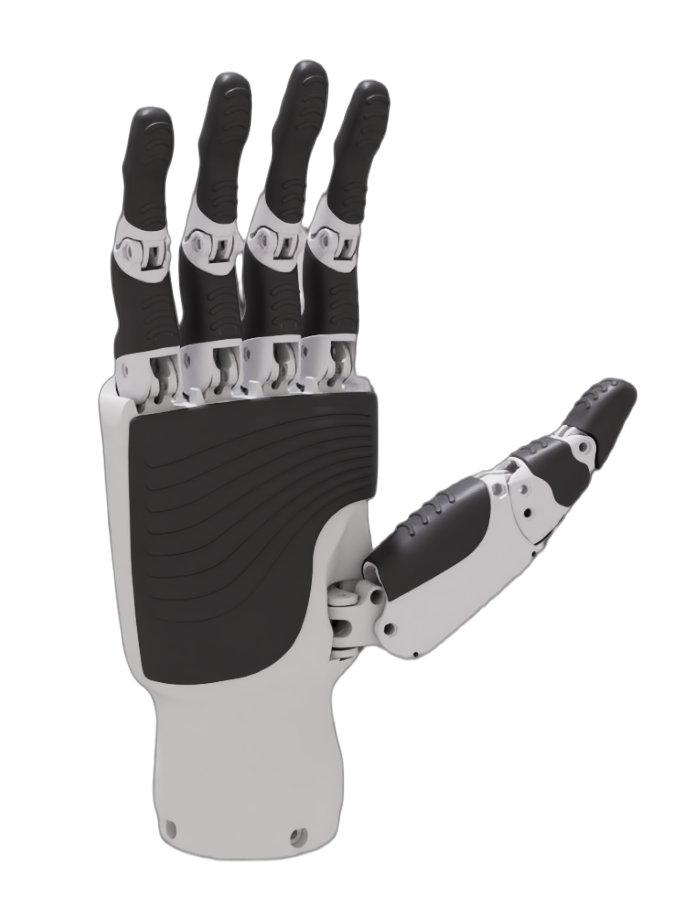
The Inspire Hand (RH56DFX from Inspire Robotics) is the example digital twin used in this series. It is a compact, underactuated dexterous hand with six actuated degrees of freedom and twelve joints.
Property |
Value |
|---|---|
Model |
RH56DFX |
Degrees of freedom |
6 |
Number of joints |
12 |
Weight |
540 g |
Maximum thumb grip |
15 N |
Maximum palm grip |
10 N |
Thumb lateral rotation speed |
107 deg/s |
Palm finger bend speed |
260 deg/s |
The following diagram shows the hand’s Asset Structure 3.0 file hierarchy, asset stack, and physics stack.

File hierarchy and stacks#
Inspire Hand file hierarchy — Separate USD files hold geometry, materials, robot metadata, instances, the base scene, physics, and backend-specific overrides.
Inspire Hand asset stack — Layers and references compose the meshes, materials, transforms, and robot API.
Inspire Hand physics stack — Payloads and variants add rigid bodies, joints, drives, and backend-specific tuning without changing the base asset.
Together, the combined stack creates one simulation-ready inspire_hand prim that can use no physics, generic physics, MuJoCo, or PhysX.
Asset structure walkthrough#
Each file contributes a distinct part of the final asset. The binary geometry layer stores large mesh data efficiently; readable USDA layers contain editable structure and tuning.
geometry.usd — Mesh file#
Role: Stores the meshes used by the robot.
Format: Binary
.usdfor efficiency.Contains geometry only, with no materials or physics.

material.usda — Material file#
Role: Stores robot materials, such as
Plastic_ABS.Format: Readable ASCII
.usda.Defines material and shader connections that the instance layer uses for visual and collision meshes.
robot.usda — Robot metadata#
Role: Stores robot metadata and the Isaac Robot API.
Applies
IsaacRobotAPIas an overlay on theinspire_handprim.Typically contains
isaac:changelog,isaac:description,isaac:license,isaac:namespace, andisaac:physics:robotJoints.
This layer identifies the asset as a robot; it does not define geometry or physics.
over "inspire_hand" (
    prepend apiSchemas = ["IsaacRobotAPI"]
)
{
    string[] isaac:changelog
    string isaac:description
    token isaac:license
    string isaac:namespace
    rel isaac:physics:robotJoints
}
instances.usda — Meshes, materials, and colliders#
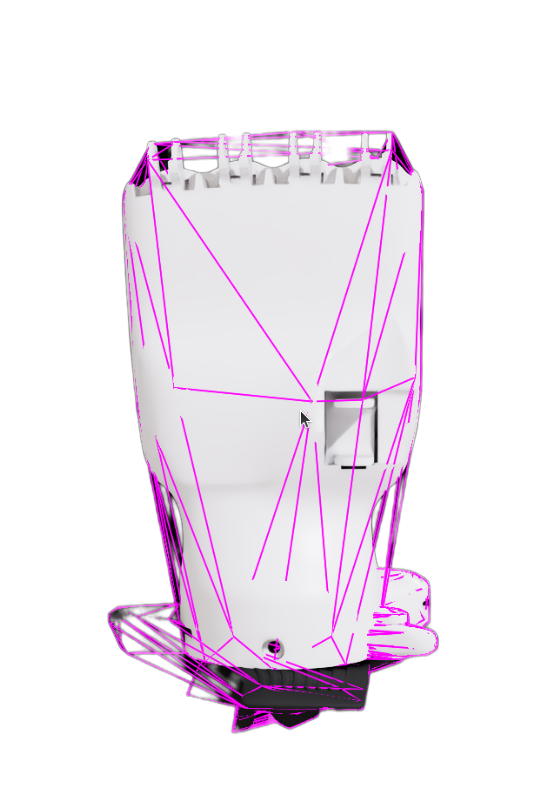
Role: Combines
material.usdaandgeometry.usdinto visual and collision meshes.References geometry, applies materials, and applies
PhysicsCollisionAPIandPhysicsMeshCollisionAPI.Uses collision approximations, such as
convexHull, to choose the collider representation.
def Xform "r_base_link_1" (
    prepend references = @./geometries.usd@</Geometries/r_base_link>
)
{
    over "r_base_link" (
        apiSchemas = ["PhysicsCollisionAPI", "NewtonCollisionAPI", "PhysicsMeshCollisionAPI", "NewtonMeshCollisionAPI"]
    )
    {
        token physics:approximation = "convexHull"
        token purpose = "guide"
    }
}
base.usda — Animation-ready scene#
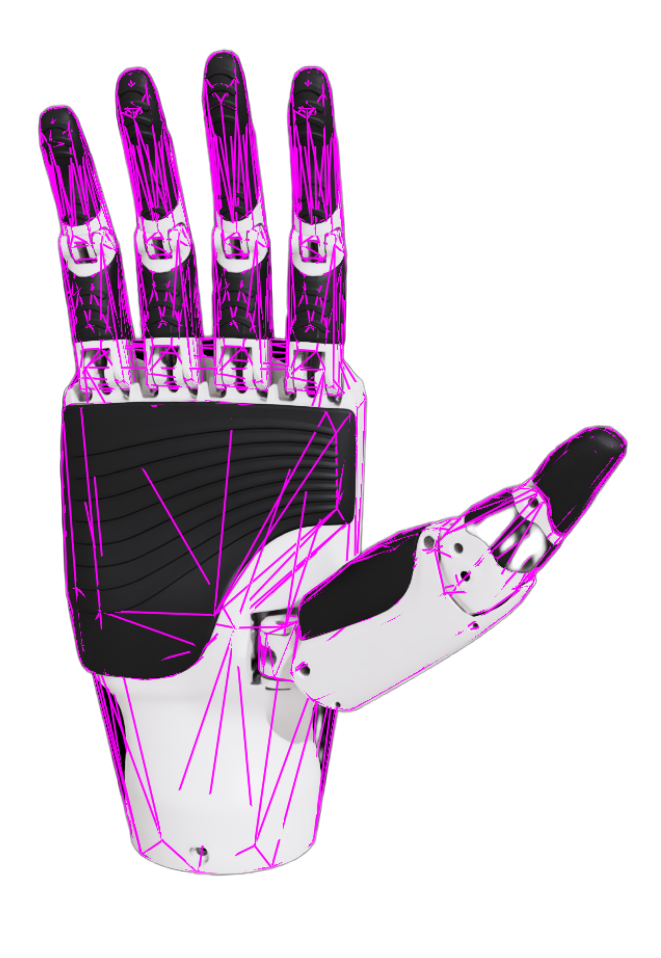
Role: Loads visual and collision meshes as instanceable references and applies transforms for every link.
References
instances.usdaand usesinstanceable = truefor efficient reuse.References or sublayers
robot.usdaso the root prim has robot metadata.Defines the kinematic tree and mesh placement, not joint or drive data.
physics.usda — USD physics file#
Role: Stores engine-neutral rigid-body, mass, joint, drive, and state attributes.
Applies APIs such as
PhysicsRigidBodyAPI,PhysicsMassAPI,PhysicsRevoluteJoint,PhysicsDriveAPI,PhysicsJointStateAPI, andNewtonJointAPI.Defines the joint bodies, limits, position and velocity state, preserved URDF effort metadata, and native velocity limits.
This layer provides the engine-neutral physics representation.
def PhysicsRevoluteJoint "right_little_2_joint" (
    prepend apiSchemas = ["NewtonJointAPI", "NewtonMimicAPI", "PhysicsDriveAPI:angular", "PhysicsJointStateAPI:angular"]
)
{
    float drive:angular:physics:maxForce = 1
    float newton:mimicCoef0 = -0.15
    float newton:mimicCoef1 = 1.1169
    rel newton:mimicJoint = </inspire_hand/Physics/right_little_1_joint>
    uniform token physics:axis = "Z"
    custom rel physics:body0
    prepend rel physics:body0 = </inspire_hand/Geometry/r_base_link/right_little_1>
    custom rel physics:body1
    prepend rel physics:body1 = </inspire_hand/Geometry/r_base_link/right_little_1/right_little_2>
    float physics:lowerLimit = 0
    float physics:upperLimit = 87.490654
    custom float urdf:limit:effort = 1
    float newton:velocityLimit = inf
}
physx.usda — PhysX file#
Role: Stores PhysX-specific attributes without changing the generic physics layer.
Adds APIs such as
PhysxJointAPIon top of joints defined inphysics.usda.
This separation keeps backend-specific tuning, such as maximum velocity and solver settings, out of the engine-neutral layer, so a PhysX value never overwrites the generic one. The separation governs authoring, not resolution: each backend still resolves a value from more than one schema.
over "right_thumb_1_joint" (
    prepend apiSchemas = ["PhysxJointAPI"]
)
{
    float physxJoint:maxJointVelocity = 107
}
Warning
PhysX and the Newton backend resolve the joint velocity limit differently. PhysX reads physxJoint:maxJointVelocity. Newton takes the first authored value in its own resolver order — newton:* first, then physxJoint:* — and stops there, so an authored newton:velocityLimit wins and Newton never consults physxJoint:maxJointVelocity on that joint. Because newton:velocityLimit = inf means unlimited, a joint that authors inf in physics.usda and a finite cap in physx.usda is capped under PhysX and effectively uncapped under Newton.
The two snippets above author different joints, so they do not interact. The mismatch appears when both schemas are authored on the same joint. Tutorial 4: Joint drive tuning authors a PhysX-only limit, so author the matching newton:velocityLimit whenever both backends must honor the same cap.
inspire_hand.usda — Interface#
Role: Composes the base scene and selects a physics representation through variants.
References the base layer and defines a
Physicsvariant set.Supports
none,physics,physx, andmujocovariants.

def Xform "inspire_hand" (
    prepend references = @payloads/base.usda@
    append variantSets = "Physics"
)
{
    variantSet "Physics" = {
        "none" {
        }
        "physics" (
            prepend payload = @payloads/Physics/physics.usda@
        ) {
        }
        "physx" (
            prepend payload = @payloads/Physics/physx.usda@
        ) {
        }
        "mujoco" (
            prepend payload = @./payloads/Physics/mujoco.usda@
        ) {
        }
    }
}
Nested rigid body structure#
In USD, rigid-body links are nested prims that mirror the URDF kinematic chain. The root link, r_base_link, carries PhysicsArticulationRootAPI. Each downstream link carries PhysicsRigidBodyAPI and PhysicsMassAPI. Physics joints connect the links but are authored in a flat /inspire_hand/Physics scope.
inspire_hand/Geometry/
└── r_base_link               ← ArticulationRoot + RigidBody
    ├── right_thumb_1         ← RigidBody + joint to r_base_link
    │   └── right_thumb_2     ← RigidBody + joint to right_thumb_1
    │       └── right_thumb_rubber_1
    ├── right_index_1         ← RigidBody + joint to r_base_link
    │   └── right_index_2
    │       └── right_index_rubber_1
    └── right_little_1        ← RigidBody + joint to r_base_link
        └── ...
Each joint references its two bodies with physics:body0 and physics:body1 relationships. This keeps the kinematic tree readable while allowing physics.usda and physx.usda to override drive limits and velocities without changing link hierarchy.
inspire_hand/
├── Geometry/             ← Nested rigid-body links
│   └── r_base_link/
│       └── right_thumb_1/ ...
└── Physics/              ← Flat joint scope
    ├── right_thumb_1_joint   body0 → Geometry/r_base_link
    │                         body1 → Geometry/r_base_link/right_thumb_1
    ├── right_thumb_2_joint   body0 → .../right_thumb_1
    │                         body1 → .../right_thumb_1/right_thumb_2
    └── right_index_1_joint   ...
Summary#
This tutorial covered:
URDF links and joints, and importing the Inspire Hand into Isaac Sim.
USD Asset Structure 3.0, where geometry, materials, metadata, instances, base scene, and physics have dedicated layers.
How layers, payloads, and variants compose the Inspire Hand for generic physics, PhysX, or MuJoCo.
The nested rigid-body hierarchy and flat joint scope that together define the articulation.
Next Steps#
Continue to Tutorial 2: Inspect asset to inspect the joint hierarchy and collision meshes before collision filtering.