


Accessing assets#
Isaac Sim loads assets from the primary hosted service by default. You can select an Asset Region Profile when a regional service provides better access, or use a local asset pack for offline and air-gapped environments.
Asset Region Profiles#
An Asset Region Profile selects a compatible asset root and configures any storage settings required for that service. Isaac Sim provides these profiles:
Profile |
Use |
|---|---|
|
Primary asset service used by a fresh configuration and for explicit switchback. |
|
Regional asset service for users in mainland China. |
export ISAACSIM_ASSET_REGION_PROFILE=china
./isaac-sim.sh
set ISAACSIM_ASSET_REGION_PROFILE=china
isaac-sim.bat
The selected profile’s asset root is stored in the persistent asset-root setting. Unsetting
ISAACSIM_ASSET_REGION_PROFILE alone does not restore a previously selected root. To
return to the primary service, clear ISAACSIM_ASSET_ROOT and select the us profile
for the next launch. You can then leave the profile unset for later launches.
The china profile publishes an
asset availability manifest.
The isaac_version field identifies the asset release. Each asset_path is the
full path to a file relative to the versioned asset root’s Isaac directory. A
status value of available reports that the file is mirrored, reason_code
explains other statuses when provided, and checked_at records when the status last
changed. The manifest covers files under the root’s Isaac directory; it does not
confirm the availability of other paths.
Use the resolved asset root from Isaac Sim APIs when constructing asset paths. Do not hardcode the profile’s storage endpoint or derive direct object URLs from the manifest.
Local asset packs#
The downloadable Isaac Sim asset packs are built from the default Asset Region Profile’s asset set. Use a local asset pack when the host cannot access a hosted asset service.
Download every part of the Isaac Sim Assets Complete Pack from Latest Release. Verify each part with the MD5 checksum in the download table.
To resume an interrupted download and verify it in one command, you can use
aria2c -c --checksum=md5=<md5> "<download-url>"with the values from the download table.Combine the parts and extract the complete archive. Replace
VERSIONwith the full asset-pack version from the download table.ASSET_PACK_VERSION=VERSION mkdir -p ~/isaacsim_assets cd ~/Downloads cat "isaac-sim-assets-complete-${ASSET_PACK_VERSION}".0??.zip > "isaac-sim-assets-complete-${ASSET_PACK_VERSION}.zip" unzip "isaac-sim-assets-complete-${ASSET_PACK_VERSION}.zip" -d ~/isaacsim_assets
set "ASSET_PACK_VERSION=VERSION"
mkdir C:\isaacsim_assets
cd %USERPROFILE%\Downloads
copy /b "isaac-sim-assets-complete-%ASSET_PACK_VERSION%.0??.zip" "isaac-sim-assets-complete-%ASSET_PACK_VERSION%.zip"
tar -xf "isaac-sim-assets-complete-%ASSET_PACK_VERSION%.zip" -C C:\isaacsim_assets
Confirm that the extracted versioned asset root contains both the
IsaacandNVIDIAdirectories. SetISAACSIM_ASSET_ROOTto that root and start Isaac Sim. ReplaceVERSION_DIRECTORYbelow with the version directory in the extracted pack.export ISAACSIM_ASSET_ROOT="$HOME/isaacsim_assets/Assets/Isaac/VERSION_DIRECTORY" ./isaac-sim.sh
set ISAACSIM_ASSET_ROOT=C:\isaacsim_assets\Assets\Isaac\VERSION_DIRECTORY
isaac-sim.bat
Asset root resolution order#
The asset root is resolved in this order, from highest to lowest priority:
Priority |
Source |
Example |
|---|---|---|
1 |
|
|
2 |
Asset Region Profile |
|
3 |
Command-line argument |
|
4 |
Experience ( |
|
5 |
Extension default |
Primary US asset root |
ISAACSIM_ASSET_ROOT always takes precedence. When neither environment variable is
set, normal Kit settings precedence applies to command-line, experience, and extension
values. Both environment-variable workflows write the persistent asset-root setting. To
restore the primary root after using a profile or local pack, clear ISAACSIM_ASSET_ROOT
and launch once with ISAACSIM_ASSET_REGION_PROFILE=us.
If a selected profile appears to be ignored, clear the higher-priority
ISAACSIM_ASSET_ROOT environment variable and restart Isaac Sim:
unset ISAACSIM_ASSET_ROOT
set ISAACSIM_ASSET_ROOT=
Remove-Item Env:ISAACSIM_ASSET_ROOT -ErrorAction SilentlyContinue
Verify asset access#
In the Isaac Sim app, select Utilities > Check Default Assets Root Path. The log reports the resolved root when it is reachable.
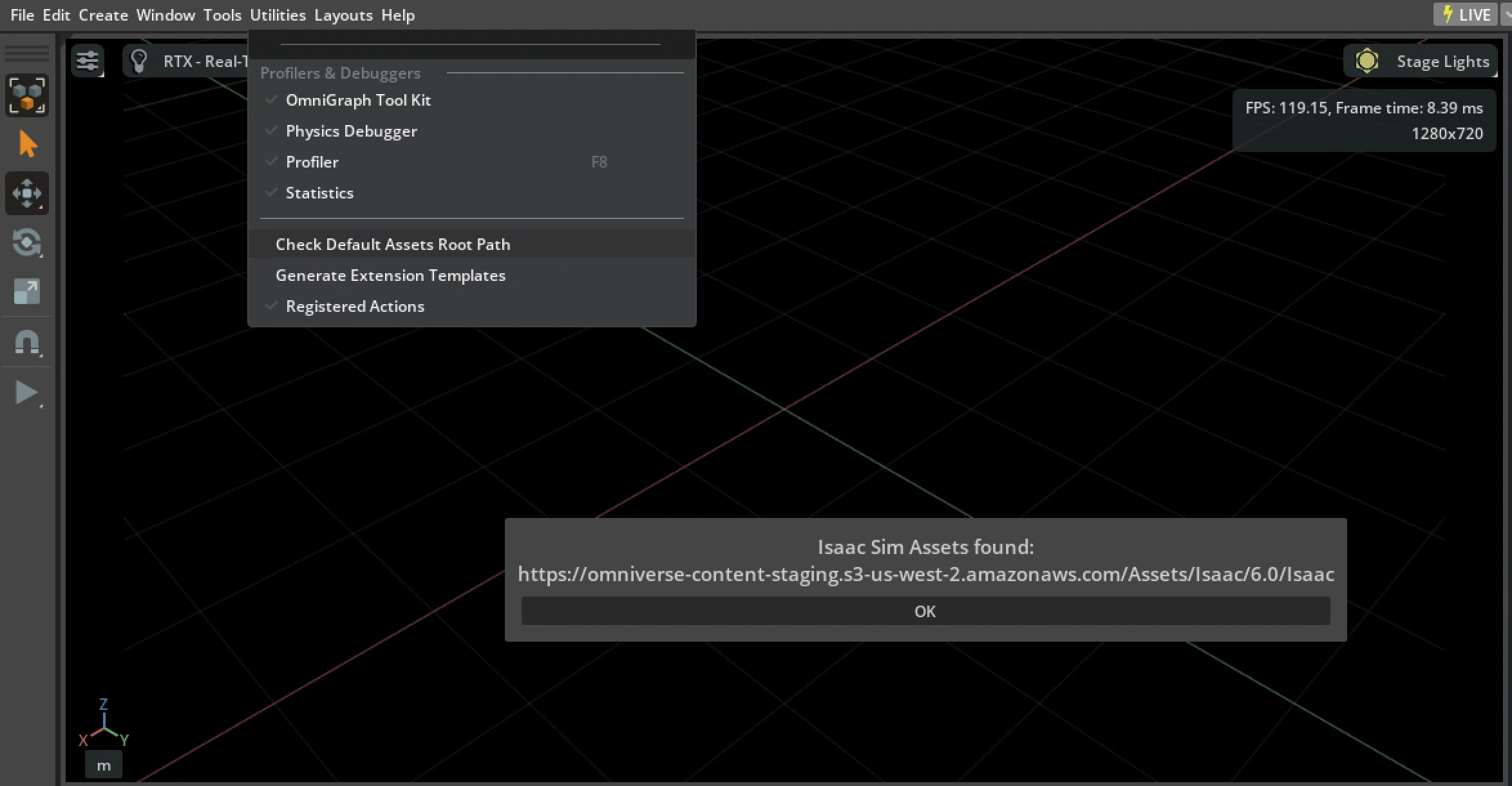
In Python, use isaacsim.storage.native.get_assets_root_path() or
isaacsim.storage.native.get_assets_root_path_async() to resolve and validate the
configured root before joining it with relative asset paths.