

Object Based Synthetic Dataset Generation#
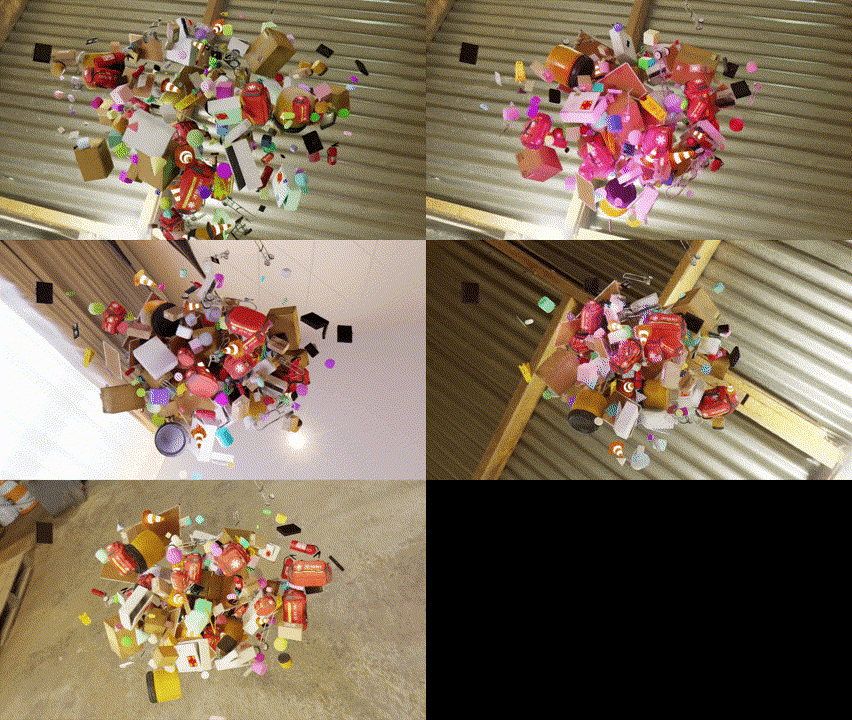
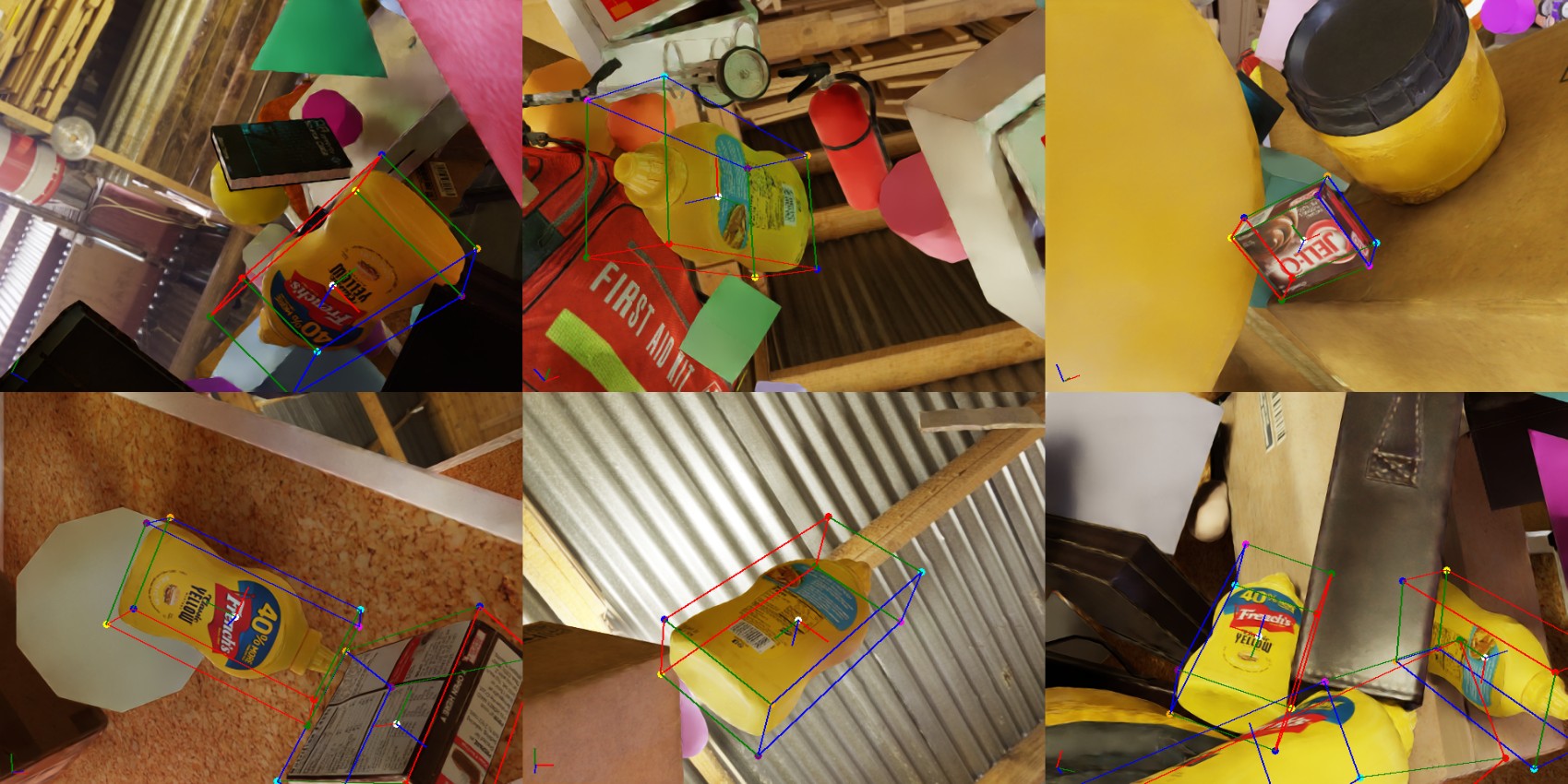
This document is an example of using Isaac Sim and Replicator to generate object-centric synthetic datasets. The script spawns labeled and distractor assets in a predefined area (closed off with invisible collision walls) and captures scenes from multiple camera viewpoints. The script also demonstrates how to randomize the camera poses, apply random velocities to the objects, and trigger custom events to randomize the scene. The randomizers can be Replicator-based or custom Isaac Sim/USD API based and can be triggered at specific times.
Learning Objectives#
The goal of this tutorial is to demonstrate how to use Isaac Sim and replicator randomizers in a hybrid way in simulated environments. The tutorial covers the following topics:
How to create a custom USD stage and add rigid-body enabled assets with colliders.
How to spawn and add colliders and rigid body dynamics to assets.
How to create a collision box area around the assets to prevent them from drifting away.
How to add a physics scene and set custom physics settings.
How to create custom randomizers and trigger them at specific times.
How to randomize the camera poses to look at a random target asset.
How to randomize the shape distractor colors and apply random velocities to the floating shape distractors.
How to randomize the lights in the working area and the dome background.
How to capture motion blur by combining the number of pathtraced subframes samples simulated for the given duration.
How to enable motion blur and set the number of sub samples to render for motion blur in PathTracing mode.
How to set the render mode to PathTracing.
How to create a custom synthetic dataset generation pipeline.
Performance optimization by enabling rendering and data processing only for the frames to be captured.
Use custom writers to export the data.
Prerequisites#
Familiarity with USD / Isaac Sim APIs for creating and manipulating USD stages.
Familiarity with omni.replicator, its writers, and randomizers.
Basic understanding of OmniGraph for the Replicator randomization and trigger pipeline.
Familiarity with rigid-body dynamics and physics simulation in Isaac Sim.
Running simulations as Standalone Applications or via the Script Editor.
Getting Started#
The main script of the tutorial is located at <install_path>/standalone_examples/replicator/object_based_sdg/object_based_sdg.py with its util functions at <install_path>/standalone_examples/replicator/object_based_sdg/object_based_sdg_utils.py.
The script can be run as a standalone application (on Windows use
python.batinstead ofpython.sh):
./python.sh standalone_examples/replicator/object_based_sdg/object_based_sdg.py
To overwrite the default configuration parameters, you can provide custom config files as a command-line argument for the script by using --config <path/to/file.json/yaml>. Example config files are stored in <install_path>/standalone_examples/replicator/object_based_sdg/config/*.
Example of running the script with a custom config file:
./python.sh standalone_examples/replicator/object_based_sdg/object_based_sdg.py \
    --config standalone_examples/replicator/object_based_sdg/config/<example_config>.yaml
Implementation#
The following section provides an implementation overview of the script. It includes details regarding the configuration parameters, scene generation helper functions, randomizations (Isaac Sim and Replicator), and data capture loop.
The complete implementation consists of two files: the main script and a utilities module.
Utils module and main script
import asyncio
import os
import random
import time
from itertools import chain

import carb.settings
import numpy as np
import omni.kit.app
import omni.replicator.core as rep
import omni.timeline
import omni.usd
from isaacsim.core.experimental.utils.semantics import add_labels, remove_all_labels, upgrade_prim_semantics_to_labels
from isaacsim.storage.native import get_assets_root_path
from omni.kit.viewport.utility import get_active_viewport
from omni.physx import get_physx_interface, get_physx_scene_query_interface
from pxr import Gf, PhysxSchema, Sdf, Usd, UsdGeom, UsdPhysics


def add_colliders(root_prim: Usd.Prim) -> None:
    """Enable collisions on the asset (without rigid body dynamics the asset will be static)."""
    for desc_prim in Usd.PrimRange(root_prim):
        if desc_prim.IsA(UsdGeom.Mesh) or desc_prim.IsA(UsdGeom.Gprim):
            if not desc_prim.HasAPI(UsdPhysics.CollisionAPI):
                collision_api = UsdPhysics.CollisionAPI.Apply(desc_prim)
            else:
                collision_api = UsdPhysics.CollisionAPI(desc_prim)
            collision_api.CreateCollisionEnabledAttr(True)
            if not desc_prim.HasAPI(PhysxSchema.PhysxCollisionAPI):
                physx_collision_api = PhysxSchema.PhysxCollisionAPI.Apply(desc_prim)
            else:
                physx_collision_api = PhysxSchema.PhysxCollisionAPI(desc_prim)
            physx_collision_api.CreateContactOffsetAttr(0.001)
            physx_collision_api.CreateRestOffsetAttr(0.0)
        if desc_prim.IsA(UsdGeom.Mesh):
            if not desc_prim.HasAPI(UsdPhysics.MeshCollisionAPI):
                mesh_collision_api = UsdPhysics.MeshCollisionAPI.Apply(desc_prim)
            else:
                mesh_collision_api = UsdPhysics.MeshCollisionAPI(desc_prim)
            mesh_collision_api.CreateApproximationAttr().Set("convexHull")


def create_collision_box_walls(
    stage: Usd.Stage,
    path: str,
    width: float,
    depth: float,
    height: float,
    thickness: float = 0.5,
    visible: bool = False,
) -> None:
    """Create a collision box area wrapping the given working area with origin at (0, 0, 0)."""
    walls = [
        ("floor", (0, 0, (height + thickness) / -2.0), (width, depth, thickness)),
        ("ceiling", (0, 0, (height + thickness) / 2.0), (width, depth, thickness)),
        ("left_wall", ((width + thickness) / -2.0, 0, 0), (thickness, depth, height)),
        ("right_wall", ((width + thickness) / 2.0, 0, 0), (thickness, depth, height)),
        ("front_wall", (0, (depth + thickness) / 2.0, 0), (width, thickness, height)),
        ("back_wall", (0, (depth + thickness) / -2.0, 0), (width, thickness, height)),
    ]
    for name, location, size in walls:
        prim = stage.DefinePrim(f"{path}/{name}", "Cube")
        scale = (size[0] / 2.0, size[1] / 2.0, size[2] / 2.0)
        rep.functional.modify.pose(prim, position_value=location, scale_value=scale)
        add_colliders(prim)
        if not visible:
            UsdGeom.Imageable(prim).MakeInvisible()


def get_random_transform_values(
    loc_min=(0, 0, 0), loc_max=(1, 1, 1), rot_min=(0, 0, 0), rot_max=(360, 360, 360), scale_min_max=(0.1, 1.0)
):
    """Create random transformation values for location, rotation, and scale."""
    location = (
        random.uniform(loc_min[0], loc_max[0]),
        random.uniform(loc_min[1], loc_max[1]),
        random.uniform(loc_min[2], loc_max[2]),
    )
    rotation = (
        random.uniform(rot_min[0], rot_max[0]),
        random.uniform(rot_min[1], rot_max[1]),
        random.uniform(rot_min[2], rot_max[2]),
    )
    scale = tuple([random.uniform(scale_min_max[0], scale_min_max[1])] * 3)
    return location, rotation, scale


def get_random_pose_on_sphere(origin, radius, camera_forward_axis=(0, 0, -1)):
    """Generate a random pose on a sphere looking at the origin."""
    origin = Gf.Vec3f(origin)
    camera_forward_axis = Gf.Vec3f(camera_forward_axis)
    theta = np.random.uniform(0, 2 * np.pi)
    phi = np.arcsin(np.random.uniform(-1, 1))
    x = radius * np.cos(theta) * np.cos(phi)
    y = radius * np.sin(phi)
    z = radius * np.sin(theta) * np.cos(phi)
    location = origin + Gf.Vec3f(x, y, z)
    direction = origin - location
    direction_normalized = direction.GetNormalized()
    rotation = Gf.Rotation(Gf.Vec3d(camera_forward_axis), Gf.Vec3d(direction_normalized))
    orientation = Gf.Quatf(rotation.GetQuat())
    return location, orientation


def set_render_products_updates(render_products, enabled, include_viewport=False):
    """Enable or disable the render products and viewport rendering."""
    for rp in render_products:
        rp.hydra_texture.set_updates_enabled(enabled)
    if include_viewport:
        get_active_viewport().updates_enabled = enabled


def apply_velocities_towards_target(prims, target=(0, 0, 0), strength_range=(0.1, 1.0)):
    """Apply velocities to prims directing them towards a target point."""
    for prim in prims:
        loc = prim.GetAttribute("xformOp:translate").Get()
        strength = random.uniform(strength_range[0], strength_range[1])
        velocity = (
            (target[0] - loc[0]) * strength,
            (target[1] - loc[1]) * strength,
            (target[2] - loc[2]) * strength,
        )
        prim.GetAttribute("physics:velocity").Set(velocity)


def apply_random_velocities(prims, linear_range=(-2.5, 2.5), angular_range=(-45, 45)):
    """Apply random linear and angular velocities to prims."""
    for prim in prims:
        lin_vel = (
            random.uniform(linear_range[0], linear_range[1]),
            random.uniform(linear_range[0], linear_range[1]),
            random.uniform(linear_range[0], linear_range[1]),
        )
        ang_vel = (
            random.uniform(angular_range[0], angular_range[1]),
            random.uniform(angular_range[0], angular_range[1]),
            random.uniform(angular_range[0], angular_range[1]),
        )
        prim.GetAttribute("physics:velocity").Set(lin_vel)
        prim.GetAttribute("physics:angularVelocity").Set(ang_vel)


async def run_example_async(config: dict) -> None:
    """Run the object-based SDG example asynchronously."""
    assets_root_path = get_assets_root_path()
    stage = None

    # ENVIRONMENT
    env_url = config.get("env_url", "")
    if env_url:
        env_path = env_url if env_url.startswith("omniverse://") else assets_root_path + env_url
        omni.usd.get_context().open_stage(env_path)
        stage = omni.usd.get_context().get_stage()
        for prim in stage.Traverse():
            upgrade_prim_semantics_to_labels(prim, include_descendants=True)
            remove_all_labels(prim, include_descendants=True)
    else:
        omni.usd.get_context().new_stage()
        stage = omni.usd.get_context().get_stage()
        rep.functional.create.xform(name="World")
        rep.functional.create.distant_light(intensity=400.0, rotation=(0, 60, 0), name="DistantLight")

    working_area_size = config.get("working_area_size", (3, 3, 3))
    working_area_min = (working_area_size[0] / -2, working_area_size[1] / -2, working_area_size[2] / -2)
    working_area_max = (working_area_size[0] / 2, working_area_size[1] / 2, working_area_size[2] / 2)

    create_collision_box_walls(
        stage, "/World/CollisionWalls", working_area_size[0], working_area_size[1], working_area_size[2]
    )

    rep.functional.physics.create_physics_scene("/PhysicsScene", timeStepsPerSecond=60)
    physx_scene = PhysxSchema.PhysxSceneAPI.Apply(stage.GetPrimAtPath("/PhysicsScene"))

    # TRAINING ASSETS
    labeled_assets_and_properties = config.get("labeled_assets_and_properties", [])
    floating_labeled_prims = []
    falling_labeled_prims = []
    labeled_prims = []
    rep.functional.create.scope(name="Labeled", parent="/World")
    for obj in labeled_assets_and_properties:
        obj_url = obj.get("url", "")
        label = obj.get("label", "unknown")
        count = obj.get("count", 1)
        floating = obj.get("floating", False)
        scale_min_max = obj.get("randomize_scale", (1, 1))
        for i in range(count):
            rand_loc, rand_rot, rand_scale = get_random_transform_values(
                loc_min=working_area_min, loc_max=working_area_max, scale_min_max=scale_min_max
            )
            asset_path = obj_url if obj_url.startswith("omniverse://") else assets_root_path + obj_url
            prim = rep.functional.create.reference(
                usd_path=asset_path,
                parent="/World/Labeled",
                name=label,
                position=rand_loc,
                rotation=rand_rot,
                scale=rand_scale,
            )
            add_colliders(prim)
            rep.functional.physics.apply_rigid_body(prim, disableGravity=floating)
            add_labels(prim, labels=[label], taxonomy="class")
            if floating:
                floating_labeled_prims.append(prim)
            else:
                falling_labeled_prims.append(prim)
    labeled_prims = floating_labeled_prims + falling_labeled_prims

    # DISTRACTORS
    shape_distractors_types = config.get("shape_distractors_types", ["capsule", "cone", "cylinder", "sphere", "cube"])
    shape_distractors_scale_min_max = config.get("shape_distractors_scale_min_max", (0.02, 0.2))
    shape_distractors_num = config.get("shape_distractors_num", 350)
    shape_distractors = []
    floating_shape_distractors = []
    falling_shape_distractors = []
    for i in range(shape_distractors_num):
        rand_loc, rand_rot, rand_scale = get_random_transform_values(
            loc_min=working_area_min, loc_max=working_area_max, scale_min_max=shape_distractors_scale_min_max
        )
        rand_shape = random.choice(shape_distractors_types)
        prim_path = omni.usd.get_stage_next_free_path(stage, f"/World/Distractors/{rand_shape}", False)
        prim = stage.DefinePrim(prim_path, rand_shape.capitalize())
        rep.functional.modify.pose(prim, position_value=rand_loc, rotation_value=rand_rot, scale_value=rand_scale)
        disable_gravity = random.choice([True, False])
        add_colliders(prim)
        rep.functional.physics.apply_rigid_body(prim, disableGravity=disable_gravity)
        if disable_gravity:
            floating_shape_distractors.append(prim)
        else:
            falling_shape_distractors.append(prim)
        shape_distractors.append(prim)

    mesh_distactors_urls = config.get("mesh_distractors_urls", [])
    mesh_distactors_scale_min_max = config.get("mesh_distractors_scale_min_max", (0.1, 2.0))
    mesh_distactors_num = config.get("mesh_distractors_num", 10)
    mesh_distractors = []
    floating_mesh_distractors = []
    falling_mesh_distractors = []
    for i in range(mesh_distactors_num):
        rand_loc, rand_rot, rand_scale = get_random_transform_values(
            loc_min=working_area_min, loc_max=working_area_max, scale_min_max=mesh_distactors_scale_min_max
        )
        mesh_url = random.choice(mesh_distactors_urls)
        prim_name = os.path.basename(mesh_url).split(".")[0]
        asset_path = mesh_url if mesh_url.startswith("omniverse://") else assets_root_path + mesh_url
        prim = rep.functional.create.reference(
            usd_path=asset_path,
            parent="/World/Distractors",
            name=prim_name,
            position=rand_loc,
            rotation=rand_rot,
            scale=rand_scale,
        )
        disable_gravity = random.choice([True, False])
        add_colliders(prim)
        rep.functional.physics.apply_rigid_body(prim, disableGravity=disable_gravity)
        if disable_gravity:
            floating_mesh_distractors.append(prim)
        else:
            falling_mesh_distractors.append(prim)
        mesh_distractors.append(prim)
        upgrade_prim_semantics_to_labels(prim, include_descendants=True)
        remove_all_labels(prim, include_descendants=True)

    # REPLICATOR
    rep.set_global_seed(42)
    random.seed(42)
    rep.orchestrator.set_capture_on_play(False)
    carb.settings.get_settings().set("rtx/post/dlss/execMode", 2)

    cameras = []
    num_cameras = config.get("num_cameras", 1)
    camera_properties_kwargs = config.get("camera_properties_kwargs", {})
    rep.functional.create.scope(name="Cameras", parent="/World")
    for i in range(num_cameras):
        cam_prim = rep.functional.create.camera(parent="/World/Cameras", name="cam", **camera_properties_kwargs)
        cameras.append(cam_prim)

    camera_colliders = []
    camera_collider_radius = config.get("camera_collider_radius", 0)
    if camera_collider_radius > 0:
        for cam in cameras:
            cam_path = cam.GetPath()
            cam_collider = stage.DefinePrim(f"{cam_path}/CollisionSphere", "Sphere")
            cam_collider.GetAttribute("radius").Set(camera_collider_radius)
            rep.functional.physics.apply_collider(cam_collider)
            collision_api = UsdPhysics.CollisionAPI(cam_collider)
            collision_api.GetCollisionEnabledAttr().Set(False)
            UsdGeom.Imageable(cam_collider).MakeInvisible()
            camera_colliders.append(cam_collider)

    await omni.kit.app.get_app().next_update_async()

    render_products = []
    resolution = config.get("resolution", (640, 480))
    for cam in cameras:
        rp = rep.create.render_product(cam.GetPath(), resolution)
        render_products.append(rp)

    disable_render_products_between_captures = config.get("disable_render_products_between_captures", True)
    if disable_render_products_between_captures:
        set_render_products_updates(render_products, False, include_viewport=False)

    writer_type = config.get("writer_type", None)
    writer_kwargs = config.get("writer_kwargs", {})
    if out_dir := writer_kwargs.get("output_dir"):
        if not os.path.isabs(out_dir):
            out_dir = os.path.join(os.getcwd(), out_dir)
            writer_kwargs["output_dir"] = out_dir
        print(f"[SDG] Writing data to: {out_dir}")
    if writer_type is not None and len(render_products) > 0:
        writer = rep.writers.get(writer_type)
        writer.initialize(**writer_kwargs)
        writer.attach(render_products)

    # RANDOMIZERS
    def on_overlap_hit(hit) -> bool:
        prim = omni.usd.get_context().get_stage().GetPrimAtPath(str(hit.rigid_body))
        if prim not in camera_colliders:
            rand_vel = (random.uniform(-2, 2), random.uniform(-2, 2), random.uniform(4, 8))
            prim.GetAttribute("physics:velocity").Set(rand_vel)
        return True

    overlap_area_thickness = 0.1
    overlap_area_origin = (0, 0, (-working_area_size[2] / 2) + (overlap_area_thickness / 2))
    overlap_area_extent = (
        working_area_size[0] / 2 * 0.99,
        working_area_size[1] / 2 * 0.99,
        overlap_area_thickness / 2 * 0.99,
    )

    def on_physics_step(dt: float) -> None:
        get_physx_scene_query_interface().overlap_box(
            carb.Float3(overlap_area_extent),
            carb.Float3(overlap_area_origin),
            carb.Float4(0, 0, 0, 1),
            on_overlap_hit,
            False,
        )

    physx_sub = get_physx_interface().subscribe_physics_step_events(on_physics_step)

    camera_distance_to_target_min_max = config.get("camera_distance_to_target_min_max", (0.1, 0.5))
    camera_look_at_target_offset = config.get("camera_look_at_target_offset", 0.2)

    def randomize_camera_poses() -> None:
        for cam in cameras:
            target_asset = random.choice(labeled_prims)
            loc_offset = (
                random.uniform(-camera_look_at_target_offset, camera_look_at_target_offset),
                random.uniform(-camera_look_at_target_offset, camera_look_at_target_offset),
                random.uniform(-camera_look_at_target_offset, camera_look_at_target_offset),
            )
            target_loc = target_asset.GetAttribute("xformOp:translate").Get() + loc_offset
            distance = random.uniform(camera_distance_to_target_min_max[0], camera_distance_to_target_min_max[1])
            cam_loc, quat = get_random_pose_on_sphere(origin=target_loc, radius=distance)
            rep.functional.modify.pose(cam, position_value=cam_loc, rotation_value=quat)

    async def simulate_camera_collision_async(num_frames: int = 1) -> None:
        for cam_collider in camera_colliders:
            collision_api = UsdPhysics.CollisionAPI(cam_collider)
            collision_api.GetCollisionEnabledAttr().Set(True)
        if not timeline.is_playing():
            timeline.play()
        for _ in range(num_frames):
            await omni.kit.app.get_app().next_update_async()
        for cam_collider in camera_colliders:
            collision_api = UsdPhysics.CollisionAPI(cam_collider)
            collision_api.GetCollisionEnabledAttr().Set(False)

    with rep.trigger.on_custom_event(event_name="randomize_shape_distractor_colors"):
        shape_distractors_paths = [
            prim.GetPath() for prim in chain(floating_shape_distractors, falling_shape_distractors)
        ]
        shape_distractors_group = rep.create.group(shape_distractors_paths)
        with shape_distractors_group:
            rep.randomizer.color(colors=rep.distribution.uniform((0, 0, 0), (1, 1, 1)))

    with rep.trigger.on_custom_event(event_name="randomize_lights"):
        lights = rep.create.light(
            light_type="Sphere",
            color=rep.distribution.uniform((0, 0, 0), (1, 1, 1)),
            temperature=rep.distribution.normal(6500, 500),
            intensity=rep.distribution.normal(35000, 5000),
            position=rep.distribution.uniform(working_area_min, working_area_max),
            scale=rep.distribution.uniform(0.1, 1),
            count=3,
        )

    with rep.trigger.on_custom_event(event_name="randomize_dome_background"):
        dome_textures = [
            assets_root_path + "/NVIDIA/Assets/Skies/Indoor/autoshop_01_4k.hdr",
            assets_root_path + "/NVIDIA/Assets/Skies/Indoor/carpentry_shop_01_4k.hdr",
            assets_root_path + "/NVIDIA/Assets/Skies/Indoor/hotel_room_4k.hdr",
            assets_root_path + "/NVIDIA/Assets/Skies/Indoor/wooden_lounge_4k.hdr",
        ]
        dome_light = rep.create.light(light_type="Dome")
        with dome_light:
            rep.modify.attribute("inputs:texture:file", rep.distribution.choice(dome_textures))
            rep.randomizer.rotation()

    async def capture_with_motion_blur_and_pathtracing_async(
        duration: float = 0.05, num_samples: int = 8, spp: int = 64
    ) -> None:
        orig_physics_fps = physx_scene.GetTimeStepsPerSecondAttr().Get()
        target_physics_fps = 1 / duration * num_samples
        if target_physics_fps > orig_physics_fps:
            physx_scene.GetTimeStepsPerSecondAttr().Set(target_physics_fps)
        is_motion_blur_enabled = carb.settings.get_settings().get("/omni/replicator/captureMotionBlur")
        if not is_motion_blur_enabled:
            carb.settings.get_settings().set("/omni/replicator/captureMotionBlur", True)
        carb.settings.get_settings().set("/omni/replicator/pathTracedMotionBlurSubSamples", num_samples)
        prev_render_mode = carb.settings.get_settings().get("/rtx/rendermode")
        carb.settings.get_settings().set("/rtx/rendermode", "PathTracing")
        carb.settings.get_settings().set("/rtx/pathtracing/spp", spp)
        carb.settings.get_settings().set("/rtx/pathtracing/totalSpp", spp)
        carb.settings.get_settings().set("/rtx/pathtracing/optixDenoiser/enabled", 0)
        if not timeline.is_playing():
            timeline.play()
        await rep.orchestrator.step_async(delta_time=duration, pause_timeline=False)
        if target_physics_fps > orig_physics_fps:
            physx_scene.GetTimeStepsPerSecondAttr().Set(orig_physics_fps)
        carb.settings.get_settings().set("/omni/replicator/captureMotionBlur", is_motion_blur_enabled)
        carb.settings.get_settings().set("/rtx/rendermode", prev_render_mode)

    async def run_simulation_loop_async(duration: float) -> None:
        timeline = omni.timeline.get_timeline_interface()
        if not timeline.is_playing():
            timeline.play()
        elapsed_time = 0.0
        previous_time = timeline.get_current_time()
        while elapsed_time <= duration:
            await omni.kit.app.get_app().next_update_async()
            elapsed_time += timeline.get_current_time() - previous_time
            previous_time = timeline.get_current_time()

    # SDG
    num_frames = config.get("num_frames", 10)
    rt_subframes = config.get("rt_subframes", -1)
    sim_duration_between_captures = config.get("simulation_duration_between_captures", 0.025)

    rep.utils.send_og_event(event_name="randomize_shape_distractor_colors")
    rep.utils.send_og_event(event_name="randomize_dome_background")
    for _ in range(5):
        await omni.kit.app.get_app().next_update_async()

    timeline = omni.timeline.get_timeline_interface()
    timeline.set_start_time(0)
    timeline.set_end_time(1000000)
    timeline.set_looping(False)
    timeline.play()
    timeline.commit()
    await omni.kit.app.get_app().next_update_async()

    wall_time_start = time.perf_counter()

    for i in range(num_frames):
        if i % 3 == 0:
            randomize_camera_poses()
            if camera_colliders:
                await simulate_camera_collision_async(num_frames=4)
        if i % 10 == 0:
            apply_velocities_towards_target(list(chain(labeled_prims, shape_distractors, mesh_distractors)))
        if i % 5 == 0:
            rep.utils.send_og_event(event_name="randomize_lights")
        if i % 15 == 0:
            rep.utils.send_og_event(event_name="randomize_shape_distractor_colors")
        if i % 25 == 0:
            rep.utils.send_og_event(event_name="randomize_dome_background")
        if i % 17 == 0:
            apply_random_velocities(list(chain(floating_shape_distractors, floating_mesh_distractors)))

        if disable_render_products_between_captures:
            set_render_products_updates(render_products, True, include_viewport=False)

        print(f"[SDG] Capturing frame {i}/{num_frames}, at simulation time: {timeline.get_current_time():.2f}")
        if i % 5 == 0:
            await capture_with_motion_blur_and_pathtracing_async(duration=0.025, num_samples=8, spp=128)
        else:
            await rep.orchestrator.step_async(delta_time=0.0, rt_subframes=rt_subframes, pause_timeline=False)

        if disable_render_products_between_captures:
            set_render_products_updates(render_products, False, include_viewport=False)

        if sim_duration_between_captures > 0:
            await run_simulation_loop_async(sim_duration_between_captures)
        else:
            await omni.kit.app.get_app().next_update_async()

    await rep.orchestrator.wait_until_complete_async()

    wall_duration = time.perf_counter() - wall_time_start
    sim_duration = timeline.get_current_time()
    num_captures = num_frames * num_cameras
    print(
        f"[SDG] Captured {num_frames} frames, {num_captures} entries in {wall_duration:.2f} seconds.\n"
        f"\t Simulation duration: {sim_duration:.2f}\n"
    )

    physx_sub.unsubscribe()
    physx_sub = None
    await omni.kit.app.get_app().next_update_async()
    timeline.stop()


config = {
    "env_url": "",
    "working_area_size": (5, 5, 3),
    "rt_subframes": 4,
    "num_frames": 10,
    "num_cameras": 2,
    "camera_collider_radius": 1.25,
    "disable_render_products_between_captures": False,
    "simulation_duration_between_captures": 0.05,
    "resolution": (640, 480),
    "camera_properties_kwargs": {
        "focal_length": 24.0,
        "focus_distance": 400,
        "f_stop": 0.0,
        "clipping_range": (0.01, 10000),
    },
    "camera_look_at_target_offset": 0.15,
    "camera_distance_to_target_min_max": (0.25, 0.75),
    "writer_type": "PoseWriter",
    "writer_kwargs": {
        "output_dir": "_out_obj_based_sdg_pose_writer",
        "format": None,
        "use_subfolders": False,
        "write_debug_images": True,
        "skip_empty_frames": False,
    },
    "labeled_assets_and_properties": [
        {
            "url": "/Isaac/Props/YCB/Axis_Aligned/008_pudding_box.usd",
            "label": "pudding_box",
            "count": 5,
            "floating": True,
            "scale_min_max": (0.85, 1.25),
        },
        {
            "url": "/Isaac/Props/YCB/Axis_Aligned_Physics/006_mustard_bottle.usd",
            "label": "mustard_bottle",
            "count": 7,
            "floating": False,
            "scale_min_max": (0.85, 3.25),
        },
    ],
    "shape_distractors_types": ["capsule", "cone", "cylinder", "sphere", "cube"],
    "shape_distractors_scale_min_max": (0.015, 0.15),
    "shape_distractors_num": 150,
    "mesh_distractors_urls": [
        "/Isaac/Environments/Simple_Warehouse/Props/SM_CardBoxD_04_1847.usd",
        "/Isaac/Environments/Simple_Warehouse/Props/SM_CardBoxA_01_414.usd",
        "/Isaac/Environments/Simple_Warehouse/Props/S_TrafficCone.usd",
    ],
    "mesh_distractors_scale_min_max": (0.35, 1.35),
    "mesh_distractors_num": 75,
}

asyncio.ensure_future(run_example_async(config))
Main script
"""Generate synthetic data using object-based scene randomization."""

import argparse
import json
import os

import yaml
from isaacsim import SimulationApp

# Default config dict, can be updated/replaced using json/yaml config files ('--config' cli argument)
config = {
    "launch_config": {
        "renderer": "RealTimePathTracing",
        "headless": False,
    },
    "env_url": "",
    "working_area_size": (4, 4, 3),
    "rt_subframes": 4,
    "num_frames": 4,
    "num_cameras": 2,
    "camera_collider_radius": 0.5,
    "disable_render_products_between_captures": False,
    "simulation_duration_between_captures": 0.05,
    "resolution": (640, 480),
    "camera_properties_kwargs": {
        "focal_length": 24.0,
        "focus_distance": 400,
        "f_stop": 0.0,
        "clipping_range": (0.01, 10000),
    },
    "camera_look_at_target_offset": 0.15,
    "camera_distance_to_target_min_max": (0.25, 0.75),
    "writer_type": "PoseWriter",
    "writer_kwargs": {
        "output_dir": "_out_obj_based_sdg_pose_writer",
        "format": None,
        "use_subfolders": False,
        "write_debug_images": True,
        "skip_empty_frames": False,
    },
    "labeled_assets_and_properties": [
        {
            "url": "/Isaac/Props/YCB/Axis_Aligned/008_pudding_box.usd",
            "label": "pudding_box",
            "count": 5,
            "floating": True,
            "scale_min_max": (0.85, 1.25),
        },
        {
            "url": "/Isaac/Props/YCB/Axis_Aligned_Physics/006_mustard_bottle.usd",
            "label": "mustard_bottle",
            "count": 7,
            "floating": True,
            "scale_min_max": (0.85, 1.25),
        },
    ],
    "shape_distractors_types": ["capsule", "cone", "cylinder", "sphere", "cube"],
    "shape_distractors_scale_min_max": (0.015, 0.15),
    "shape_distractors_num": 350,
    "mesh_distractors_urls": [
        "/Isaac/Environments/Simple_Warehouse/Props/SM_CardBoxD_04_1847.usd",
        "/Isaac/Environments/Simple_Warehouse/Props/SM_CardBoxA_01_414.usd",
        "/Isaac/Environments/Simple_Warehouse/Props/S_TrafficCone.usd",
    ],
    "mesh_distractors_scale_min_max": (0.35, 1.35),
    "mesh_distractors_num": 75,
}

import carb

# Check if there are any config files (yaml or json) are passed as arguments
parser = argparse.ArgumentParser()
parser.add_argument("--config", required=False, help="Include specific config parameters (json or yaml))")
args, unknown = parser.parse_known_args()
args_config = {}
if args.config and os.path.isfile(args.config):
    with open(args.config) as f:
        if args.config.endswith(".json"):
            args_config = json.load(f)
        elif args.config.endswith(".yaml"):
            args_config = yaml.safe_load(f)
        else:
            carb.log_warn(f"File {args.config} is not json or yaml, will use default config")
else:
    carb.log_warn(f"File {args.config} does not exist, will use default config")

# Update the default config dict with the external one
config.update(args_config)

print(f"[SDG] Using config:\n{config}")

launch_config = config.get("launch_config", {})
simulation_app = SimulationApp(launch_config=launch_config)

import random
import time
from itertools import chain

import carb.settings

# Custom util functions for the example
import object_based_sdg_utils
import omni.physics.core
import omni.replicator.core as rep
import omni.timeline
import omni.usd
from isaacsim.core.utils.semantics import add_labels, remove_labels, upgrade_prim_semantics_to_labels
from isaacsim.storage.native import get_assets_root_path
from omni.physics.core import get_physics_scene_query_interface
from pxr import PhysicsSchemaTools, PhysxSchema, UsdGeom, UsdPhysics

# Isaac nucleus assets root path
assets_root_path = get_assets_root_path()
stage = None

# ENVIRONMENT
# Create an empty or load a custom stage (clearing any previous semantics)
env_url = config.get("env_url", "")
if env_url:
    env_path = env_url if env_url.startswith("omniverse://") else assets_root_path + env_url
    omni.usd.get_context().open_stage(env_path)
    stage = omni.usd.get_context().get_stage()
    # Remove any previous semantics in the loaded stage
    for prim in stage.Traverse():
        # Make sure old semantics api are upgraded to the new labels api
        upgrade_prim_semantics_to_labels(prim, include_descendants=True)
        remove_labels(prim, include_descendants=True)
else:
    omni.usd.get_context().new_stage()
    stage = omni.usd.get_context().get_stage()
    rep.functional.create.xform(name="World")
    rep.functional.create.distant_light(intensity=400.0, rotation=(0, 60, 0), name="DistantLight")

# Get the working area size and bounds (width=x, depth=y, height=z)
working_area_size = config.get("working_area_size", (3, 3, 3))
working_area_min = (working_area_size[0] / -2, working_area_size[1] / -2, working_area_size[2] / -2)
working_area_max = (working_area_size[0] / 2, working_area_size[1] / 2, working_area_size[2] / 2)

# Create a collision box area around the assets to prevent them from drifting away
object_based_sdg_utils.create_collision_box_walls(
    stage, "/World/CollisionWalls", working_area_size[0], working_area_size[1], working_area_size[2]
)

rep.functional.physics.create_physics_scene("/PhysicsScene", timeStepsPerSecond=60)
physx_scene = PhysxSchema.PhysxSceneAPI.Apply(stage.GetPrimAtPath("/PhysicsScene"))

# TRAINING ASSETS
# Add the objects to be trained in the environment with their labels and properties
labeled_assets_and_properties = config.get("labeled_assets_and_properties", [])
floating_labeled_prims = []
falling_labeled_prims = []
labeled_prims = []
rep.functional.create.scope(name="Labeled", parent="/World")
for obj in labeled_assets_and_properties:
    obj_url = obj.get("url", "")
    label = obj.get("label", "unknown")
    count = obj.get("count", 1)
    floating = obj.get("floating", False)
    scale_min_max = obj.get("randomize_scale", (1, 1))
    for i in range(count):
        # Create a prim and add the asset reference
        rand_loc, rand_rot, rand_scale = object_based_sdg_utils.get_random_transform_values(
            loc_min=working_area_min, loc_max=working_area_max, scale_min_max=scale_min_max
        )
        asset_path = obj_url if obj_url.startswith("omniverse://") else assets_root_path + obj_url
        prim = rep.functional.create.reference(
            usd_path=asset_path,
            parent="/World/Labeled",
            name=label,
            position=rand_loc,
            rotation=rand_rot,
            scale=rand_scale,
        )
        # Apply colliders and rigid body dynamics
        object_based_sdg_utils.add_colliders(prim)
        rep.functional.physics.apply_rigid_body(prim, disableGravity=False)
        #  Label the asset (any previous 'class' label will be overwritten)
        add_labels(prim, labels=[label], instance_name="class")
        if floating:
            floating_labeled_prims.append(prim)
        else:
            falling_labeled_prims.append(prim)
labeled_prims = floating_labeled_prims + falling_labeled_prims


# DISTRACTORS
# Add shape distractors to the environment as floating or falling objects
shape_distractors_types = config.get("shape_distractors_types", ["capsule", "cone", "cylinder", "sphere", "cube"])
shape_distractors_scale_min_max = config.get("shape_distractors_scale_min_max", (0.02, 0.2))
shape_distractors_num = config.get("shape_distractors_num", 350)
shape_distractors = []
floating_shape_distractors = []
falling_shape_distractors = []
for i in range(shape_distractors_num):
    rand_loc, rand_rot, rand_scale = object_based_sdg_utils.get_random_transform_values(
        loc_min=working_area_min, loc_max=working_area_max, scale_min_max=shape_distractors_scale_min_max
    )
    rand_shape = random.choice(shape_distractors_types)
    prim_path = omni.usd.get_stage_next_free_path(stage, f"/World/Distractors/{rand_shape}", False)
    prim = stage.DefinePrim(prim_path, rand_shape.capitalize())
    rep.functional.modify.pose(prim, position_value=rand_loc, rotation_value=rand_rot, scale_value=rand_scale)
    disable_gravity = random.choice([True, False])
    object_based_sdg_utils.add_colliders(prim)
    rep.functional.physics.apply_rigid_body(prim, disableGravity=disable_gravity)
    if disable_gravity:
        floating_shape_distractors.append(prim)
    else:
        falling_shape_distractors.append(prim)
    shape_distractors.append(prim)

# Add mesh distractors to the environment as floating of falling objects
mesh_distactors_urls = config.get("mesh_distractors_urls", [])
mesh_distactors_scale_min_max = config.get("mesh_distractors_scale_min_max", (0.1, 2.0))
mesh_distactors_num = config.get("mesh_distractors_num", 10)
mesh_distractors = []
floating_mesh_distractors = []
falling_mesh_distractors = []
for i in range(mesh_distactors_num):
    rand_loc, rand_rot, rand_scale = object_based_sdg_utils.get_random_transform_values(
        loc_min=working_area_min, loc_max=working_area_max, scale_min_max=mesh_distactors_scale_min_max
    )
    mesh_url = random.choice(mesh_distactors_urls)
    prim_name = os.path.basename(mesh_url).split(".")[0]
    asset_path = mesh_url if mesh_url.startswith("omniverse://") else assets_root_path + mesh_url
    prim = rep.functional.create.reference(
        usd_path=asset_path,
        parent="/World/Distractors",
        name=prim_name,
        position=rand_loc,
        rotation=rand_rot,
        scale=rand_scale,
    )
    disable_gravity = random.choice([True, False])
    object_based_sdg_utils.add_colliders(prim)
    rep.functional.physics.apply_rigid_body(prim, disableGravity=disable_gravity)
    if disable_gravity:
        floating_mesh_distractors.append(prim)
    else:
        falling_mesh_distractors.append(prim)
    mesh_distractors.append(prim)
    # Remove any previous semantics on the mesh distractor
    upgrade_prim_semantics_to_labels(prim, include_descendants=True)
    remove_labels(prim, include_descendants=True)

# REPLICATOR
# Initialize randomization
rep.set_global_seed(42)
random.seed(42)

# Disable capturing every frame (capture will be triggered manually using the step function)
rep.orchestrator.set_capture_on_play(False)

# Set DLSS to Quality mode (2) for best SDG results , options: 0 (Performance), 1 (Balanced), 2 (Quality), 3 (Auto)
carb.settings.get_settings().set("rtx/post/dlss/execMode", 2)

# Create the camera prims and their properties
cameras = []
num_cameras = config.get("num_cameras", 1)
camera_properties_kwargs = config.get("camera_properties_kwargs", {})
rep.functional.create.scope(name="Cameras", parent="/World")
for i in range(num_cameras):
    cam_prim = rep.functional.create.camera(parent="/World/Cameras", name="cam", **camera_properties_kwargs)
    cameras.append(cam_prim)

# Add collision spheres (disabled by default) to cameras to avoid objects overlaping with the camera view
camera_colliders = []
camera_collider_radius = config.get("camera_collider_radius", 0)
if camera_collider_radius > 0:
    for cam in cameras:
        cam_path = cam.GetPath()
        cam_collider = stage.DefinePrim(f"{cam_path}/CollisionSphere", "Sphere")
        cam_collider.GetAttribute("radius").Set(camera_collider_radius)
        rep.functional.physics.apply_collider(cam_collider)
        collision_api = UsdPhysics.CollisionAPI(cam_collider)
        collision_api.GetCollisionEnabledAttr().Set(False)
        UsdGeom.Imageable(cam_collider).MakeInvisible()
        camera_colliders.append(cam_collider)

# Wait an app update to ensure the prim changes are applied
simulation_app.update()

# Create render products using the cameras
render_products = []
resolution = config.get("resolution", (640, 480))
for cam in cameras:
    rp = rep.create.render_product(cam.GetPath(), resolution)
    render_products.append(rp)

# Enable rendering only at capture time
disable_render_products_between_captures = config.get("disable_render_products_between_captures", True)
if disable_render_products_between_captures:
    object_based_sdg_utils.set_render_products_updates(render_products, False, include_viewport=False)

# Create the writer and attach the render products
writer_type = config.get("writer_type", "PoseWriter")
writer_kwargs = config.get("writer_kwargs", {})
# If not an absolute path, set it relative to the current working directory
if out_dir := writer_kwargs.get("output_dir"):
    if not os.path.isabs(out_dir):
        out_dir = os.path.join(os.getcwd(), out_dir)
        writer_kwargs["output_dir"] = out_dir
    print(f"[SDG] Writing data to: {out_dir}")
if writer_type is not None and len(render_products) > 0:
    writer = rep.writers.get(writer_type)
    writer.initialize(**writer_kwargs)
    writer.attach(render_products)


# RANDOMIZERS
def on_overlap_hit(hit) -> bool:
    """Apply a random upwards velocity to objects overlapping the bounce area."""
    prim_path = str(PhysicsSchemaTools.intToSdfPath(hit.rigid_body))
    prim = stage.GetPrimAtPath(prim_path)
    # Skip the camera collision spheres
    if prim not in camera_colliders:
        rand_vel = (random.uniform(-2, 2), random.uniform(-2, 2), random.uniform(4, 8))
        prim.GetAttribute("physics:velocity").Set(rand_vel)
    return True  # return True to continue the query


# Area to check for overlapping objects (above the bottom collision box)
overlap_area_thickness = 0.1
overlap_area_origin = (0, 0, (-working_area_size[2] / 2) + (overlap_area_thickness / 2))
overlap_area_extent = (
    working_area_size[0] / 2 * 0.99,
    working_area_size[1] / 2 * 0.99,
    overlap_area_thickness / 2 * 0.99,
)


def on_physics_step(dt: float, context) -> None:
    """Check for overlapping objects on every physics update step."""
    get_physics_scene_query_interface().overlap_box(
        carb.Float3(overlap_area_extent),
        carb.Float3(overlap_area_origin),
        carb.Float4(0, 0, 0, 1),
        on_overlap_hit,
    )


# Subscribe to the physics step events to check for objects overlapping the 'bounce' area
physics_sub = omni.physics.core.get_physics_simulation_interface().subscribe_physics_on_step_events(
    pre_step=False, order=0, on_update=on_physics_step
)


camera_distance_to_target_min_max = config.get("camera_distance_to_target_min_max", (0.1, 0.5))
camera_look_at_target_offset = config.get("camera_look_at_target_offset", 0.2)


def randomize_camera_poses() -> None:
    """Randomize camera poses to look at a random target asset with random distance and offset."""
    for cam in cameras:
        target_asset = random.choice(labeled_prims)
        # Add a look_at offset so the target is not always in the center of the camera view
        loc_offset = (
            random.uniform(-camera_look_at_target_offset, camera_look_at_target_offset),
            random.uniform(-camera_look_at_target_offset, camera_look_at_target_offset),
            random.uniform(-camera_look_at_target_offset, camera_look_at_target_offset),
        )
        target_loc = target_asset.GetAttribute("xformOp:translate").Get() + loc_offset
        distance = random.uniform(camera_distance_to_target_min_max[0], camera_distance_to_target_min_max[1])
        cam_loc, quat = object_based_sdg_utils.get_random_pose_on_sphere(origin=target_loc, radius=distance)
        rep.functional.modify.pose(cam, position_value=cam_loc, rotation_value=quat)


def simulate_camera_collision(num_frames: int = 1) -> None:
    """Enable camera colliders temporarily and simulate to push out overlapping objects."""
    for cam_collider in camera_colliders:
        collision_api = UsdPhysics.CollisionAPI(cam_collider)
        collision_api.GetCollisionEnabledAttr().Set(True)
    if not timeline.is_playing():
        timeline.play()
    for _ in range(num_frames):
        simulation_app.update()
    for cam_collider in camera_colliders:
        collision_api = UsdPhysics.CollisionAPI(cam_collider)
        collision_api.GetCollisionEnabledAttr().Set(False)


# Create a randomizer for the shape distractors colors, manually triggered at custom events
with rep.trigger.on_custom_event(event_name="randomize_shape_distractor_colors"):
    shape_distractors_paths = [prim.GetPath() for prim in chain(floating_shape_distractors, falling_shape_distractors)]
    shape_distractors_group = rep.create.group(shape_distractors_paths)
    with shape_distractors_group:
        rep.randomizer.color(colors=rep.distribution.uniform((0, 0, 0), (1, 1, 1)))


# Create a randomizer for lights in the working area, manually triggered at custom events
with rep.trigger.on_custom_event(event_name="randomize_lights"):
    lights = rep.create.light(
        light_type="Sphere",
        color=rep.distribution.uniform((0, 0, 0), (1, 1, 1)),
        temperature=rep.distribution.normal(6500, 500),
        intensity=rep.distribution.normal(35000, 5000),
        position=rep.distribution.uniform(working_area_min, working_area_max),
        scale=rep.distribution.uniform(0.1, 1),
        count=3,
    )


# Create a randomizer for the dome background, manually triggered at custom events
with rep.trigger.on_custom_event(event_name="randomize_dome_background"):
    dome_textures = [
        assets_root_path + "/NVIDIA/Assets/Skies/Indoor/autoshop_01_4k.hdr",
        assets_root_path + "/NVIDIA/Assets/Skies/Indoor/carpentry_shop_01_4k.hdr",
        assets_root_path + "/NVIDIA/Assets/Skies/Indoor/hotel_room_4k.hdr",
        assets_root_path + "/NVIDIA/Assets/Skies/Indoor/wooden_lounge_4k.hdr",
    ]
    dome_light = rep.create.light(light_type="Dome")
    with dome_light:
        rep.modify.attribute("inputs:texture:file", rep.distribution.choice(dome_textures))
        rep.randomizer.rotation()


def capture_with_motion_blur_and_pathtracing(
    physx_scene: PhysxSchema.PhysxSceneAPI, duration: float = 0.05, num_samples: int = 8, spp: int = 64
) -> None:
    """Capture motion blur by combining pathtraced subframe samples simulated for the given duration."""
    # For small step sizes the physics FPS needs to be temporarily increased to provide movements every sub sample
    orig_physics_fps = physx_scene.GetTimeStepsPerSecondAttr().Get()
    target_physics_fps = 1 / duration * num_samples
    if target_physics_fps > orig_physics_fps:
        print(f"[SDG] Changing physics FPS from {orig_physics_fps} to {target_physics_fps}")
        physx_scene.GetTimeStepsPerSecondAttr().Set(target_physics_fps)

    # Enable motion blur (if not enabled)
    is_motion_blur_enabled = carb.settings.get_settings().get("/omni/replicator/captureMotionBlur")
    if not is_motion_blur_enabled:
        carb.settings.get_settings().set("/omni/replicator/captureMotionBlur", True)
    # Number of sub samples to render for motion blur in PathTracing mode
    carb.settings.get_settings().set("/omni/replicator/pathTracedMotionBlurSubSamples", num_samples)

    # Set the render mode to PathTracing
    prev_render_mode = carb.settings.get_settings().get("/rtx/rendermode")
    carb.settings.get_settings().set("/rtx/rendermode", "PathTracing")
    carb.settings.get_settings().set("/rtx/pathtracing/spp", spp)
    carb.settings.get_settings().set("/rtx/pathtracing/totalSpp", spp)
    carb.settings.get_settings().set("/rtx/pathtracing/optixDenoiser/enabled", 0)

    # Make sure the timeline is playing
    if not timeline.is_playing():
        timeline.play()

    # Capture the frame by advancing the simulation for the given duration and combining the sub samples
    rep.orchestrator.step(delta_time=duration, pause_timeline=False)

    # Restore the original physics FPS
    if target_physics_fps > orig_physics_fps:
        print(f"[SDG] Restoring physics FPS from {target_physics_fps} to {orig_physics_fps}")
        physx_scene.GetTimeStepsPerSecondAttr().Set(orig_physics_fps)

    # Restore the previous render and motion blur  settings
    carb.settings.get_settings().set("/omni/replicator/captureMotionBlur", is_motion_blur_enabled)
    print(f"[SDG] Restoring render mode from 'PathTracing' to '{prev_render_mode}'")
    carb.settings.get_settings().set("/rtx/rendermode", prev_render_mode)


def run_simulation_loop(duration: float) -> None:
    """Update the app until a given simulation duration has passed."""
    timeline = omni.timeline.get_timeline_interface()
    elapsed_time = 0.0
    previous_time = timeline.get_current_time()
    if not timeline.is_playing():
        timeline.play()
    app_updates_counter = 0
    while elapsed_time <= duration:
        simulation_app.update()
        elapsed_time += timeline.get_current_time() - previous_time
        previous_time = timeline.get_current_time()
        app_updates_counter += 1
        print(
            f"\t Simulation loop at {timeline.get_current_time():.2f}, current elapsed time: {elapsed_time:.2f}, counter: {app_updates_counter}"
        )
    print(
        f"[SDG] Simulation loop finished in {elapsed_time:.2f} seconds at {timeline.get_current_time():.2f} with {app_updates_counter} app updates."
    )


# SDG
# Number of frames to capture
num_frames = config.get("num_frames", 10)

# Increase subframes if materials are not loaded on time, or ghosting artifacts appear on moving objects,
# see: https://docs.omniverse.nvidia.com/extensions/latest/ext_replicator/subframes_examples.html
rt_subframes = config.get("rt_subframes", -1)

# Amount of simulation time to wait between captures
sim_duration_between_captures = config.get("simulation_duration_between_captures", 0.025)

# Initial trigger for randomizers before the SDG loop with several app updates (ensures materials/textures are loaded)
rep.utils.send_og_event(event_name="randomize_shape_distractor_colors")
rep.utils.send_og_event(event_name="randomize_dome_background")
for _ in range(5):
    simulation_app.update()

# Set the timeline parameters (start, end, no looping) and start the timeline
timeline = omni.timeline.get_timeline_interface()
timeline.set_start_time(0)
timeline.set_end_time(1000000)
timeline.set_looping(False)
# If no custom physx scene is created, a default one will be created by the physics engine once the timeline starts
timeline.play()
timeline.commit()
simulation_app.update()

# Store the wall start time for stats
wall_time_start = time.perf_counter()

# Run the simulation and capture data triggering randomizations and actions at custom frame intervals
for i in range(num_frames):
    # Cameras will be moved to a random position and look at a randomly selected labeled asset
    if i % 3 == 0:
        print(f"\t Randomizing camera poses")
        randomize_camera_poses()
        # Temporarily enable camera colliders and simulate for a few frames to push out any overlapping objects
        if camera_colliders:
            simulate_camera_collision(num_frames=4)

    # Apply a random velocity towards the origin to the working area to pull the assets closer to the center
    if i % 10 == 0:
        print(f"\t Applying velocity towards the origin")
        object_based_sdg_utils.apply_velocities_towards_target(
            list(chain(labeled_prims, shape_distractors, mesh_distractors))
        )

    # Randomize lights locations and colors
    if i % 5 == 0:
        print(f"\t Randomizing lights")
        rep.utils.send_og_event(event_name="randomize_lights")

    # Randomize the colors of the primitive shape distractors
    if i % 15 == 0:
        print(f"\t Randomizing shape distractors colors")
        rep.utils.send_og_event(event_name="randomize_shape_distractor_colors")

    # Randomize the texture of the dome background
    if i % 25 == 0:
        print(f"\t Randomizing dome background")
        rep.utils.send_og_event(event_name="randomize_dome_background")

    # Apply a random velocity on the floating distractors (shapes and meshes)
    if i % 17 == 0:
        print(f"\t Randomizing shape distractors velocities")
        object_based_sdg_utils.apply_random_velocities(
            list(chain(floating_shape_distractors, floating_mesh_distractors))
        )

    # Enable render products only at capture time
    if disable_render_products_between_captures:
        object_based_sdg_utils.set_render_products_updates(render_products, True, include_viewport=False)

    # Capture the current frame
    print(f"[SDG] Capturing frame {i}/{num_frames}, at simulation time: {timeline.get_current_time():.2f}")
    if i % 5 == 0:
        capture_with_motion_blur_and_pathtracing(physx_scene, duration=0.025, num_samples=8, spp=128)
    else:
        rep.orchestrator.step(delta_time=0.0, rt_subframes=rt_subframes, pause_timeline=False)

    # Disable render products between captures
    if disable_render_products_between_captures:
        object_based_sdg_utils.set_render_products_updates(render_products, False, include_viewport=False)

    # Run the simulation for a given duration between frame captures
    if sim_duration_between_captures > 0:
        run_simulation_loop(duration=sim_duration_between_captures)
    else:
        simulation_app.update()

# Wait for the data to be written (default writer backends are asynchronous)
rep.orchestrator.wait_until_complete()

# Get the stats
wall_duration = time.perf_counter() - wall_time_start
sim_duration = timeline.get_current_time()
avg_frame_fps = num_frames / wall_duration
num_captures = num_frames * num_cameras
avg_capture_fps = num_captures / wall_duration
print(
    f"[SDG] Captured {num_frames} frames, {num_captures} entries (frames * cameras) in {wall_duration:.2f} seconds.\n"
    f"\t Simulation duration: {sim_duration:.2f}\n"
    f"\t Simulation duration between captures: {sim_duration_between_captures:.2f}\n"
    f"\t Average frame FPS: {avg_frame_fps:.2f}\n"
    f"\t Average capture entries (frames * cameras) FPS: {avg_capture_fps:.2f}\n"
)

# Unsubscribe the physics overlap checks and stop the timeline
physics_sub = None
simulation_app.update()
timeline.stop()

simulation_app.close()
Utils module
"""Provide utility functions for object-based synthetic data generation."""

import random

import numpy as np
import omni.replicator.core as rep
from omni.kit.viewport.utility import get_active_viewport
from pxr import Gf, PhysxSchema, Usd, UsdGeom, UsdPhysics


def add_colliders(root_prim: Usd.Prim) -> None:
    """Enable collisions on the asset (without rigid body dynamics the asset will be static)."""
    # Iterate descendant prims (including root) and add colliders to mesh or primitive types
    for desc_prim in Usd.PrimRange(root_prim):
        if desc_prim.IsA(UsdGeom.Mesh) or desc_prim.IsA(UsdGeom.Gprim):
            # Physics
            if not desc_prim.HasAPI(UsdPhysics.CollisionAPI):
                collision_api = UsdPhysics.CollisionAPI.Apply(desc_prim)
            else:
                collision_api = UsdPhysics.CollisionAPI(desc_prim)
            collision_api.CreateCollisionEnabledAttr(True)
            # PhysX
            if not desc_prim.HasAPI(PhysxSchema.PhysxCollisionAPI):
                physx_collision_api = PhysxSchema.PhysxCollisionAPI.Apply(desc_prim)
            else:
                physx_collision_api = PhysxSchema.PhysxCollisionAPI(desc_prim)
            # Set PhysX specific properties
            physx_collision_api.CreateContactOffsetAttr(0.001)
            physx_collision_api.CreateRestOffsetAttr(0.0)

        # Add mesh specific collision properties only to mesh types
        if desc_prim.IsA(UsdGeom.Mesh):
            # Add mesh collision properties to the mesh (e.g. collider aproximation type)
            if not desc_prim.HasAPI(UsdPhysics.MeshCollisionAPI):
                mesh_collision_api = UsdPhysics.MeshCollisionAPI.Apply(desc_prim)
            else:
                mesh_collision_api = UsdPhysics.MeshCollisionAPI(desc_prim)
            mesh_collision_api.CreateApproximationAttr().Set("convexHull")


def create_collision_box_walls(
    stage: Usd.Stage,
    path: str,
    width: float,
    depth: float,
    height: float,
    thickness: float = 0.5,
    visible: bool = False,
) -> None:
    """Create a collision box area wrapping the given working area with origin at (0, 0, 0)."""
    # Define the walls (name, location, size) with thickness towards outside of the working area
    walls = [
        ("floor", (0, 0, (height + thickness) / -2.0), (width, depth, thickness)),
        ("ceiling", (0, 0, (height + thickness) / 2.0), (width, depth, thickness)),
        ("left_wall", ((width + thickness) / -2.0, 0, 0), (thickness, depth, height)),
        ("right_wall", ((width + thickness) / 2.0, 0, 0), (thickness, depth, height)),
        ("front_wall", (0, (depth + thickness) / 2.0, 0), (width, thickness, height)),
        ("back_wall", (0, (depth + thickness) / -2.0, 0), (width, thickness, height)),
    ]
    for name, location, size in walls:
        prim = stage.DefinePrim(f"{path}/{name}", "Cube")
        scale = (size[0] / 2.0, size[1] / 2.0, size[2] / 2.0)
        rep.functional.modify.pose(prim, position_value=location, scale_value=scale)
        add_colliders(prim)
        if not visible:
            UsdGeom.Imageable(prim).MakeInvisible()


def get_random_transform_values(
    loc_min: tuple[float, float, float] = (0, 0, 0),
    loc_max: tuple[float, float, float] = (1, 1, 1),
    rot_min: tuple[float, float, float] = (0, 0, 0),
    rot_max: tuple[float, float, float] = (360, 360, 360),
    scale_min_max: tuple[float, float] = (0.1, 1.0),
) -> tuple[tuple[float, float, float], tuple[float, float, float], tuple[float, float, float]]:
    """Create random transformation values for location, rotation, and scale."""
    location = (
        random.uniform(loc_min[0], loc_max[0]),
        random.uniform(loc_min[1], loc_max[1]),
        random.uniform(loc_min[2], loc_max[2]),
    )
    rotation = (
        random.uniform(rot_min[0], rot_max[0]),
        random.uniform(rot_min[1], rot_max[1]),
        random.uniform(rot_min[2], rot_max[2]),
    )
    scale = tuple([random.uniform(scale_min_max[0], scale_min_max[1])] * 3)
    return location, rotation, scale


def get_random_pose_on_sphere(
    origin: tuple[float, float, float],
    radius: float,
    camera_forward_axis: tuple[float, float, float] = (0, 0, -1),
) -> tuple[Gf.Vec3f, Gf.Quatf]:
    """Generate a random pose on a sphere looking at the origin."""
    origin = Gf.Vec3f(origin)
    camera_forward_axis = Gf.Vec3f(camera_forward_axis)

    # Generate random angles for spherical coordinates
    theta = np.random.uniform(0, 2 * np.pi)
    phi = np.arcsin(np.random.uniform(-1, 1))

    # Spherical to Cartesian conversion
    x = radius * np.cos(theta) * np.cos(phi)
    y = radius * np.sin(phi)
    z = radius * np.sin(theta) * np.cos(phi)

    location = origin + Gf.Vec3f(x, y, z)

    # Calculate direction vector from camera to look_at point
    direction = origin - location
    direction_normalized = direction.GetNormalized()

    # Calculate rotation from forward direction (rotateFrom) to direction vector (rotateTo)
    rotation = Gf.Rotation(Gf.Vec3d(camera_forward_axis), Gf.Vec3d(direction_normalized))
    orientation = Gf.Quatf(rotation.GetQuat())

    return location, orientation


def set_render_products_updates(render_products: list, enabled: bool, include_viewport: bool = False) -> None:
    """Enable or disable the render products and viewport rendering."""
    for rp in render_products:
        rp.hydra_texture.set_updates_enabled(enabled)
    if include_viewport:
        get_active_viewport().updates_enabled = enabled


def apply_velocities_towards_target(
    prims: list[Usd.Prim],
    target: tuple[float, float, float] = (0, 0, 0),
    strength_range: tuple[float, float] = (0.1, 1.0),
) -> None:
    """Apply velocities to prims directing them towards a target point."""
    for prim in prims:
        loc = prim.GetAttribute("xformOp:translate").Get()
        strength = random.uniform(strength_range[0], strength_range[1])
        velocity = ((target[0] - loc[0]) * strength, (target[1] - loc[1]) * strength, (target[2] - loc[2]) * strength)
        prim.GetAttribute("physics:velocity").Set(velocity)


def apply_random_velocities(
    prims: list[Usd.Prim],
    linear_range: tuple[float, float] = (-2.5, 2.5),
    angular_range: tuple[float, float] = (-45, 45),
) -> None:
    """Apply random linear and angular velocities to prims."""
    for prim in prims:
        lin_vel = (
            random.uniform(linear_range[0], linear_range[1]),
            random.uniform(linear_range[0], linear_range[1]),
            random.uniform(linear_range[0], linear_range[1]),
        )
        ang_vel = (
            random.uniform(angular_range[0], angular_range[1]),
            random.uniform(angular_range[0], angular_range[1]),
            random.uniform(angular_range[0], angular_range[1]),
        )
        prim.GetAttribute("physics:velocity").Set(lin_vel)
        prim.GetAttribute("physics:angularVelocity").Set(ang_vel)
Config Scenarios#
The script has the following main configuration parameters:
launch_config (dict): Configuration for the launch settings, such as the renderer and headless mode.
env_url (str): The URL of the environment to load, if empty a new empty stage is created.
working_area_size (tuple): The size of the area (width, depth, height) in which the objects will be placed, this area will be surrounded by invisible collision walls to prevent objects from drifting away.
num_frames (int): The number of frames to capture (the total number of entries will be num_frames * num_cameras).
num_cameras (int): The number of cameras to use for capturing the frames, these will be randomized and moved to look at different targets.
disable_render_products_between_captures (bool): If True, the render products will be disabled between captures to save resources.
simulation_duration_between_captures (float): The amount of simulation time to run between data captures.
camera_properties_kwargs (dict): The camera properties to set for the cameras (focal length, focus distance, f-stop, clipping range).
writer_type (str): The writer type to use to write the data to disk. For example, PoseWriter or BasicWriter.
writer_kwargs (dict): The writer parameters to use when initializing the writer. For example, output_dir, format, use_subfolders.
labeled_assets_and_properties (list): A list of dictionaries with the labeled assets to add to the environment with their properties.
shape_distractors_types (list): A list of shape types to use for the distractors (capsule, cone, cylinder, sphere, cube).
shape_distractors_num (int): The number of shape distractors to add to the environment.
mesh_distractors_urls (list): A list of mesh URLs to use for the distractors. For example,
/Isaac/Environments/Simple_Warehouse/Props/SM_CardBoxD_04_1847.usdoromniverse://....mesh_distractors_num (int): The number of mesh distractors to add to the environment.
The following provides details about the various config scenarios:
Without an explicit config file, the script uses the default parameters stored in the script itself. The default parameters are the following:
Built-in (default) Config
config = {
    "launch_config": {
        "renderer": "RealTimePathTracing",
        "headless": False,
    },
    "env_url": "",
    "working_area_size": (4, 4, 3),
    "rt_subframes": 4,
    "num_frames": 4,
    "num_cameras": 2,
    "camera_collider_radius": 0.5,
    "disable_render_products_between_captures": False,
    "simulation_duration_between_captures": 0.05,
    "resolution": (640, 480),
    "camera_properties_kwargs": {
        "focal_length": 24.0,
        "focus_distance": 400,
        "f_stop": 0.0,
        "clipping_range": (0.01, 10000),
    },
    "camera_look_at_target_offset": 0.15,
    "camera_distance_to_target_min_max": (0.25, 0.75),
    "writer_type": "PoseWriter",
    "writer_kwargs": {
        "output_dir": "_out_obj_based_sdg_pose_writer",
        "format": None,
        "use_subfolders": False,
        "write_debug_images": True,
        "skip_empty_frames": False,
    },
    "labeled_assets_and_properties": [
        {
            "url": "/Isaac/Props/YCB/Axis_Aligned/008_pudding_box.usd",
            "label": "pudding_box",
            "count": 5,
            "floating": True,
            "scale_min_max": (0.85, 1.25),
        },
        {
            "url": "/Isaac/Props/YCB/Axis_Aligned_Physics/006_mustard_bottle.usd",
            "label": "mustard_bottle",
            "count": 7,
            "floating": True,
            "scale_min_max": (0.85, 1.25),
        },
    ],
    "shape_distractors_types": ["capsule", "cone", "cylinder", "sphere", "cube"],
    "shape_distractors_scale_min_max": (0.015, 0.15),
    "shape_distractors_num": 350,
    "mesh_distractors_urls": [
        "/Isaac/Environments/Simple_Warehouse/Props/SM_CardBoxD_04_1847.usd",
        "/Isaac/Environments/Simple_Warehouse/Props/SM_CardBoxA_01_414.usd",
        "/Isaac/Environments/Simple_Warehouse/Props/S_TrafficCone.usd",
    ],
    "mesh_distractors_scale_min_max": (0.35, 1.35),
    "mesh_distractors_num": 75,
}
The following command runs the script with the default parameters:
./python.sh standalone_examples/replicator/object_based_sdg/object_based_sdg.py
The object_based_sdg_config.yaml config file uses BasicWriter with extended labeled assets and mesh distractors configurations.
Custom YAML Config using BasicWriter
launch_config:
  renderer: RealTimePathTracing
  headless: false
env_url: ''
working_area_size:
- 4
- 4
- 3
rt_subframes: 4
num_frames: 10
num_cameras: 2
disable_render_products_between_captures: false
simulation_duration_between_captures: 0.0
resolution:
- 640
- 480
camera_look_at_target_offset: 0.15
camera_distance_to_target_min_max:
  - 0.25
  - 0.75
writer_type: BasicWriter
writer_kwargs:
  output_dir: _out_obj_based_sdg_basic_writer
  rgb: true
  semantic_segmentation: true
  use_common_output_dir: true
labeled_assets_and_properties:
- url: /Isaac/Props/YCB/Axis_Aligned/008_pudding_box.usd
  label: pudding_box
  count: 5
  floating: true
  scale_min_max:
    - 0.85
    - 1.25
- url: /Isaac/Props/YCB/Axis_Aligned/011_banana.usd
  label: banana
  count: 10
  floating: false
  scale_min_max:
    - 0.85
    - 1.25
- url: /Isaac/Props/YCB/Axis_Aligned_Physics/006_mustard_bottle.usd
  label: mustard_bottle
  count: 7
  floating: true
  scale_min_max:
    - 0.85
    - 1.25
shape_distractors_types:
- capsule
- cone
- cylinder
- sphere
- cube
shape_distractors_scale_min_max:
  - 0.015
  - 0.15
shape_distractors_num: 350
mesh_distractors_urls:
- /Isaac/Environments/Simple_Warehouse/Props/SM_CardBoxD_04_1847.usd
- /Isaac/Environments/Simple_Warehouse/Props/SM_CardBoxA_01_414.usd
- /Isaac/Environments/Simple_Warehouse/Props/S_TrafficCone.usd
- /Isaac/Environments/Simple_Warehouse/Props/S_WetFloorSign.usd
- /Isaac/Environments/Simple_Warehouse/Props/SM_BarelPlastic_B_03.usd
- /Isaac/Environments/Office/Props/SM_Board.usd
- /Isaac/Environments/Office/Props/SM_Book_03.usd
- /Isaac/Environments/Office/Props/SM_Book_34.usd
- /Isaac/Environments/Office/Props/SM_BookOpen_01.usd
- /Isaac/Environments/Office/Props/SM_Briefcase.usd
- /Isaac/Environments/Office/Props/SM_Extinguisher.usd
- /Isaac/Environments/Hospital/Props/SM_GasCart_01b.usd
- /Isaac/Environments/Hospital/Props/SM_MedicalBag_01a.usd
- /Isaac/Environments/Hospital/Props/SM_MedicalBox_01g.usd
- /Isaac/Environments/Hospital/Props/SM_Toweldispenser_01a.usd
mesh_distractors_scale_min_max:
  - 0.35
  - 1.35
mesh_distractors_num: 75
The following command runs the script with the custom parameters:
./python.sh standalone_examples/replicator/object_based_sdg/object_based_sdg.py \
    --config standalone_examples/replicator/object_based_sdg/config/object_based_sdg_config.yaml
The object_based_sdg_dope_config.yaml config file uses PoseWriter with DOPE format output for training DOPE networks.
Custom YAML Config using PoseWriter with DOPE format
writer_type: PoseWriter
writer_kwargs:
  output_dir: _out_obj_based_sdg_pose_writer_dope
  format: dope
  write_debug_images: true
  skip_empty_frames: false
The following command runs the script with the custom parameters:
./python.sh standalone_examples/replicator/object_based_sdg/object_based_sdg.py \
    --config standalone_examples/replicator/object_based_sdg/config/object_based_sdg_dope_config.yaml
The object_based_sdg_centerpose_config.yaml config file uses PoseWriter with CenterPose format output for training CenterPose networks.
Custom YAML Config using PoseWriter with CenterPose format
writer_type: PoseWriter
writer_kwargs:
  output_dir: _out_obj_based_sdg_pose_writer_centerpose
  format: centerpose
  write_debug_images: true
  skip_empty_frames: false
The following command runs the script with the custom parameters:
./python.sh standalone_examples/replicator/object_based_sdg/object_based_sdg.py \
    --config standalone_examples/replicator/object_based_sdg/config/object_based_sdg_centerpose_config.yaml
Util Functions#
The script uses the rep.functional API directly for common operations such as setting transforms (rep.functional.modify.pose), creating assets (rep.functional.create.reference, rep.functional.create.camera), and applying physics properties (rep.functional.physics.apply_rigid_body, rep.functional.physics.apply_collider). Additional helper functions are provided in a separate utils module for custom operations.
Replicator Functional API for Transforms
The rep.functional.modify.pose function is used to set position, rotation, and scale on prims. This replaces the need for custom transform helper functions.
def get_random_transform_values(
    loc_min: tuple[float, float, float] = (0, 0, 0),
    loc_max: tuple[float, float, float] = (1, 1, 1),
    rot_min: tuple[float, float, float] = (0, 0, 0),
    rot_max: tuple[float, float, float] = (360, 360, 360),
    scale_min_max: tuple[float, float] = (0.1, 1.0),
) -> tuple[tuple[float, float, float], tuple[float, float, float], tuple[float, float, float]]:
    """Create random transformation values for location, rotation, and scale."""
    location = (
        random.uniform(loc_min[0], loc_max[0]),
        random.uniform(loc_min[1], loc_max[1]),
        random.uniform(loc_min[2], loc_max[2]),
    )
    rotation = (
        random.uniform(rot_min[0], rot_max[0]),
        random.uniform(rot_min[1], rot_max[1]),
        random.uniform(rot_min[2], rot_max[2]),
    )
    scale = tuple([random.uniform(scale_min_max[0], scale_min_max[1])] * 3)
    return location, rotation, scale
Example usage for creating and positioning shape distractors:
falling_shape_distractors = []
for i in range(shape_distractors_num):
    rand_loc, rand_rot, rand_scale = object_based_sdg_utils.get_random_transform_values(
        loc_min=working_area_min, loc_max=working_area_max, scale_min_max=shape_distractors_scale_min_max
    )
    rand_shape = random.choice(shape_distractors_types)
    prim_path = omni.usd.get_stage_next_free_path(stage, f"/World/Distractors/{rand_shape}", False)
    prim = stage.DefinePrim(prim_path, rand_shape.capitalize())
    rep.functional.modify.pose(prim, position_value=rand_loc, rotation_value=rand_rot, scale_value=rand_scale)
    disable_gravity = random.choice([True, False])
    object_based_sdg_utils.add_colliders(prim)
    rep.functional.physics.apply_rigid_body(prim, disableGravity=disable_gravity)
    if disable_gravity:
        floating_shape_distractors.append(prim)
    else:
        falling_shape_distractors.append(prim)
    shape_distractors.append(prim)
Generate 3D Transform Values
The following functions are used to generate random 3D transform values for various scenarios.
def get_random_transform_values(
    loc_min: tuple[float, float, float] = (0, 0, 0),
    loc_max: tuple[float, float, float] = (1, 1, 1),
    rot_min: tuple[float, float, float] = (0, 0, 0),
    rot_max: tuple[float, float, float] = (360, 360, 360),
    scale_min_max: tuple[float, float] = (0.1, 1.0),
) -> tuple[tuple[float, float, float], tuple[float, float, float], tuple[float, float, float]]:
    """Create random transformation values for location, rotation, and scale."""
    location = (
        random.uniform(loc_min[0], loc_max[0]),
        random.uniform(loc_min[1], loc_max[1]),
        random.uniform(loc_min[2], loc_max[2]),
    )
    rotation = (
        random.uniform(rot_min[0], rot_max[0]),
        random.uniform(rot_min[1], rot_max[1]),
        random.uniform(rot_min[2], rot_max[2]),
    )
    scale = tuple([random.uniform(scale_min_max[0], scale_min_max[1])] * 3)
    return location, rotation, scale
Example of generating a random pose on a sphere looking at the origin:
def get_random_pose_on_sphere(
    origin: tuple[float, float, float],
    radius: float,
    camera_forward_axis: tuple[float, float, float] = (0, 0, -1),
) -> tuple[Gf.Vec3f, Gf.Quatf]:
    """Generate a random pose on a sphere looking at the origin."""
    origin = Gf.Vec3f(origin)
    camera_forward_axis = Gf.Vec3f(camera_forward_axis)

    # Generate random angles for spherical coordinates
    theta = np.random.uniform(0, 2 * np.pi)
    phi = np.arcsin(np.random.uniform(-1, 1))

    # Spherical to Cartesian conversion
    x = radius * np.cos(theta) * np.cos(phi)
    y = radius * np.sin(phi)
    z = radius * np.sin(theta) * np.cos(phi)

    location = origin + Gf.Vec3f(x, y, z)

    # Calculate direction vector from camera to look_at point
    direction = origin - location
    direction_normalized = direction.GetNormalized()

    # Calculate rotation from forward direction (rotateFrom) to direction vector (rotateTo)
    rotation = Gf.Rotation(Gf.Vec3d(camera_forward_axis), Gf.Vec3d(direction_normalized))
    orientation = Gf.Quatf(rotation.GetQuat())

    return location, orientation
Rigid-body Dynamics
Physics properties are applied using the rep.functional.physics API. The apply_rigid_body function adds rigid body dynamics, while apply_collider adds collision properties to prims. For custom collision settings (such as mesh approximation types), a helper function is still used.
def add_colliders(root_prim: Usd.Prim) -> None:
    """Enable collisions on the asset (without rigid body dynamics the asset will be static)."""
    # Iterate descendant prims (including root) and add colliders to mesh or primitive types
    for desc_prim in Usd.PrimRange(root_prim):
        if desc_prim.IsA(UsdGeom.Mesh) or desc_prim.IsA(UsdGeom.Gprim):
            # Physics
            if not desc_prim.HasAPI(UsdPhysics.CollisionAPI):
                collision_api = UsdPhysics.CollisionAPI.Apply(desc_prim)
            else:
                collision_api = UsdPhysics.CollisionAPI(desc_prim)
            collision_api.CreateCollisionEnabledAttr(True)
            # PhysX
            if not desc_prim.HasAPI(PhysxSchema.PhysxCollisionAPI):
                physx_collision_api = PhysxSchema.PhysxCollisionAPI.Apply(desc_prim)
            else:
                physx_collision_api = PhysxSchema.PhysxCollisionAPI(desc_prim)
            # Set PhysX specific properties
            physx_collision_api.CreateContactOffsetAttr(0.001)
            physx_collision_api.CreateRestOffsetAttr(0.0)

        # Add mesh specific collision properties only to mesh types
        if desc_prim.IsA(UsdGeom.Mesh):
            # Add mesh collision properties to the mesh (e.g. collider aproximation type)
            if not desc_prim.HasAPI(UsdPhysics.MeshCollisionAPI):
                mesh_collision_api = UsdPhysics.MeshCollisionAPI.Apply(desc_prim)
            else:
                mesh_collision_api = UsdPhysics.MeshCollisionAPI(desc_prim)
            mesh_collision_api.CreateApproximationAttr().Set("convexHull")
Example usage for creating labeled assets with colliders and rigid body:
scale_min_max = obj.get("randomize_scale", (1, 1))
for i in range(count):
    # Create a prim and add the asset reference
    rand_loc, rand_rot, rand_scale = object_based_sdg_utils.get_random_transform_values(
        loc_min=working_area_min, loc_max=working_area_max, scale_min_max=scale_min_max
    )
    asset_path = obj_url if obj_url.startswith("omniverse://") else assets_root_path + obj_url
    prim = rep.functional.create.reference(
        usd_path=asset_path,
        parent="/World/Labeled",
        name=label,
        position=rand_loc,
        rotation=rand_rot,
        scale=rand_scale,
    )
    # Apply colliders and rigid body dynamics
    object_based_sdg_utils.add_colliders(prim)
    rep.functional.physics.apply_rigid_body(prim, disableGravity=False)
    #  Label the asset (any previous 'class' label will be overwritten)
    add_labels(prim, labels=[label], instance_name="class")
    if floating:
        floating_labeled_prims.append(prim)
    else:
        falling_labeled_prims.append(prim)
Randomizers#
The following snippets show the various randomizations used throughout the script.
|isaac-sim_short|/USD based: bounce randomizer, randomizing camera poses, applying custom velocities to assets
Replicator based: randomizing lights, shape distractors colors, dome background, and floating distractors velocities
Overlap Triggered Velocity Randomizer
The following snippet simulates a bouncing area above the bottom collision box. The function checks for overlapping objects in the area and applies a random velocity to the objects. The function is triggered every physics update step to check for objects overlapping the ‘bounce’ area.
# RANDOMIZERS
def on_overlap_hit(hit) -> bool:
    """Apply a random upwards velocity to objects overlapping the bounce area."""
    prim_path = str(PhysicsSchemaTools.intToSdfPath(hit.rigid_body))
    prim = stage.GetPrimAtPath(prim_path)
    # Skip the camera collision spheres
    if prim not in camera_colliders:
        rand_vel = (random.uniform(-2, 2), random.uniform(-2, 2), random.uniform(4, 8))
        prim.GetAttribute("physics:velocity").Set(rand_vel)
    return True  # return True to continue the query


# Area to check for overlapping objects (above the bottom collision box)
overlap_area_thickness = 0.1
overlap_area_origin = (0, 0, (-working_area_size[2] / 2) + (overlap_area_thickness / 2))
overlap_area_extent = (
    working_area_size[0] / 2 * 0.99,
    working_area_size[1] / 2 * 0.99,
    overlap_area_thickness / 2 * 0.99,
)


def on_physics_step(dt: float, context) -> None:
    """Check for overlapping objects on every physics update step."""
    get_physics_scene_query_interface().overlap_box(
        carb.Float3(overlap_area_extent),
        carb.Float3(overlap_area_origin),
        carb.Float4(0, 0, 0, 1),
        on_overlap_hit,
    )


# Subscribe to the physics step events to check for objects overlapping the 'bounce' area
physics_sub = omni.physics.core.get_physics_simulation_interface().subscribe_physics_on_step_events(
    pre_step=False, order=0, on_update=on_physics_step
)
Camera Randomization
The camera randomization function uses the rep.functional API along with Isaac Sim/USD API to look at a randomly chosen labeled asset from a randomized distance together with an offset to avoid always looking at the center of the asset. Cameras are created using rep.functional.create.camera and positioned using rep.functional.modify.pose. If camera colliders are enabled, the function will temporarily enable them and simulate for a few frames to push out any overlapping objects.
def randomize_camera_poses() -> None:
    """Randomize camera poses to look at a random target asset with random distance and offset."""
    for cam in cameras:
        target_asset = random.choice(labeled_prims)
        # Add a look_at offset so the target is not always in the center of the camera view
        loc_offset = (
            random.uniform(-camera_look_at_target_offset, camera_look_at_target_offset),
            random.uniform(-camera_look_at_target_offset, camera_look_at_target_offset),
            random.uniform(-camera_look_at_target_offset, camera_look_at_target_offset),
        )
        target_loc = target_asset.GetAttribute("xformOp:translate").Get() + loc_offset
        distance = random.uniform(camera_distance_to_target_min_max[0], camera_distance_to_target_min_max[1])
        cam_loc, quat = object_based_sdg_utils.get_random_pose_on_sphere(origin=target_loc, radius=distance)
        rep.functional.modify.pose(cam, position_value=cam_loc, rotation_value=quat)


def simulate_camera_collision(num_frames: int = 1) -> None:
    """Enable camera colliders temporarily and simulate to push out overlapping objects."""
    for cam_collider in camera_colliders:
        collision_api = UsdPhysics.CollisionAPI(cam_collider)
        collision_api.GetCollisionEnabledAttr().Set(True)
    if not timeline.is_playing():
        timeline.play()
    for _ in range(num_frames):
        simulation_app.update()
    for cam_collider in camera_colliders:
        collision_api = UsdPhysics.CollisionAPI(cam_collider)
        collision_api.GetCollisionEnabledAttr().Set(False)
Apply Velocities Towards a Target
The following function applies velocities to the prims with a random magnitude towards the given target (center of the working area). This is making sure in the example scenario that the objects don’t drift away and are occasionally pulled towards the center to clutter the scene.
def apply_velocities_towards_target(
    prims: list[Usd.Prim],
    target: tuple[float, float, float] = (0, 0, 0),
    strength_range: tuple[float, float] = (0.1, 1.0),
) -> None:
    """Apply velocities to prims directing them towards a target point."""
    for prim in prims:
        loc = prim.GetAttribute("xformOp:translate").Get()
        strength = random.uniform(strength_range[0], strength_range[1])
        velocity = ((target[0] - loc[0]) * strength, (target[1] - loc[1]) * strength, (target[2] - loc[2]) * strength)
        prim.GetAttribute("physics:velocity").Set(velocity)
Randomize Sphere Lights
The following snippet creates the given number of lights that will be added to a replicator randomization graph that will randomize the lights attributes (color, temperature, intensity, position, scale) when manually triggered (rep.utils.send_og_event(event_name="randomize_lights")).
# Create a randomizer for lights in the working area, manually triggered at custom events
with rep.trigger.on_custom_event(event_name="randomize_lights"):
    lights = rep.create.light(
        light_type="Sphere",
        color=rep.distribution.uniform((0, 0, 0), (1, 1, 1)),
        temperature=rep.distribution.normal(6500, 500),
        intensity=rep.distribution.normal(35000, 5000),
        position=rep.distribution.uniform(working_area_min, working_area_max),
        scale=rep.distribution.uniform(0.1, 1),
        count=3,
    )
Randomize Shape Distractors Colors
The following snippet creates a randomizer graph for the shape distractors colors, manually triggered at custom events (rep.utils.send_og_event(event_name="randomize_shape_distractor_colors"). The paths of the shape distractors prims are used to create a graph node representing the distractor prims, which are then used in the built-in Replicator color randomizer (rep.randomizer.color).
# Create a randomizer for the shape distractors colors, manually triggered at custom events
with rep.trigger.on_custom_event(event_name="randomize_shape_distractor_colors"):
    shape_distractors_paths = [prim.GetPath() for prim in chain(floating_shape_distractors, falling_shape_distractors)]
    shape_distractors_group = rep.create.group(shape_distractors_paths)
    with shape_distractors_group:
        rep.randomizer.color(colors=rep.distribution.uniform((0, 0, 0), (1, 1, 1)))
SDG Loop#
The following snippet shows the main data capture loop that runs the simulation for a given number of frames and captures the data at custom intervals. The loop triggers the randomizations and actions at custom frame intervals. For example, randomizing camera poses, applying velocities towards the origin, randomizing lights, shape distractors colors, dome background, and floating distractors velocities.
SDG Loop
# Run the simulation and capture data triggering randomizations and actions at custom frame intervals
for i in range(num_frames):
    # Cameras will be moved to a random position and look at a randomly selected labeled asset
    if i % 3 == 0:
        print(f"\t Randomizing camera poses")
        randomize_camera_poses()
        # Temporarily enable camera colliders and simulate for a few frames to push out any overlapping objects
        if camera_colliders:
            simulate_camera_collision(num_frames=4)

    # Apply a random velocity towards the origin to the working area to pull the assets closer to the center
    if i % 10 == 0:
        print(f"\t Applying velocity towards the origin")
        object_based_sdg_utils.apply_velocities_towards_target(
            list(chain(labeled_prims, shape_distractors, mesh_distractors))
        )

    # Randomize lights locations and colors
    if i % 5 == 0:
        print(f"\t Randomizing lights")
        rep.utils.send_og_event(event_name="randomize_lights")

    # Randomize the colors of the primitive shape distractors
    if i % 15 == 0:
        print(f"\t Randomizing shape distractors colors")
        rep.utils.send_og_event(event_name="randomize_shape_distractor_colors")

    # Randomize the texture of the dome background
    if i % 25 == 0:
        print(f"\t Randomizing dome background")
        rep.utils.send_og_event(event_name="randomize_dome_background")

    # Apply a random velocity on the floating distractors (shapes and meshes)
    if i % 17 == 0:
        print(f"\t Randomizing shape distractors velocities")
        object_based_sdg_utils.apply_random_velocities(
            list(chain(floating_shape_distractors, floating_mesh_distractors))
        )

    # Enable render products only at capture time
    if disable_render_products_between_captures:
        object_based_sdg_utils.set_render_products_updates(render_products, True, include_viewport=False)

    # Capture the current frame
    print(f"[SDG] Capturing frame {i}/{num_frames}, at simulation time: {timeline.get_current_time():.2f}")
    if i % 5 == 0:
        capture_with_motion_blur_and_pathtracing(physx_scene, duration=0.025, num_samples=8, spp=128)
    else:
        rep.orchestrator.step(delta_time=0.0, rt_subframes=rt_subframes, pause_timeline=False)

    # Disable render products between captures
    if disable_render_products_between_captures:
        object_based_sdg_utils.set_render_products_updates(render_products, False, include_viewport=False)

    # Run the simulation for a given duration between frame captures
    if sim_duration_between_captures > 0:
        run_simulation_loop(duration=sim_duration_between_captures)
    else:
        simulation_app.update()

# Wait for the data to be written (default writer backends are asynchronous)
rep.orchestrator.wait_until_complete()
Motion Blur#
The following snippet captures the frames using path tracing and motion blur, it selects the duration of the movement to capture and the number of frames to combine.
Example of a captured frame using motion blur and path tracing:

Motion Blur
def capture_with_motion_blur_and_pathtracing(
    physx_scene: PhysxSchema.PhysxSceneAPI, duration: float = 0.05, num_samples: int = 8, spp: int = 64
) -> None:
    """Capture motion blur by combining pathtraced subframe samples simulated for the given duration."""
    # For small step sizes the physics FPS needs to be temporarily increased to provide movements every sub sample
    orig_physics_fps = physx_scene.GetTimeStepsPerSecondAttr().Get()
    target_physics_fps = 1 / duration * num_samples
    if target_physics_fps > orig_physics_fps:
        print(f"[SDG] Changing physics FPS from {orig_physics_fps} to {target_physics_fps}")
        physx_scene.GetTimeStepsPerSecondAttr().Set(target_physics_fps)

    # Enable motion blur (if not enabled)
    is_motion_blur_enabled = carb.settings.get_settings().get("/omni/replicator/captureMotionBlur")
    if not is_motion_blur_enabled:
        carb.settings.get_settings().set("/omni/replicator/captureMotionBlur", True)
    # Number of sub samples to render for motion blur in PathTracing mode
    carb.settings.get_settings().set("/omni/replicator/pathTracedMotionBlurSubSamples", num_samples)

    # Set the render mode to PathTracing
    prev_render_mode = carb.settings.get_settings().get("/rtx/rendermode")
    carb.settings.get_settings().set("/rtx/rendermode", "PathTracing")
    carb.settings.get_settings().set("/rtx/pathtracing/spp", spp)
    carb.settings.get_settings().set("/rtx/pathtracing/totalSpp", spp)
    carb.settings.get_settings().set("/rtx/pathtracing/optixDenoiser/enabled", 0)

    # Make sure the timeline is playing
    if not timeline.is_playing():
        timeline.play()

    # Capture the frame by advancing the simulation for the given duration and combining the sub samples
    rep.orchestrator.step(delta_time=duration, pause_timeline=False)

    # Restore the original physics FPS
    if target_physics_fps > orig_physics_fps:
        print(f"[SDG] Restoring physics FPS from {target_physics_fps} to {orig_physics_fps}")
        physx_scene.GetTimeStepsPerSecondAttr().Set(orig_physics_fps)

    # Restore the previous render and motion blur  settings
    carb.settings.get_settings().set("/omni/replicator/captureMotionBlur", is_motion_blur_enabled)
    print(f"[SDG] Restoring render mode from 'PathTracing' to '{prev_render_mode}'")
    carb.settings.get_settings().set("/rtx/rendermode", prev_render_mode)
Performance Optimization#
To optimize the performance of the SDG pipeline, especially if there are many frames computed between captures, the render products (rendering and processing) can be disabled by default and only enabled during the capture time. This can be achieved by setting the disable_render_products_between_captures parameter to True in the configuration. Setting the include_viewport argument to True in the set_render_products_updates function will also disable the viewport (UI) rendering, this will disable any live feedback in the viewport during the simulation, this can be especially useful if the pipeline is running on a headless server.
Toggle Render Products
def set_render_products_updates(render_products: list, enabled: bool, include_viewport: bool = False) -> None:
    """Enable or disable the render products and viewport rendering."""
    for rp in render_products:
        rp.hydra_texture.set_updates_enabled(enabled)
    if include_viewport:
        get_active_viewport().updates_enabled = enabled
Writer#
By default the script uses the PoseWriter writer to write the data to disk. The writer parameters are as follows:
output_dir (str): The output directory to write the data to
format (str): The format to use for the output files (for example, CenterPose, DOPE), if None a default format will be used writing all the available data.
use_subfolders (bool): If True, the data will be written to subfolders based on the camera name.
write_debug_images (bool): If True, debug images will also be written (for example, bounding box overlays).
skip_empty_frames (bool): If True, empty frames will be skipped when writing the data.
The PoseWriter implementation can be found in the pose_writer.py file in the isaacsim.replicator.writers extension. Examples of using various output formats can be found in the /config/object_based_sdg_dope_config.yaml and /config/object_based_sdg_centerpose_config.yaml configuration files. Where the format parameter is set to dope and centerpose respectively.
To use a custom writer, the writer_type and writer_kwargs parameters can be set in the config files or in the script to load a custom writer implementation.
"writer_type": "MyCustomWriter",
"writer_kwargs": {
    "arg1": "val1",
    "arg2": "val2",
    "argn": "valn",
}
SyntheticaDETR#
SyntheticaDETR is a 2D object detection network aimed to detect indoor objects in RGB images. It is built on top of RT-DETR, a state of the art 2D object detection network on COCO dataset, with training done on data collected entirely in simulation using the Isaac Sim Replicator. As of today SyntheticaDETR is the top performing object detection network on the BOP leaderboard for YCBV dataset.
Leaderboard link: https://bop.felk.cvut.cz/leaderboards/detection-bop22/ycb-v/
Data Generation#
Generate data using Isaac Sim and Replicator with procedurally generated scenes. Objects are dropped from ceilings and simulation is run with physics enabled to avoid interpenetrations to allow for objects to settle into stable configurations on the floor. The RGB renderings are captured during the process along with the ground truth segmentation, depth and bounding boxes of visible objects in the view frustum. The image and ground truth pair are used to train networks using supervised learning.
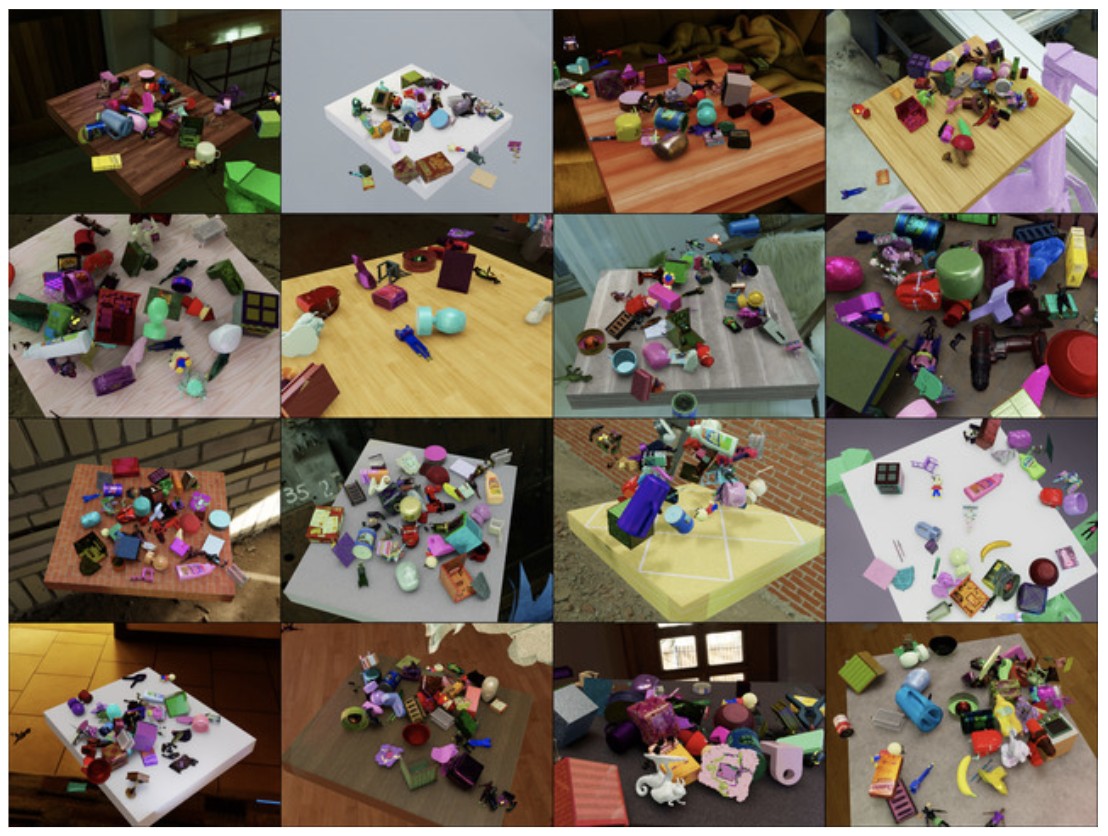
Data Generation with Real World Asset Capture#
While the above data generation process is suited for objects with known 3D assets already available in digital form, including USD and OBJ format, there are scenarios where such assets are not available apriori.
Therefore, use the AR Code app for iPad/iPhone to capture the assets. The app uses LiDAR and multiple images captured from various diverse viewpoints to obtain the 3D asset model directly in USD format suited for rendering with the Isaac Sim and Replicator.
Below are the asset models captured using the app and visualized from different viewpoints.
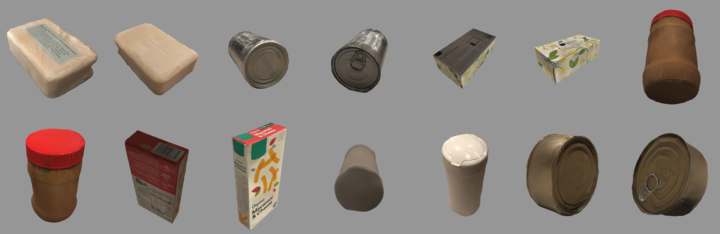
These assets were used in the Synthetica rendering framework to obtain rendered images:
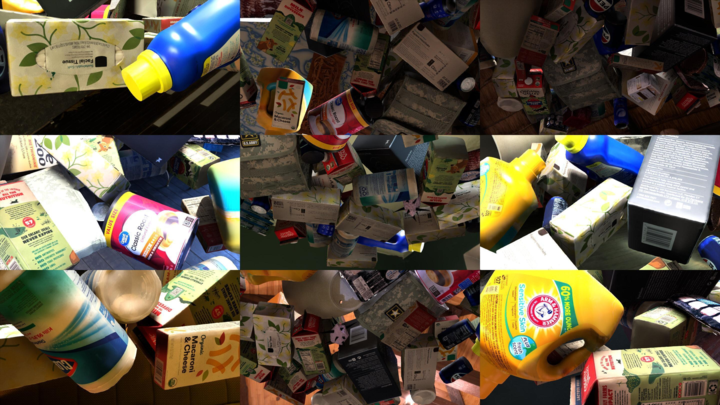
The results of the detector trained on this synthetic data and tested directly on the real world images are shown below:
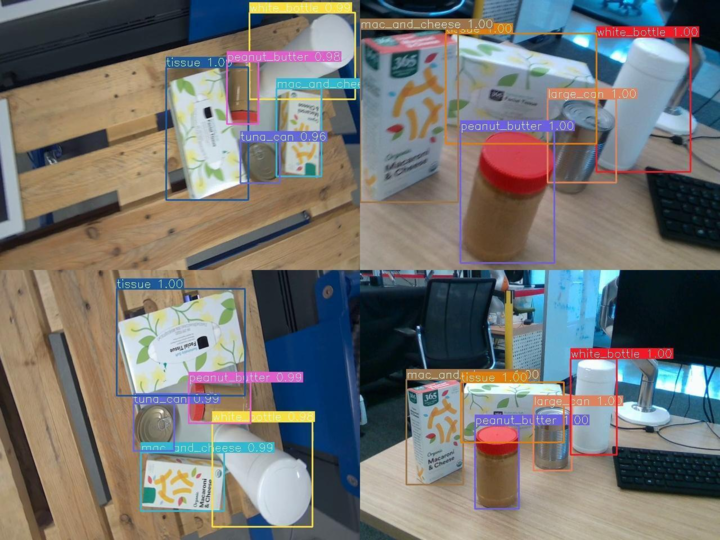
The numbers next to the labels on the bounding boxes represent the confidence values with which the detector is certain about the identity of the object.
SyntheticaDETR Model and Isaac ROS RT-DETR#
The SyntheticaDETR model is available in the NGC Catalog at the following link: SyntheticaDETR in NGC
Furthermore, to run the model in ROS, refer to this thorough tutorial: Isaac ROS RT-DETR Tutorial