


Useful Snippets#
Various examples of Isaac Sim Replicator snippets that can be run as Standalone Applications or from the UI using the Script Editor.
Annotator and Custom Writer Data from Multiple Cameras#
Example on how to access data from multiple cameras in a scene using annotators or custom writers. The standalone example can also be run directly (on Windows use python.bat instead of python.sh):
./python.sh standalone_examples/api/isaacsim.replicator.examples/multi_camera.py
Annotator and Custom Writer Data from Multiple Cameras
import asyncio
import os

import carb.settings
import omni.replicator.core as rep
import omni.usd
from omni.replicator.core import Writer
from omni.replicator.core.backends import DiskBackend
from omni.replicator.core.functional import write_image

NUM_FRAMES = 5


# Randomize cube color every frame using a graph-based replicator randomizer
def cube_color_randomizer():
    cube_prims = rep.get.prims(path_pattern="Cube")
    with cube_prims:
        rep.randomizer.color(colors=rep.distribution.uniform((0, 0, 0), (1, 1, 1)))
    return cube_prims.node


# Example of custom writer class to access the annotator data
class MyWriter(Writer):
    def __init__(self, rgb: bool = True):
        # Organize data from render product perspective (legacy, annotator, renderProduct)
        self.data_structure = "renderProduct"
        self.annotators = []
        self._frame_id = 0
        if rgb:
            # Create a new rgb annotator and add it to the writer's list of annotators
            self.annotators.append(rep.annotators.get("rgb"))
        # Create writer output directory and initialize DiskBackend
        output_dir = os.path.join(os.getcwd(), "_out_mc_writer")
        print(f"Writing writer data to {output_dir}")
        self.backend = DiskBackend(output_dir=output_dir, overwrite=True)

    def write(self, data):
        if "renderProducts" in data:
            for rp_name, rp_data in data["renderProducts"].items():
                if "rgb" in rp_data:
                    file_path = f"{rp_name}_frame_{self._frame_id}.png"
                    self.backend.schedule(write_image, data=rp_data["rgb"]["data"], path=file_path)
        self._frame_id += 1


rep.WriterRegistry.register(MyWriter)

# Create a new stage
omni.usd.get_context().new_stage()

# Set global random seed for the replicator randomizer
rep.set_global_seed(11)

# Disable capture on play to capture data manually using step
rep.orchestrator.set_capture_on_play(False)

# Set DLSS to Quality mode (2) for best SDG results , options: 0 (Performance), 1 (Balanced), 2 (Quality), 3 (Auto)
carb.settings.get_settings().set("rtx/post/dlss/execMode", 2)

# Setup stage
rep.functional.create.xform(name="World")
rep.functional.create.dome_light(intensity=900, parent="/World", name="DomeLight")
cube = rep.functional.create.cube(parent="/World", name="Cube", semantics={"class": "my_cube"})

# Register the graph-based cube color randomizer to trigger on every frame
rep.randomizer.register(cube_color_randomizer)
with rep.trigger.on_frame():
    rep.randomizer.cube_color_randomizer()

# Create cameras
cam_top = rep.functional.create.camera(position=(0, 0, 5), look_at=(0, 0, 0), parent="/World", name="CamTop")
cam_side = rep.functional.create.camera(position=(2, 2, 0), look_at=(0, 0, 0), parent="/World", name="CamSide")
cam_persp = rep.functional.create.camera(position=(5, 5, 5), look_at=(0, 0, 0), parent="/World", name="CamPersp")

# Create the render products
rp_top = rep.create.render_product(cam_top, resolution=(320, 320), name="RpTop")
rp_side = rep.create.render_product(cam_side, resolution=(640, 640), name="RpSide")
rp_persp = rep.create.render_product(cam_persp, resolution=(1024, 1024), name="RpPersp")

# Example of accessing the data through a custom writer
writer = rep.WriterRegistry.get("MyWriter")
writer.initialize(rgb=True)
writer.attach([rp_top, rp_side, rp_persp])

# Example of accessing the data directly through annotators
rgb_annotators = []
for rp in [rp_top, rp_side, rp_persp]:
    # Create a new rgb annotator for each render product
    rgb = rep.annotators.get("rgb")
    # Attach the annotator to the render product
    rgb.attach(rp)
    rgb_annotators.append(rgb)

# Create annotator output directory
output_dir_annot = os.path.join(os.getcwd(), "_out_mc_annot")
print(f"Writing annotator data to {output_dir_annot}")
os.makedirs(output_dir_annot, exist_ok=True)


async def run_example_async():
    for i in range(NUM_FRAMES):
        print(f"Step {i}")
        # The step function triggers registered graph-based randomizers, collects data from annotators,
        # and invokes the write function of attached writers with the annotator data
        await rep.orchestrator.step_async(rt_subframes=32)
        for j, rgb_annot in enumerate(rgb_annotators):
            file_path = os.path.join(output_dir_annot, f"rp{j}_step_{i}.png")
            write_image(path=file_path, data=rgb_annot.get_data())

    # Wait for the data to be written and release resources
    await rep.orchestrator.wait_until_complete_async()
    writer.detach()
    for annot in rgb_annotators:
        annot.detach()
    for rp in [rp_top, rp_side, rp_persp]:
        rp.destroy()


asyncio.ensure_future(run_example_async())
Annotator and Custom Writer Data from Multiple Cameras
"""Demonstrate multi-camera data capture with custom writers and annotators."""

from isaacsim import SimulationApp

simulation_app = SimulationApp(launch_config={"headless": False})

import os

import carb.settings
import omni.replicator.core as rep
import omni.usd
from omni.replicator.core import Writer
from omni.replicator.core.backends import DiskBackend
from omni.replicator.core.functional import write_image

NUM_FRAMES = 5


def cube_color_randomizer():
    """Randomize cube color every frame using a graph-based replicator randomizer."""
    cube_prims = rep.get.prims(path_pattern="Cube")
    with cube_prims:
        rep.randomizer.color(colors=rep.distribution.uniform((0, 0, 0), (1, 1, 1)))
    return cube_prims.node


class MyWriter(Writer):
    """Write RGB annotator data to disk from multiple render products."""

    def __init__(self, rgb: bool = True):
        # Organize data from render product perspective (legacy, annotator, renderProduct)
        self.data_structure = "renderProduct"
        self.annotators = []
        self._frame_id = 0
        if rgb:
            # Create a new rgb annotator and add it to the writer's list of annotators
            self.annotators.append(rep.annotators.get("rgb"))
        # Create writer output directory and initialize DiskBackend
        output_dir = os.path.join(os.getcwd(), "_out_mc_writer")
        print(f"Writing writer data to {output_dir}")
        self.backend = DiskBackend(output_dir=output_dir, overwrite=True)

    def write(self, data):
        """Write RGB frames from each render product to disk."""
        if "renderProducts" in data:
            for rp_name, rp_data in data["renderProducts"].items():
                if "rgb" in rp_data:
                    file_path = f"{rp_name}_frame_{self._frame_id}.png"
                    self.backend.schedule(write_image, data=rp_data["rgb"]["data"], path=file_path)
        self._frame_id += 1


rep.WriterRegistry.register(MyWriter)

# Create a new stage
omni.usd.get_context().new_stage()

# Set global random seed for the replicator randomizer
rep.set_global_seed(11)

# Disable capture on play to capture data manually using step
rep.orchestrator.set_capture_on_play(False)

# Set DLSS to Quality mode (2) for best SDG results , options: 0 (Performance), 1 (Balanced), 2 (Quality), 3 (Auto)
carb.settings.get_settings().set("rtx/post/dlss/execMode", 2)

# Setup stage
rep.functional.create.xform(name="World")
rep.functional.create.dome_light(intensity=900, parent="/World", name="DomeLight")
cube = rep.functional.create.cube(parent="/World", name="Cube", semantics={"class": "my_cube"})

# Register the graph-based cube color randomizer to trigger on every frame
rep.randomizer.register(cube_color_randomizer)
with rep.trigger.on_frame():
    rep.randomizer.cube_color_randomizer()

# Create cameras
cam_top = rep.functional.create.camera(position=(0, 0, 5), look_at=(0, 0, 0), parent="/World", name="CamTop")
cam_side = rep.functional.create.camera(position=(2, 2, 0), look_at=(0, 0, 0), parent="/World", name="CamSide")
cam_persp = rep.functional.create.camera(position=(5, 5, 5), look_at=(0, 0, 0), parent="/World", name="CamPersp")

# Create the render products
rp_top = rep.create.render_product(cam_top, resolution=(320, 320), name="RpTop")
rp_side = rep.create.render_product(cam_side, resolution=(640, 640), name="RpSide")
rp_persp = rep.create.render_product(cam_persp, resolution=(1024, 1024), name="RpPersp")

# Example of accessing the data through a custom writer
writer = rep.WriterRegistry.get("MyWriter")
writer.initialize(rgb=True)
writer.attach([rp_top, rp_side, rp_persp])

# Example of accessing the data directly through annotators
rgb_annotators = []
for rp in [rp_top, rp_side, rp_persp]:
    # Create a new rgb annotator for each render product
    rgb = rep.annotators.get("rgb")
    # Attach the annotator to the render product
    rgb.attach(rp)
    rgb_annotators.append(rgb)

# Create annotator output directory
output_dir_annot = os.path.join(os.getcwd(), "_out_mc_annot")
print(f"Writing annotator data to {output_dir_annot}")
os.makedirs(output_dir_annot, exist_ok=True)

for i in range(NUM_FRAMES):
    print(f"Step {i}")
    # The step function triggers registered graph-based randomizers, collects data from annotators,
    # and invokes the write function of attached writers with the annotator data
    rep.orchestrator.step(rt_subframes=32)
    for j, rgb_annot in enumerate(rgb_annotators):
        file_path = os.path.join(output_dir_annot, f"rp{j}_step_{i}.png")
        write_image(path=file_path, data=rgb_annot.get_data())

# Wait for the data to be written and release resources
rep.orchestrator.wait_until_complete()
writer.detach()
for annot in rgb_annotators:
    annot.detach()
for rp in [rp_top, rp_side, rp_persp]:
    rp.destroy()
Synthetic Data Access at Specific Simulation Timepoints#
Example on how to access synthetic data (RGB, semantic segmentation) from multiple cameras in a simulation scene at specific events using annotators or writers. The standalone example can also be run directly (on Windows use python.bat instead of python.sh):
./python.sh standalone_examples/api/isaacsim.replicator.examples/simulation_get_data.py
Synthetic Data Access at Specific Simulation Timepoints
import asyncio
import json
import os

import carb.settings
import numpy as np
import omni
import omni.replicator.core as rep
from isaacsim.core.experimental.objects import GroundPlane
from isaacsim.core.simulation_manager import SimulationManager
from omni.replicator.core.functional import write_image, write_json
from pxr import UsdPhysics


# Util function to save semantic segmentation annotator data
def write_sem_data(sem_data, file_path):
    id_to_labels = sem_data["info"]["idToLabels"]
    write_json(path=file_path + ".json", data=id_to_labels)
    sem_image_data = sem_data["data"]
    write_image(path=file_path + ".png", data=sem_image_data)


# Create a new stage
omni.usd.get_context().new_stage()

# Setting capture on play to False will prevent the replicator from capturing data each frame
rep.orchestrator.set_capture_on_play(False)

# Set DLSS to Quality mode (2) for best SDG results , options: 0 (Performance), 1 (Balanced), 2 (Quality), 3 (Auto)
carb.settings.get_settings().set("rtx/post/dlss/execMode", 2)

# Add a dome light and a ground plane
rep.functional.create.xform(name="World")
rep.functional.create.dome_light(intensity=500, parent="/World", name="DomeLight")
ground_plane = GroundPlane("/World/GroundPlane")
rep.functional.modify.semantics(ground_plane.prims, {"class": "ground_plane"}, mode="add")

# Create a camera and render product to collect the data from
rep.functional.create.xform(name="World")
cam = rep.functional.create.camera(position=(5, 5, 5), look_at=(0, 0, 0), parent="/World", name="Camera")
rp = rep.create.render_product(cam, resolution=(512, 512), name="MyRenderProduct")

# Set the output directory for the data
out_dir = os.path.join(os.getcwd(), "_out_sim_event")
writer_dir = os.path.join(out_dir, "writer")
annotator_dir = os.path.join(out_dir, "annotator")

os.makedirs(out_dir, exist_ok=True)
os.makedirs(writer_dir, exist_ok=True)
os.makedirs(annotator_dir, exist_ok=True)

print(f"Outputting data to {out_dir}..")
backend = rep.backends.get("DiskBackend")
backend.initialize(output_dir=writer_dir)

# Example of using a writer to save the data
writer = rep.WriterRegistry.get("BasicWriter")
writer.initialize(backend=backend, rgb=True, semantic_segmentation=True, colorize_semantic_segmentation=True)
writer.attach(rp)

# Example of accesing the data directly from annotators
rgb_annot = rep.AnnotatorRegistry.get_annotator("rgb")
rgb_annot.attach(rp)
sem_annot = rep.AnnotatorRegistry.get_annotator("semantic_segmentation", init_params={"colorize": True})
sem_annot.attach(rp)

# Initialize the simulation manager
SimulationManager.initialize_physics()


async def run_example_async():
    # Spawn and drop a few cubes, capture data when they stop moving
    for i in range(5):
        cube = rep.functional.create.cube(name=f"Cuboid_{i}", parent="/World")
        rep.functional.modify.position(cube, (0, 0, 10 + i))
        rep.functional.modify.semantics(cube, {"class": "cuboid"}, mode="add")
        rep.functional.physics.apply_rigid_body(cube, with_collider=True)
        physics_rigid_body_api = UsdPhysics.RigidBodyAPI(cube)

        for s in range(500):
            SimulationManager.step()
            linear_velocity = physics_rigid_body_api.GetVelocityAttr().Get()
            speed = np.linalg.norm(linear_velocity)

            if speed < 0.1:
                print(f"Cube_{i} stopped moving after {s} simulation steps, writing data..")
                # Tigger the writer and update the annotators with new data
                await rep.orchestrator.step_async(rt_subframes=4, delta_time=0.0, pause_timeline=False)
                rgb_path = os.path.join(annotator_dir, f"Cube_{i}_step_{s}_rgb.png")
                sem_path = os.path.join(annotator_dir, f"Cube_{i}_step_{s}_sem")
                write_image(path=rgb_path, data=rgb_annot.get_data())
                write_sem_data(sem_annot.get_data(), sem_path)
                break

    # Wait for the data to be written to disk and clean up resources
    await rep.orchestrator.wait_until_complete_async()
    rgb_annot.detach()
    sem_annot.detach()
    writer.detach()
    rp.destroy()


asyncio.ensure_future(run_example_async())
Synthetic Data Access at Specific Simulation Timepoints
"""Demonstrate simulation-event-driven data capture with writers and annotators."""

from isaacsim import SimulationApp

simulation_app = SimulationApp(launch_config={"headless": False})

import os

import carb.settings
import numpy as np
import omni
import omni.replicator.core as rep
from isaacsim.core.experimental.objects import GroundPlane
from isaacsim.core.simulation_manager import SimulationManager
from omni.replicator.core.functional import write_image, write_json
from pxr import UsdPhysics


def write_sem_data(sem_data, file_path):
    """Save semantic segmentation data as JSON labels and PNG image."""
    id_to_labels = sem_data["info"]["idToLabels"]
    write_json(path=file_path + ".json", data=id_to_labels)
    sem_image_data = sem_data["data"]
    write_image(path=file_path + ".png", data=sem_image_data)


# Create a new stage
omni.usd.get_context().new_stage()

# Setting capture on play to False will prevent the replicator from capturing data each frame
rep.orchestrator.set_capture_on_play(False)

# Set DLSS to Quality mode (2) for best SDG results , options: 0 (Performance), 1 (Balanced), 2 (Quality), 3 (Auto)
carb.settings.get_settings().set("rtx/post/dlss/execMode", 2)

# Add a dome light and a ground plane
rep.functional.create.xform(name="World")
rep.functional.create.dome_light(intensity=500, parent="/World", name="DomeLight")
ground_plane = GroundPlane("/World/GroundPlane")
rep.functional.modify.semantics(ground_plane.prims, {"class": "ground_plane"}, mode="add")

# Create a camera and render product to collect the data from
cam = rep.functional.create.camera(position=(5, 5, 5), look_at=(0, 0, 0), parent="/World", name="Camera")
rp = rep.create.render_product(cam, resolution=(512, 512), name="MyRenderProduct")

# Set the output directory for the data
out_dir = os.path.join(os.getcwd(), "_out_sim_event")
writer_dir = os.path.join(out_dir, "writer")
annotator_dir = os.path.join(out_dir, "annotator")

os.makedirs(out_dir, exist_ok=True)
os.makedirs(writer_dir, exist_ok=True)
os.makedirs(annotator_dir, exist_ok=True)

print(f"Outputting data to {out_dir}..")
backend = rep.backends.get("DiskBackend")
backend.initialize(output_dir=writer_dir)

# Example of using a writer to save the data
writer = rep.WriterRegistry.get("BasicWriter")
writer.initialize(backend=backend, rgb=True, semantic_segmentation=True, colorize_semantic_segmentation=True)
writer.attach(rp)

# Example of accesing the data directly from annotators
rgb_annot = rep.AnnotatorRegistry.get_annotator("rgb")
rgb_annot.attach(rp)
sem_annot = rep.AnnotatorRegistry.get_annotator("semantic_segmentation", init_params={"colorize": True})
sem_annot.attach(rp)

# Initialize the simulation manager
SimulationManager.initialize_physics()

# Spawn and drop a few cubes, capture data when they stop moving
for i in range(5):
    cube = rep.functional.create.cube(name=f"Cuboid_{i}", parent="/World")
    rep.functional.modify.position(cube, (0, 0, 10 + i))
    rep.functional.modify.semantics(cube, {"class": "cuboid"}, mode="add")
    rep.functional.physics.apply_rigid_body(cube, with_collider=True)
    physics_rigid_body_api = UsdPhysics.RigidBodyAPI(cube)

    for s in range(500):
        SimulationManager.step()
        linear_velocity = physics_rigid_body_api.GetVelocityAttr().Get()
        speed = np.linalg.norm(linear_velocity)

        if speed < 0.1:
            print(f"Cube_{i} stopped moving after {s} simulation steps, writing data..")
            # Tigger the writer and update the annotators with new data
            rep.orchestrator.step(rt_subframes=4, delta_time=0.0, pause_timeline=False)
            rgb_path = os.path.join(annotator_dir, f"Cube_{i}_step_{s}_rgb.png")
            write_image(path=rgb_path, data=rgb_annot.get_data())
            sem_path = os.path.join(annotator_dir, f"Cube_{i}_step_{s}_sem")
            write_sem_data(sem_annot.get_data(), sem_path)
            break

# Wait for the data to be written to disk and clean up resources
rep.orchestrator.wait_until_complete()
rgb_annot.detach()
sem_annot.detach()
writer.detach()
rp.destroy()
Custom Event Randomization and Writing#
The following example showcases the use of custom events to trigger randomizations and data writing at various times throughout the simulation. The standalone example can also be run directly (on Windows use python.bat instead of python.sh):
./python.sh standalone_examples/api/isaacsim.replicator.examples/custom_event_and_write.py
Custom Event Randomization and Writing
import asyncio
import os

import carb.settings
import omni.replicator.core as rep
import omni.usd

omni.usd.get_context().new_stage()

# Set global random seed for the replicator randomizer to ensure reproducibility
rep.set_global_seed(11)

# Setting capture on play to False will prevent the replicator from capturing data each frame
rep.orchestrator.set_capture_on_play(False)

# Set DLSS to Quality mode (2) for best SDG results , options: 0 (Performance), 1 (Balanced), 2 (Quality), 3 (Auto)
carb.settings.get_settings().set("rtx/post/dlss/execMode", 2)

rep.functional.create.xform(name="World")
rep.functional.create.distant_light(intensity=4000, rotation=(315, 0, 0), parent="/World", name="DistantLight")
small_cube = rep.functional.create.cube(scale=0.75, position=(-1.5, 1.5, 0), parent="/World", name="SmallCube")
large_cube = rep.functional.create.cube(scale=1.25, position=(1.5, -1.5, 0), parent="/World", name="LargeCube")

# Graph-based randomizations triggered on custom events
with rep.trigger.on_custom_event(event_name="randomize_small_cube"):
    small_cube_node = rep.get.prim_at_path(small_cube.GetPath())
    with small_cube_node:
        rep.randomizer.rotation()

with rep.trigger.on_custom_event(event_name="randomize_large_cube"):
    large_cube_node = rep.get.prim_at_path(large_cube.GetPath())
    with large_cube_node:
        rep.randomizer.rotation()

# Use the disk backend to write the data to disk
out_dir = os.path.join(os.getcwd(), "_out_custom_event")
print(f"Writing data to {out_dir}")
backend = rep.backends.get("DiskBackend")
backend.initialize(output_dir=out_dir)

cam = rep.functional.create.camera(position=(5, 5, 5), look_at=(0, 0, 0), parent="/World", name="Camera")
rp = rep.create.render_product(cam, (512, 512))
writer = rep.WriterRegistry.get("BasicWriter")
writer.initialize(backend=backend, rgb=True)
writer.attach(rp)


async def run_example_async():
    print(f"Capturing at original positions")
    await rep.orchestrator.step_async(rt_subframes=8)

    print("Randomizing small cube rotation (graph-based) and capturing...")
    rep.utils.send_og_event(event_name="randomize_small_cube")
    await rep.orchestrator.step_async(rt_subframes=8)

    print("Moving small cube position (USD API) and capturing...")
    small_cube.GetAttribute("xformOp:translate").Set((-1.5, 1.5, -2))
    await rep.orchestrator.step_async(rt_subframes=8)

    print("Randomizing large cube rotation (graph-based) and capturing...")
    rep.utils.send_og_event(event_name="randomize_large_cube")
    await rep.orchestrator.step_async(rt_subframes=8)

    print("Moving large cube position (USD API) and capturing...")
    large_cube.GetAttribute("xformOp:translate").Set((1.5, -1.5, 2))
    await rep.orchestrator.step_async(rt_subframes=8)

    # Wait until all the data is saved to disk and cleanup writer and render product
    await rep.orchestrator.wait_until_complete_async()
    writer.detach()
    rp.destroy()


asyncio.ensure_future(run_example_async())
Custom Event Randomization and Writing
"""Demonstrate custom event-triggered randomization and data capture."""

from isaacsim import SimulationApp

simulation_app = SimulationApp(launch_config={"headless": False})

import os

import carb.settings
import omni.replicator.core as rep
import omni.usd

omni.usd.get_context().new_stage()

# Set global random seed for the replicator randomizer to ensure reproducibility
rep.set_global_seed(11)

# Setting capture on play to False will prevent the replicator from capturing data each frame
rep.orchestrator.set_capture_on_play(False)

# Set DLSS to Quality mode (2) for best SDG results , options: 0 (Performance), 1 (Balanced), 2 (Quality), 3 (Auto)
carb.settings.get_settings().set("rtx/post/dlss/execMode", 2)

rep.functional.create.xform(name="World")
rep.functional.create.distant_light(intensity=4000, rotation=(315, 0, 0), parent="/World", name="DistantLight")
small_cube = rep.functional.create.cube(scale=0.75, position=(-1.5, 1.5, 0), parent="/World", name="SmallCube")
large_cube = rep.functional.create.cube(scale=1.25, position=(1.5, -1.5, 0), parent="/World", name="LargeCube")

# Graph-based randomizations triggered on custom events
with rep.trigger.on_custom_event(event_name="randomize_small_cube"):
    small_cube_node = rep.get.prim_at_path(small_cube.GetPath())
    with small_cube_node:
        rep.randomizer.rotation()

with rep.trigger.on_custom_event(event_name="randomize_large_cube"):
    large_cube_node = rep.get.prim_at_path(large_cube.GetPath())
    with large_cube_node:
        rep.randomizer.rotation()

# Use the disk backend to write the data to disk
out_dir = os.path.join(os.getcwd(), "_out_custom_event")
print(f"Writing data to {out_dir}")
backend = rep.backends.get("DiskBackend")
backend.initialize(output_dir=out_dir)

cam = rep.functional.create.camera(position=(5, 5, 5), look_at=(0, 0, 0), parent="/World", name="Camera")
rp = rep.create.render_product(cam, (512, 512))
writer = rep.WriterRegistry.get("BasicWriter")
writer.initialize(backend=backend, rgb=True)
writer.attach(rp)


def run_example():
    """Run custom event randomization and capture sequence."""
    print(f"Capturing at original positions")
    rep.orchestrator.step(rt_subframes=8)

    print("Randomizing small cube rotation (graph-based) and capturing...")
    rep.utils.send_og_event(event_name="randomize_small_cube")
    rep.orchestrator.step(rt_subframes=8)

    print("Moving small cube position (USD API) and capturing...")
    small_cube.GetAttribute("xformOp:translate").Set((-1.5, 1.5, -2))
    rep.orchestrator.step(rt_subframes=8)

    print("Randomizing large cube rotation (graph-based) and capturing...")
    rep.utils.send_og_event(event_name="randomize_large_cube")
    rep.orchestrator.step(rt_subframes=8)

    print("Moving large cube position (USD API) and capturing...")
    large_cube.GetAttribute("xformOp:translate").Set((1.5, -1.5, 2))
    rep.orchestrator.step(rt_subframes=8)

    # Wait until all the data is saved to disk and cleanup writer and render product
    rep.orchestrator.wait_until_complete()
    writer.detach()
    rp.destroy()


run_example()
Motion Blur#
This example demonstrates how to capture motion blur data using RTX Real-Time and RTX Interactive (Path Tracing) rendering modes. For the RTX - Real-Time mode, refer to motion blur parameters. For the RTX – Interactive (Path Tracing) mode, motion blur is achieved by rendering multiple subframes (/omni/replicator/pathTracedMotionBlurSubSamples) and combining them to create the effect.
The example uses animated and physics-enabled assets with synchronized motion. Keyframe animated assets can be advanced at any custom delta time due to their interpolated motion, whereas physics-enabled assets require a custom physics FPS to ensure motion samples at any custom delta time. The example showcases how to compute the target physics FPS, change it if needed, and restore the original physics FPS after capturing the motion blur.
The standalone example can also be run directly (on Windows use python.bat instead of python.sh):
./python.sh standalone_examples/api/isaacsim.replicator.examples/motion_blur.py
Motion Blur
import asyncio
import os

import carb.settings
import omni.kit.app
import omni.replicator.core as rep
import omni.timeline
import omni.usd
from isaacsim.storage.native import get_assets_root_path
from pxr import PhysxSchema, Sdf, UsdPhysics

# Paths to the animated and physics-ready assets
PHYSICS_ASSET_URL = "/Isaac/Props/YCB/Axis_Aligned_Physics/003_cracker_box.usd"
ANIM_ASSET_URL = "/Isaac/Props/YCB/Axis_Aligned/003_cracker_box.usd"

# -z velocities and start locations of the animated (left side) and physics (right side) assets (stage units/s)
ASSET_VELOCITIES = [0, 5, 10]
ASSET_X_MIRRORED_LOCATIONS = [(0.5, 0, 0.3), (0.3, 0, 0.3), (0.1, 0, 0.3)]

# Used to calculate how many frames to animate the assets to maintain the same velocity as the physics assets
ANIMATION_DURATION = 10

# Number of frames to capture for each scenario
NUM_FRAMES = 3

# Configuration for motion blur examples
DELTA_TIMES = [None, 1 / 30, 1 / 60, 1 / 240]
SAMPLES_PER_PIXEL = [32, 128]
MOTION_BLUR_SUBSAMPLES = [4, 16]


def setup_stage():
    """Create a new USD stage with animated and physics-enabled assets with synchronized motion."""
    omni.usd.get_context().new_stage()
    settings = carb.settings.get_settings()
    # Set DLSS to Quality mode (2) for best SDG results , options: 0 (Performance), 1 (Balanced), 2 (Quality), 3 (Auto)
    settings.set("rtx/post/dlss/execMode", 2)

    # Capture data only on request
    rep.orchestrator.set_capture_on_play(False)

    stage = omni.usd.get_context().get_stage()
    timeline = omni.timeline.get_timeline_interface()
    timeline.set_end_time(ANIMATION_DURATION)

    # Create lights
    rep.functional.create.xform(name="World")
    rep.functional.create.dome_light(intensity=100, parent="/World", name="DomeLight")
    rep.functional.create.distant_light(intensity=2500, rotation=(315, 0, 0), parent="/World", name="DistantLight")

    # Setup the physics assets with gravity disabled and the requested velocity
    assets_root_path = get_assets_root_path()
    physics_asset_url = assets_root_path + PHYSICS_ASSET_URL
    for location, velocity in zip(ASSET_X_MIRRORED_LOCATIONS, ASSET_VELOCITIES):
        prim = rep.functional.create.reference(
            usd_path=physics_asset_url,
            parent="/World",
            name=f"physics_asset_{int(abs(velocity))}",
            position=location,
        )
        physics_rigid_body_api = UsdPhysics.RigidBodyAPI(prim)
        physics_rigid_body_api.GetVelocityAttr().Set((0, 0, -velocity))
        physx_rigid_body_api = PhysxSchema.PhysxRigidBodyAPI(prim)
        physx_rigid_body_api.GetDisableGravityAttr().Set(True)
        physx_rigid_body_api.GetAngularDampingAttr().Set(0.0)
        physx_rigid_body_api.GetLinearDampingAttr().Set(0.0)

    # Setup animated assets maintaining the same velocity as the physics assets
    anim_asset_url = assets_root_path + ANIM_ASSET_URL
    for location, velocity in zip(ASSET_X_MIRRORED_LOCATIONS, ASSET_VELOCITIES):
        start_location = (-location[0], location[1], location[2])
        prim = rep.functional.create.reference(
            usd_path=anim_asset_url,
            parent="/World",
            name=f"anim_asset_{int(abs(velocity))}",
            position=start_location,
        )
        animation_distance = velocity * ANIMATION_DURATION
        end_location = (start_location[0], start_location[1], start_location[2] - animation_distance)
        end_keyframe_time = timeline.get_time_codes_per_seconds() * ANIMATION_DURATION
        # Timesampled keyframe (animated) translation
        prim.GetAttribute("xformOp:translate").Set(start_location, time=0)
        prim.GetAttribute("xformOp:translate").Set(end_location, time=end_keyframe_time)


async def run_motion_blur_example_async(
    num_frames=NUM_FRAMES, delta_time=None, use_path_tracing=True, motion_blur_subsamples=8, samples_per_pixel=64
):
    """Capture motion blur frames with the given delta time step and render mode."""
    setup_stage()
    stage = omni.usd.get_context().get_stage()
    settings = carb.settings.get_settings()

    # Enable motion blur capture
    settings.set("/omni/replicator/captureMotionBlur", True)

    # Set motion blur settings based on the render mode
    if use_path_tracing:
        print("[MotionBlur] Setting PathTracing render mode motion blur settings")
        settings.set("/rtx/rendermode", "PathTracing")
        # (int): Total number of samples for each rendered pixel, per frame.
        settings.set("/rtx/pathtracing/spp", samples_per_pixel)
        # (int): Maximum number of samples to accumulate per pixel. When this count is reached the rendering stops until a scene or setting change is detected, restarting the rendering process. Set to 0 to remove this limit.
        settings.set("/rtx/pathtracing/totalSpp", samples_per_pixel)
        settings.set("/rtx/pathtracing/optixDenoiser/enabled", 0)
        # Number of sub samples to render if in PathTracing render mode and motion blur is enabled.
        settings.set("/omni/replicator/pathTracedMotionBlurSubSamples", motion_blur_subsamples)
    else:
        print("[MotionBlur] Setting RealTimePathTracing render mode motion blur settings")
        settings.set("/rtx/rendermode", "RealTimePathTracing")
        # 0: Disabled, 1: TAA, 2: FXAA, 3: DLSS, 4:RTXAA
        settings.set("/rtx/post/aa/op", 2)
        # (float): The fraction of the largest screen dimension to use as the maximum motion blur diameter.
        settings.set("/rtx/post/motionblur/maxBlurDiameterFraction", 0.02)
        # (float): Exposure time fraction in frames (1.0 = one frame duration) to sample.
        settings.set("/rtx/post/motionblur/exposureFraction", 1.0)
        # (int): Number of samples to use in the filter. A higher number improves quality at the cost of performance.
        settings.set("/rtx/post/motionblur/numSamples", 8)

    # Setup backend
    mode_str = f"pt_subsamples_{motion_blur_subsamples}_spp_{samples_per_pixel}" if use_path_tracing else "rt"
    delta_time_str = "None" if delta_time is None else f"{delta_time:.4f}"
    output_directory = os.path.join(os.getcwd(), f"_out_motion_blur_func_dt_{delta_time_str}_{mode_str}")
    print(f"[MotionBlur] Output directory: {output_directory}")
    backend = rep.backends.get("DiskBackend")
    backend.initialize(output_dir=output_directory)

    # Setup writer and render product
    camera = rep.functional.create.camera(
        position=(0, 1.5, 0), look_at=(0, 0, 0), parent="/World", name="MotionBlurCam"
    )
    render_product = rep.create.render_product(camera, (1280, 720))
    writer = rep.WriterRegistry.get("BasicWriter")
    writer.initialize(backend=backend, rgb=True)
    writer.attach(render_product)

    # Run a few updates to make sure all materials are fully loaded for capture
    for _ in range(5):
        await omni.kit.app.get_app().next_update_async()

    # Create or get the physics scene
    rep.functional.physics.create_physics_scene(path="/PhysicsScene")
    physx_scene = PhysxSchema.PhysxSceneAPI.Apply(stage.GetPrimAtPath(Sdf.Path("/PhysicsScene")))

    # Check the target physics depending on the delta time and the render mode
    target_physics_fps = stage.GetTimeCodesPerSecond() if delta_time is None else 1 / delta_time
    if use_path_tracing:
        target_physics_fps *= motion_blur_subsamples

    # Check if the physics FPS needs to be increased to match the delta time
    original_physics_fps = physx_scene.GetTimeStepsPerSecondAttr().Get()
    if target_physics_fps > original_physics_fps:
        print(f"[MotionBlur] Changing physics FPS from {original_physics_fps} to {target_physics_fps}")
        physx_scene.GetTimeStepsPerSecondAttr().Set(target_physics_fps)

    # Start the timeline for physics updates in the step function
    timeline = omni.timeline.get_timeline_interface()
    timeline.play()

    # Capture frames
    for i in range(num_frames):
        print(f"[MotionBlur] \tCapturing frame {i}")
        await rep.orchestrator.step_async(delta_time=delta_time)

    # Restore the original physics FPS
    if target_physics_fps > original_physics_fps:
        print(f"[MotionBlur] Restoring physics FPS from {target_physics_fps} to {original_physics_fps}")
        physx_scene.GetTimeStepsPerSecondAttr().Set(original_physics_fps)

    # Switch back to the raytracing render mode
    if use_path_tracing:
        print("[MotionBlur] Restoring render mode to RealTimePathTracing")
        settings.set("/rtx/rendermode", "RealTimePathTracing")

    # Wait until the data is fully written
    await rep.orchestrator.wait_until_complete_async()

    # Cleanup
    writer.detach()
    render_product.destroy()


async def run_motion_blur_examples_async(num_frames, delta_times, samples_per_pixel, motion_blur_subsamples):
    print(
        f"[MotionBlur] Running with delta_times={delta_times}, samples_per_pixel={samples_per_pixel}, motion_blur_subsamples={motion_blur_subsamples}"
    )

    for delta_time in delta_times:
        # RayTracing examples
        await run_motion_blur_example_async(num_frames=num_frames, delta_time=delta_time, use_path_tracing=False)
        # PathTracing examples
        for motion_blur_subsample in motion_blur_subsamples:
            for samples_per_pixel_value in samples_per_pixel:
                await run_motion_blur_example_async(
                    num_frames=num_frames,
                    delta_time=delta_time,
                    use_path_tracing=True,
                    motion_blur_subsamples=motion_blur_subsample,
                    samples_per_pixel=samples_per_pixel_value,
                )


asyncio.ensure_future(
    run_motion_blur_examples_async(
        num_frames=NUM_FRAMES,
        delta_times=DELTA_TIMES,
        samples_per_pixel=SAMPLES_PER_PIXEL,
        motion_blur_subsamples=MOTION_BLUR_SUBSAMPLES,
    )
)


async def run_motion_blur_examples_async():
    motion_blur_step_duration = [None, 1 / 30, 1 / 60, 1 / 240]
    for custom_delta_time in motion_blur_step_duration:
        # RayTracing examples
        await run_motion_blur_example_async(delta_time=custom_delta_time, use_path_tracing=False)
        # PathTracing examples
        spps = [32, 128]
        motion_blur_sub_samples = [4, 16]
        for motion_blur_sub_sample in motion_blur_sub_samples:
            for spp in spps:
                await run_motion_blur_example_async(
                    delta_time=custom_delta_time,
                    use_path_tracing=True,
                    motion_blur_subsamples=motion_blur_sub_sample,
                    samples_per_pixel=spp,
                )


asyncio.ensure_future(run_motion_blur_examples_async())
Motion Blur
"""Demonstrate motion blur capture with configurable delta times and render modes."""

from isaacsim import SimulationApp

simulation_app = SimulationApp({"headless": False})

import argparse
import os

import carb.settings
import omni.replicator.core as rep
import omni.timeline
import omni.usd
from isaacsim.storage.native import get_assets_root_path
from pxr import PhysxSchema, UsdPhysics

# Paths to the animated and physics-ready assets
PHYSICS_ASSET_URL = "/Isaac/Props/YCB/Axis_Aligned_Physics/003_cracker_box.usd"
ANIM_ASSET_URL = "/Isaac/Props/YCB/Axis_Aligned/003_cracker_box.usd"

# -z velocities and start locations of the animated (left side) and physics (right side) assets (stage units/s)
ASSET_VELOCITIES = [0, 5, 10]
ASSET_X_MIRRORED_LOCATIONS = [(0.5, 0, 0.3), (0.3, 0, 0.3), (0.1, 0, 0.3)]

# Used to calculate how many frames to animate the assets to maintain the same velocity as the physics assets
ANIMATION_DURATION = 10

# Number of frames to capture for each scenario
NUM_FRAMES = 3


def parse_delta_time(value):
    """Convert string to float or None. Accepts 'None', -1, 0, or numeric values."""
    if value.lower() == "none":
        return None
    float_value = float(value)
    return None if float_value in (-1, 0) else float_value


parser = argparse.ArgumentParser()
parser.add_argument(
    "--delta_times",
    nargs="*",
    type=parse_delta_time,
    default=[None, 1 / 30, 1 / 60, 1 / 240],
    help="List of delta times (seconds per frame) to use for motion blur captures. Use 'None' for default stage time.",
)
parser.add_argument(
    "--samples_per_pixel",
    nargs="*",
    type=int,
    default=[32, 128],
    help="List of samples per pixel (spp) values for path tracing",
)
parser.add_argument(
    "--motion_blur_subsamples",
    nargs="*",
    type=int,
    default=[4, 16],
    help="List of motion blur subsample values for path tracing",
)
args, _ = parser.parse_known_args()
delta_times = args.delta_times
samples_per_pixel = args.samples_per_pixel
motion_blur_subsamples = args.motion_blur_subsamples


def setup_stage():
    """Create a new USD stage with animated and physics-enabled assets with synchronized motion."""
    omni.usd.get_context().new_stage()
    settings = carb.settings.get_settings()
    # Set DLSS to Quality mode (2) for best SDG results , options: 0 (Performance), 1 (Balanced), 2 (Quality), 3 (Auto)
    settings.set("rtx/post/dlss/execMode", 2)

    # Capture data only on request
    rep.orchestrator.set_capture_on_play(False)

    stage = omni.usd.get_context().get_stage()
    timeline = omni.timeline.get_timeline_interface()
    timeline.set_end_time(ANIMATION_DURATION)

    # Create lights
    rep.functional.create.xform(name="World")
    rep.functional.create.dome_light(intensity=100, parent="/World", name="DomeLight")
    rep.functional.create.distant_light(intensity=2500, rotation=(315, 0, 0), parent="/World", name="DistantLight")

    # Setup the physics assets with gravity disabled and the requested velocity
    assets_root_path = get_assets_root_path()
    physics_asset_url = assets_root_path + PHYSICS_ASSET_URL
    for location, velocity in zip(ASSET_X_MIRRORED_LOCATIONS, ASSET_VELOCITIES):
        prim = rep.functional.create.reference(
            usd_path=physics_asset_url, parent="/World", name=f"physics_asset_{int(abs(velocity))}", position=location
        )
        physics_rigid_body_api = UsdPhysics.RigidBodyAPI(prim)
        physics_rigid_body_api.GetVelocityAttr().Set((0, 0, -velocity))
        physx_rigid_body_api = PhysxSchema.PhysxRigidBodyAPI(prim)
        physx_rigid_body_api.GetDisableGravityAttr().Set(True)
        physx_rigid_body_api.GetAngularDampingAttr().Set(0.0)
        physx_rigid_body_api.GetLinearDampingAttr().Set(0.0)

    # Setup animated assets maintaining the same velocity as the physics assets
    anim_asset_url = assets_root_path + ANIM_ASSET_URL
    for location, velocity in zip(ASSET_X_MIRRORED_LOCATIONS, ASSET_VELOCITIES):
        start_location = (-location[0], location[1], location[2])
        prim = rep.functional.create.reference(
            usd_path=anim_asset_url, parent="/World", name=f"anim_asset_{int(abs(velocity))}", position=start_location
        )
        animation_distance = velocity * ANIMATION_DURATION
        end_location = (start_location[0], start_location[1], start_location[2] - animation_distance)
        end_keyframe_time = timeline.get_time_codes_per_seconds() * ANIMATION_DURATION
        # Timesampled keyframe (animated) translation
        prim.GetAttribute("xformOp:translate").Set(start_location, time=0)
        prim.GetAttribute("xformOp:translate").Set(end_location, time=end_keyframe_time)


def run_motion_blur_example(
    num_frames, delta_time=None, use_path_tracing=True, motion_blur_subsamples=8, samples_per_pixel=64
):
    """Capture motion blur frames with the given delta time step and render mode."""
    setup_stage()
    stage = omni.usd.get_context().get_stage()
    settings = carb.settings.get_settings()

    # Enable motion blur capture
    settings.set("/omni/replicator/captureMotionBlur", True)

    # Set motion blur settings based on the render mode
    if use_path_tracing:
        print("[MotionBlur] Setting PathTracing render mode motion blur settings")
        settings.set("/rtx/rendermode", "PathTracing")
        # (int): Total number of samples for each rendered pixel, per frame.
        settings.set("/rtx/pathtracing/spp", samples_per_pixel)
        # (int): Maximum number of samples to accumulate per pixel. When this count is reached the rendering stops until a scene or setting change is detected, restarting the rendering process. Set to 0 to remove this limit.
        settings.set("/rtx/pathtracing/totalSpp", samples_per_pixel)
        settings.set("/rtx/pathtracing/optixDenoiser/enabled", 0)
        # Number of sub samples to render if in PathTracing render mode and motion blur is enabled.
        settings.set("/omni/replicator/pathTracedMotionBlurSubSamples", motion_blur_subsamples)
    else:
        print("[MotionBlur] Setting RealTimePathTracing render mode motion blur settings")
        settings.set("/rtx/rendermode", "RealTimePathTracing")
        # 0: Disabled, 1: TAA, 2: FXAA, 3: DLSS, 4:RTXAA
        settings.set("/rtx/post/aa/op", 2)
        # (float): The fraction of the largest screen dimension to use as the maximum motion blur diameter.
        settings.set("/rtx/post/motionblur/maxBlurDiameterFraction", 0.02)
        # (float): Exposure time fraction in frames (1.0 = one frame duration) to sample.
        settings.set("/rtx/post/motionblur/exposureFraction", 1.0)
        # (int): Number of samples to use in the filter. A higher number improves quality at the cost of performance.
        settings.set("/rtx/post/motionblur/numSamples", 8)

    # Setup backend
    mode_str = f"pt_subsamples_{motion_blur_subsamples}_spp_{samples_per_pixel}" if use_path_tracing else "rt"
    delta_time_str = "None" if delta_time is None else f"{delta_time:.4f}"
    output_directory = os.path.join(os.getcwd(), f"_out_motion_blur_func_dt_{delta_time_str}_{mode_str}")
    print(f"[MotionBlur] Output directory: {output_directory}")
    backend = rep.backends.get("DiskBackend")
    backend.initialize(output_dir=output_directory)

    # Setup writer and render product
    camera = rep.functional.create.camera(
        position=(0, 1.5, 0), look_at=(0, 0, 0), parent="/World", name="MotionBlurCam"
    )
    render_product = rep.create.render_product(camera, (1280, 720))
    writer = rep.WriterRegistry.get("BasicWriter")
    writer.initialize(backend=backend, rgb=True)
    writer.attach(render_product)

    # Run a few updates to make sure all materials are fully loaded for capture
    for _ in range(5):
        simulation_app.update()

    # Create or get the physics scene
    rep.functional.physics.create_physics_scene(path="/PhysicsScene")
    physx_scene = PhysxSchema.PhysxSceneAPI.Apply(stage.GetPrimAtPath("/PhysicsScene"))

    # Check the target physics depending on the delta time and the render mode
    target_physics_fps = stage.GetTimeCodesPerSecond() if delta_time is None else 1 / delta_time
    if use_path_tracing:
        target_physics_fps *= motion_blur_subsamples

    # Check if the physics FPS needs to be increased to match the delta time
    original_physics_fps = physx_scene.GetTimeStepsPerSecondAttr().Get()
    if target_physics_fps > original_physics_fps:
        print(f"[MotionBlur] Changing physics FPS from {original_physics_fps} to {target_physics_fps}")
        physx_scene.GetTimeStepsPerSecondAttr().Set(target_physics_fps)

    # Start the timeline for physics updates in the step function
    timeline = omni.timeline.get_timeline_interface()
    timeline.play()

    # Capture frames
    for i in range(num_frames):
        print(f"[MotionBlur] \tCapturing frame {i}")
        rep.orchestrator.step(delta_time=delta_time)

    # Restore the original physics FPS
    if target_physics_fps > original_physics_fps:
        print(f"[MotionBlur] Restoring physics FPS from {target_physics_fps} to {original_physics_fps}")
        physx_scene.GetTimeStepsPerSecondAttr().Set(original_physics_fps)

    # Switch back to the raytracing render mode
    if use_path_tracing:
        print("[MotionBlur] Restoring render mode to RealTimePathTracing")
        settings.set("/rtx/rendermode", "RealTimePathTracing")

    # Wait until the data is fully written
    rep.orchestrator.wait_until_complete()

    # Cleanup
    writer.detach()
    render_product.destroy()


def run_motion_blur_examples(num_frames, delta_times, samples_per_pixel, motion_blur_subsamples):
    """Run motion blur examples across all delta time and render mode combinations."""
    print(
        f"[MotionBlur] Running with delta_times={delta_times}, samples_per_pixel={samples_per_pixel}, motion_blur_subsamples={motion_blur_subsamples}"
    )
    for delta_time in delta_times:
        # RayTracing examples
        run_motion_blur_example(num_frames=num_frames, delta_time=delta_time, use_path_tracing=False)
        # PathTracing examples
        for motion_blur_subsample in motion_blur_subsamples:
            for samples_per_pixel_value in samples_per_pixel:
                run_motion_blur_example(
                    num_frames=num_frames,
                    delta_time=delta_time,
                    use_path_tracing=True,
                    motion_blur_subsamples=motion_blur_subsample,
                    samples_per_pixel=samples_per_pixel_value,
                )


run_motion_blur_examples(
    num_frames=NUM_FRAMES,
    delta_times=delta_times,
    samples_per_pixel=samples_per_pixel,
    motion_blur_subsamples=motion_blur_subsamples,
)
Subscribers and Events at Custom FPS#
Examples of subscribing to various events (such as stage, physics, and render/app), setting custom update rates, and adjusting various related settings. The standalone example can also be run directly (on Windows use python.bat instead of python.sh):
./python.sh standalone_examples/api/isaacsim.replicator.examples/subscribers_and_events.py
Subscribers and Events at Custom FPS
import asyncio
import time

import carb.eventdispatcher
import carb.settings
import omni.kit.app
import omni.physics.core
import omni.timeline
import omni.usd
from pxr import PhysxSchema, UsdPhysics

# TIMELINE / STAGE
USE_CUSTOM_TIMELINE_SETTINGS = True
USE_FIXED_TIME_STEPPING = True
PLAY_EVERY_FRAME = True
PLAY_DELAY_COMPENSATION = 0.0
SUBSAMPLE_RATE = 1
STAGE_FPS = 30.0

# PHYSX
USE_CUSTOM_PHYSX_FPS = False
PHYSX_FPS = 60.0
MIN_SIM_FPS = 30

# Simulations can also be enabled/disabled at runtime
DISABLE_SIMULATIONS = False

# APP / RENDER
LIMIT_APP_FPS = False
APP_FPS = 120

# Number of app updates to run while collecting events
NUM_APP_UPDATES = 100

# Print the captured events
VERBOSE = False


async def run_subscribers_and_events_async():
    def on_timeline_event(event: carb.eventdispatcher.Event):
        nonlocal timeline_events
        timeline_events.append(event)
        if VERBOSE:
            print(f"  [timeline][{len(timeline_events)}] {event}")

    def on_physics_step(dt: float, context):
        nonlocal physics_events
        physics_events.append(dt)
        if VERBOSE:
            print(f"  [physics][{len(physics_events)}] dt={dt}")

    def on_stage_render_event(event: carb.eventdispatcher.Event):
        nonlocal stage_render_events
        stage_render_events.append(event.event_name)
        if VERBOSE:
            print(f"  [stage render][{len(stage_render_events)}] {event.event_name}")

    def on_app_update(event: carb.eventdispatcher.Event):
        nonlocal app_update_events
        app_update_events.append(event.event_name)
        if VERBOSE:
            print(f"  [app update][{len(app_update_events)}] {event.event_name}")

    stage = omni.usd.get_context().get_stage()
    timeline = omni.timeline.get_timeline_interface()

    if USE_CUSTOM_TIMELINE_SETTINGS:
        # When True, the timeline forces `dt = 1 / timeCodesPerSecond` per accepted tick
        # (ignoring the run loop's measured wall-clock dt). On Play it also overrides
        # `/app/runLoops/main/rateLimitFrequency` to a value computed from
        # `targetFramerate` and `timeCodesPerSecond`.
        # Default: True in editor, False in standalone.
        # NOTE:
        # - If the app cannot sustain that rate, animation playback may slow down (see 'CompensatePlayDelayInSecs').
        # - For performance benchmarks, turn this off so the timeline advances by the loop's measured dt.
        carb.settings.get_settings().set("/app/player/useFixedTimeStepping", USE_FIXED_TIME_STEPPING)

        # This compensates for frames that require more computation time than the frame's fixed delta time, by temporarily speeding up playback.
        # The parameter represents the length of these "faster" playback periods, which means that it must be larger than the fixed frame time to take effect.
        # Default: 0.0
        # NOTE:
        # - only effective if `useFixedTimeStepping` is set to True
        # - setting a large value results in long fast playback after a huge lag spike
        carb.settings.get_settings().set("/app/player/CompensatePlayDelayInSecs", PLAY_DELAY_COMPENSATION)

        # If set to True, no frames are skipped and in every frame time advances by `1 / TimeCodesPerSecond`.
        # Default: False
        # NOTE:
        # - only effective if `useFixedTimeStepping` is set to True
        # - simulation is usually faster than real-time and processing is only limited by the frame rate of the runloop
        # - useful for recording
        # - same as `carb.settings.get_settings().set("/app/player/useFastMode", PLAY_EVERY_FRAME)`
        timeline.set_play_every_frame(PLAY_EVERY_FRAME)

        # Timeline sub-stepping, i.e. how many times updates are called (update events are dispatched) each frame.
        # Default: 1
        # NOTE: same as `carb.settings.get_settings().set("/app/player/timelineSubsampleRate", SUBSAMPLE_RATE)`
        timeline.set_ticks_per_frame(SUBSAMPLE_RATE)

        # Time codes per second for the stage
        # NOTE: same as `stage.SetTimeCodesPerSecond(STAGE_FPS)` and `carb.settings.get_settings().set("/app/stage/timeCodesPerSecond", STAGE_FPS)`
        timeline.set_time_codes_per_second(STAGE_FPS)

    # Create a PhysX scene to set the physics time step
    if USE_CUSTOM_PHYSX_FPS:
        physx_scene = None
        for prim in stage.Traverse():
            if prim.IsA(UsdPhysics.Scene):
                physx_scene = PhysxSchema.PhysxSceneAPI.Apply(prim)
                break
        if physx_scene is None:
            UsdPhysics.Scene.Define(stage, "/PhysicsScene")
            physx_scene = PhysxSchema.PhysxSceneAPI.Apply(stage.GetPrimAtPath("/PhysicsScene"))

        # Time step for the physics simulation
        # Default: 60.0
        physx_scene.GetTimeStepsPerSecondAttr().Set(PHYSX_FPS)

        # Minimum simulation frequency to prevent clamping; if the frame rate drops below this,
        # physics steps are discarded to avoid app slowdown if the overall frame rate is too low.
        # Default: 30.0
        # NOTE: Matching `minFrameRate` with `TimeStepsPerSecond` ensures a single physics step per update.
        carb.settings.get_settings().set("/persistent/simulation/minFrameRate", MIN_SIM_FPS)

    # Throttle Render/UI/Main thread update rate
    if LIMIT_APP_FPS:
        # Enable rate limiting of the main run loop (UI, rendering, etc.)
        # Default: False
        carb.settings.get_settings().set("/app/runLoops/main/rateLimitEnabled", LIMIT_APP_FPS)

        # FPS limit of the main run loop (UI, rendering, etc.)
        # Default: 120
        # NOTE: This caps the loop's tick rate (sleeps at end of frame); it does NOT set the
        # timeline's per-tick dt. On Play with `/app/player/useFixedTimeStepping=True`,
        # the timeline computes its own `rateLimitFrequency` from `targetFramerate` and
        # `timeCodesPerSecond` and overrides this value at that moment.
        carb.settings.get_settings().set("/app/runLoops/main/rateLimitFrequency", int(APP_FPS))

    # Simulations can be selectively disabled (or toggled at specific times)
    if DISABLE_SIMULATIONS:
        carb.settings.get_settings().set("/app/player/playSimulations", False)

    print("Configuration:")
    print(f"  Timeline:")
    print(f"    - Stage FPS: {STAGE_FPS}  (/app/stage/timeCodesPerSecond)")
    print(f"    - Fixed time stepping: {USE_FIXED_TIME_STEPPING}  (/app/player/useFixedTimeStepping)")
    print(f"    - Play every frame: {PLAY_EVERY_FRAME}  (/app/player/useFastMode)")
    print(f"    - Subsample rate: {SUBSAMPLE_RATE}  (/app/player/timelineSubsampleRate)")
    print(f"    - Play delay compensation: {PLAY_DELAY_COMPENSATION}s  (/app/player/CompensatePlayDelayInSecs)")
    print(f"  Physics:")
    print(f"    - PhysX FPS: {PHYSX_FPS}  (physxScene.timeStepsPerSecond)")
    print(f"    - PhysX min frame-rate clamp: {MIN_SIM_FPS}  (/persistent/simulation/minFrameRate)")
    print(f"    - Simulations enabled: {not DISABLE_SIMULATIONS}  (/app/player/playSimulations)")
    print(f"  Rendering:")
    print(f"    - App FPS limit: {APP_FPS if LIMIT_APP_FPS else 'unlimited'}  (/app/runLoops/main/rateLimitFrequency)")

    # Start the timeline
    print(f"Starting the timeline...")
    timeline.set_current_time(0)
    timeline.set_end_time(10000)
    timeline.set_looping(False)
    timeline.play()
    timeline.commit()
    wall_start_time = time.time()

    # Subscribe to events
    print(f"Subscribing to events...")
    timeline_events = []
    timeline_sub = carb.eventdispatcher.get_eventdispatcher().observe_event(
        event_name=omni.timeline.GLOBAL_EVENT_CURRENT_TIME_TICKED,
        on_event=on_timeline_event,
        observer_name="test_sdg_useful_snippets_timeline_based.on_timeline_event",
    )
    physics_events = []
    physics_sub = omni.physics.core.get_physics_simulation_interface().subscribe_physics_on_step_events(
        pre_step=False, order=0, on_update=on_physics_step
    )
    stage_render_events = []
    stage_render_sub = carb.eventdispatcher.get_eventdispatcher().observe_event(
        event_name=omni.usd.get_context().stage_rendering_event_name(omni.usd.StageRenderingEventType.NEW_FRAME, True),
        on_event=on_stage_render_event,
        observer_name="subscribers_and_events.on_stage_render_event",
    )
    app_update_events = []
    app_sub = carb.eventdispatcher.get_eventdispatcher().observe_event(
        event_name=omni.kit.app.GLOBAL_EVENT_UPDATE,
        on_event=on_app_update,
        observer_name="subscribers_and_events.on_app_update",
    )

    # Run app updates and cache events
    print(f"Starting running the application for {NUM_APP_UPDATES} updates...")
    for i in range(NUM_APP_UPDATES):
        if VERBOSE:
            print(f"[app update loop][{i+1}/{NUM_APP_UPDATES}]")
        await omni.kit.app.get_app().next_update_async()
    elapsed_wall_time = time.time() - wall_start_time
    print(f"Finished running the application for {NUM_APP_UPDATES} updates...")

    # Stop timeline and unsubscribe from all events
    print(f"Stopping timeline and unsubscribing from all events...")
    timeline.stop()
    if app_sub:
        app_sub.reset()
        app_sub = None
    if stage_render_sub:
        stage_render_sub.reset()
        stage_render_sub = None
    if physics_sub:
        physics_sub.unsubscribe()
        physics_sub = None
    if timeline_sub:
        timeline_sub.reset()
        timeline_sub = None

    # Print summary statistics
    print("\nStats:")
    print(f"- App updates: {NUM_APP_UPDATES}")
    print(f"- Wall time: {elapsed_wall_time:.4f} seconds")
    print(f"- Timeline events: {len(timeline_events)}")
    print(f"- Physics events: {len(physics_events)}")
    print(f"- Stage render events: {len(stage_render_events)}")
    print(f"- App update events: {len(app_update_events)}")

    # Calculate and display real-time performance factor
    if len(physics_events) > 0:
        sim_time = sum(physics_events)
        realtime_factor = sim_time / elapsed_wall_time if elapsed_wall_time > 0 else 0
        print(f"- Simulation time: {sim_time:.4f}s")
        print(f"- Real-time factor: {realtime_factor:.2f}x")


asyncio.ensure_future(run_subscribers_and_events_async())
Subscribers and Events at Custom FPS
"""Demonstrate timeline, physics, render, and app update event subscriptions."""

from isaacsim import SimulationApp

simulation_app = SimulationApp({"headless": False})

import time

import carb.eventdispatcher
import carb.settings
import omni.kit.app
import omni.physics.core
import omni.timeline
import omni.usd
from pxr import PhysxSchema, UsdPhysics

# TIMELINE / STAGE
USE_CUSTOM_TIMELINE_SETTINGS = True
USE_FIXED_TIME_STEPPING = True
PLAY_EVERY_FRAME = True
PLAY_DELAY_COMPENSATION = 0.0
SUBSAMPLE_RATE = 1
STAGE_FPS = 30.0

# PHYSX
USE_CUSTOM_PHYSX_FPS = False
PHYSX_FPS = 60.0
MIN_SIM_FPS = 30

# Simulations can also be enabled/disabled at runtime
DISABLE_SIMULATIONS = False

# APP / RENDER
LIMIT_APP_FPS = False
APP_FPS = 120

# Number of app updates to run while collecting events
NUM_APP_UPDATES = 100

# Print the captured events
VERBOSE = False


def on_timeline_event(event: carb.eventdispatcher.Event):
    """Handle timeline tick events."""
    global timeline_events
    timeline_events.append(event)
    if VERBOSE:
        print(f"  [timeline][{len(timeline_events)}] {event}")


def on_physics_step(dt, context):
    """Handle physics step events."""
    global physics_events
    physics_events.append(dt)
    if VERBOSE:
        print(f"  [physics][{len(physics_events)}] dt={dt}")


def on_stage_render_event(event: carb.eventdispatcher.Event):
    """Handle stage render new frame events."""
    global stage_render_events
    stage_render_events.append(event.event_name)
    if VERBOSE:
        print(f"  [stage render][{len(stage_render_events)}] {event.event_name}")


def on_app_update(event: carb.eventdispatcher.Event):
    """Handle application update events."""
    global app_update_events
    app_update_events.append(event.event_name)
    if VERBOSE:
        print(f"  [app update][{len(app_update_events)}] {event.event_name}")


stage = omni.usd.get_context().get_stage()
timeline = omni.timeline.get_timeline_interface()


if USE_CUSTOM_TIMELINE_SETTINGS:
    # When True, the timeline forces `dt = 1 / timeCodesPerSecond` per accepted tick
    # (ignoring the run loop's measured wall-clock dt). On Play it also overrides
    # `/app/runLoops/main/rateLimitFrequency` to a value computed from
    # `targetFramerate` and `timeCodesPerSecond`.
    # Default: True in editor, False in standalone.
    # NOTE:
    # - If the app cannot sustain that rate, animation playback may slow down (see 'CompensatePlayDelayInSecs').
    # - For performance benchmarks, turn this off so the timeline advances by the loop's measured dt.
    carb.settings.get_settings().set("/app/player/useFixedTimeStepping", USE_FIXED_TIME_STEPPING)

    # This compensates for frames that require more computation time than the frame's fixed delta time, by temporarily speeding up playback.
    # The parameter represents the length of these "faster" playback periods, which means that it must be larger than the fixed frame time to take effect.
    # Default: 0.0
    # NOTE:
    # - only effective if `useFixedTimeStepping` is set to True
    # - setting a large value results in long fast playback after a huge lag spike
    carb.settings.get_settings().set("/app/player/CompensatePlayDelayInSecs", PLAY_DELAY_COMPENSATION)

    # If set to True, no frames are skipped and in every frame time advances by `1 / TimeCodesPerSecond`.
    # Default: False
    # NOTE:
    # - only effective if `useFixedTimeStepping` is set to True
    # - simulation is usually faster than real-time and processing is only limited by the frame rate of the runloop
    # - useful for recording
    # - same as `carb.settings.get_settings().set("/app/player/useFastMode", PLAY_EVERY_FRAME)`
    timeline.set_play_every_frame(PLAY_EVERY_FRAME)

    # Timeline sub-stepping, i.e. how many times updates are called (update events are dispatched) each frame.
    # Default: 1
    # NOTE: same as `carb.settings.get_settings().set("/app/player/timelineSubsampleRate", SUBSAMPLE_RATE)`
    timeline.set_ticks_per_frame(SUBSAMPLE_RATE)

    # Time codes per second for the stage
    # NOTE: same as `stage.SetTimeCodesPerSecond(STAGE_FPS)` and `carb.settings.get_settings().set("/app/stage/timeCodesPerSecond", STAGE_FPS)`
    timeline.set_time_codes_per_second(STAGE_FPS)


# Create a PhysX scene to set the physics time step
if USE_CUSTOM_PHYSX_FPS:
    physx_scene = None
    for prim in stage.Traverse():
        if prim.IsA(UsdPhysics.Scene):
            physx_scene = PhysxSchema.PhysxSceneAPI.Apply(prim)
            break
    if physx_scene is None:
        UsdPhysics.Scene.Define(stage, "/PhysicsScene")
        physx_scene = PhysxSchema.PhysxSceneAPI.Apply(stage.GetPrimAtPath("/PhysicsScene"))

    # Time step for the physics simulation
    # Default: 60.0
    physx_scene.GetTimeStepsPerSecondAttr().Set(PHYSX_FPS)

    # Minimum simulation frequency to prevent clamping; if the frame rate drops below this,
    # physics steps are discarded to avoid app slowdown if the overall frame rate is too low.
    # Default: 30.0
    # NOTE: Matching `minFrameRate` with `TimeStepsPerSecond` ensures a single physics step per update.
    carb.settings.get_settings().set("/persistent/simulation/minFrameRate", MIN_SIM_FPS)


# Throttle Render/UI/Main thread update rate
if LIMIT_APP_FPS:
    # Enable rate limiting of the main run loop (UI, rendering, etc.)
    # Default: False
    carb.settings.get_settings().set("/app/runLoops/main/rateLimitEnabled", LIMIT_APP_FPS)

    # FPS limit of the main run loop (UI, rendering, etc.)
    # Default: 120
    # NOTE: This caps the loop's tick rate (sleeps at end of frame); it does NOT set the
    # timeline's per-tick dt. On Play with `/app/player/useFixedTimeStepping=True`,
    # the timeline computes its own `rateLimitFrequency` from `targetFramerate` and
    # `timeCodesPerSecond` and overrides this value at that moment.
    carb.settings.get_settings().set("/app/runLoops/main/rateLimitFrequency", int(APP_FPS))


# Simulations can be selectively disabled (or toggled at specific times)
if DISABLE_SIMULATIONS:
    carb.settings.get_settings().set("/app/player/playSimulations", False)

print("Configuration:")
print(f"  Timeline:")
print(f"    - Stage FPS: {STAGE_FPS}  (/app/stage/timeCodesPerSecond)")
print(f"    - Fixed time stepping: {USE_FIXED_TIME_STEPPING}  (/app/player/useFixedTimeStepping)")
print(f"    - Play every frame: {PLAY_EVERY_FRAME}  (/app/player/useFastMode)")
print(f"    - Subsample rate: {SUBSAMPLE_RATE}  (/app/player/timelineSubsampleRate)")
print(f"    - Play delay compensation: {PLAY_DELAY_COMPENSATION}s  (/app/player/CompensatePlayDelayInSecs)")
print(f"  Physics:")
print(f"    - PhysX FPS: {PHYSX_FPS}  (physxScene.timeStepsPerSecond)")
print(f"    - PhysX min frame-rate clamp: {MIN_SIM_FPS}  (/persistent/simulation/minFrameRate)")
print(f"    - Simulations enabled: {not DISABLE_SIMULATIONS}  (/app/player/playSimulations)")
print(f"  Rendering:")
print(f"    - App FPS limit: {APP_FPS if LIMIT_APP_FPS else 'unlimited'}  (/app/runLoops/main/rateLimitFrequency)")


# Start the timeline
print(f"Starting the timeline...")
timeline.set_current_time(0)
timeline.set_end_time(10000)
timeline.set_looping(False)
timeline.play()
timeline.commit()
wall_start_time = time.time()

# Subscribe to events
print(f"Subscribing to events...")
timeline_events = []
timeline_sub = carb.eventdispatcher.get_eventdispatcher().observe_event(
    event_name=omni.timeline.GLOBAL_EVENT_CURRENT_TIME_TICKED,
    on_event=on_timeline_event,
    observer_name="subscribers_and_events.on_timeline_event",
)
physics_events = []
physics_sub = omni.physics.core.get_physics_simulation_interface().subscribe_physics_on_step_events(
    pre_step=False, order=0, on_update=on_physics_step
)
stage_render_events = []
stage_render_sub = carb.eventdispatcher.get_eventdispatcher().observe_event(
    event_name=omni.usd.get_context().stage_rendering_event_name(omni.usd.StageRenderingEventType.NEW_FRAME, True),
    on_event=on_stage_render_event,
    observer_name="subscribers_and_events.on_stage_render_event",
)
app_update_events = []
app_sub = carb.eventdispatcher.get_eventdispatcher().observe_event(
    event_name=omni.kit.app.GLOBAL_EVENT_UPDATE,
    on_event=on_app_update,
    observer_name="subscribers_and_events.on_app_update",
)

# Run app updates and cache events
print(f"Starting running the application for {NUM_APP_UPDATES} updates.")
for i in range(NUM_APP_UPDATES):
    if VERBOSE:
        print(f"[app update loop][{i+1}/{NUM_APP_UPDATES}]")
    simulation_app.update()
elapsed_wall_time = time.time() - wall_start_time
print(f"Finished running the application for {NUM_APP_UPDATES} updates...")

# Stop timeline and unsubscribe from all events
timeline.stop()
app_sub = None
stage_render_sub = None
if physics_sub:
    physics_sub.unsubscribe()
    physics_sub = None
timeline_sub = None


# Print summary statistics
print("\nStats:")
print(f"- App updates: {NUM_APP_UPDATES}")
print(f"- Wall time: {elapsed_wall_time:.4f} seconds")
print(f"- Timeline events: {len(timeline_events)}")
print(f"- Physics events: {len(physics_events)}")
print(f"- Stage render events: {len(stage_render_events)}")
print(f"- App update events: {len(app_update_events)}")

# Calculate and display real-time performance factor
if len(physics_events) > 0:
    sim_time = sum(physics_events)
    realtime_factor = sim_time / elapsed_wall_time if elapsed_wall_time > 0 else 0
    print(f"- Simulation time: {sim_time:.4f}s")
    print(f"- Real-time factor: {realtime_factor:.2f}x")

simulation_app.close()
Accessing Writer and Annotator Data at Custom FPS#
Example of how to trigger a writer and access annotator data at a custom FPS, with product rendering disabled when the data is not needed. The standalone example can also be run directly (on Windows use python.bat instead of python.sh):
./python.sh standalone_examples/api/isaacsim.replicator.examples/custom_fps_writer_annotator.py
Note
It is currently not possible to change timeline (stage) FPS after the replicator graph creation as it causes a graph reset. This issue is being addressed. As a workaround make sure you are setting the timeline (stage) parameters before creating the replicator graph.
Accessing Writer and Annotator Data at Custom FPS
import asyncio
import os

import carb.settings
import omni.kit.app
import omni.replicator.core as rep
import omni.timeline
import omni.usd

# Configuration
NUM_CAPTURES = 6
VERBOSE = True

# NOTE: To avoid FPS delta misses make sure the sensor framerate is divisible by the timeline framerate
STAGE_FPS = 100.0
SENSOR_FPS = 10.0
SENSOR_DT = 1.0 / SENSOR_FPS


async def run_custom_fps_example_async(duration_seconds):
    # Create a new stage
    await omni.usd.get_context().new_stage_async()

    # Disable capture on play to capture data manually using step
    rep.orchestrator.set_capture_on_play(False)

    # Set DLSS to Quality mode (2) for best SDG results , options: 0 (Performance), 1 (Balanced), 2 (Quality), 3 (Auto)
    carb.settings.get_settings().set("rtx/post/dlss/execMode", 2)

    # Make sure fixed time stepping is set (the timeline will be advanced with the same delta time)
    carb.settings.get_settings().set("/app/player/useFixedTimeStepping", True)

    # Create scene with a semantically annotated cube with physics
    rep.functional.create.xform(name="World")
    rep.functional.create.dome_light(intensity=250, parent="/World", name="DomeLight")
    cube = rep.functional.create.cube(position=(0, 0, 2), parent="/World", name="Cube", semantics={"class": "cube"})
    rep.functional.physics.apply_collider(cube)
    rep.functional.physics.apply_rigid_body(cube)

    # Create render product (disabled until data capture is needed)
    cam = rep.functional.create.camera(position=(5, 5, 5), look_at=(0, 0, 0), parent="/World", name="Camera")
    rp = rep.create.render_product(cam, resolution=(512, 512), name="rp")
    rp.hydra_texture.set_updates_enabled(False)

    # Create the backend for the writer
    out_dir_rgb = os.path.join(os.getcwd(), "_out_writer_fps_rgb")
    print(f"Writer data will be written to: {out_dir_rgb}")
    backend = rep.backends.get("DiskBackend")
    backend.initialize(output_dir=out_dir_rgb)

    # Create a writer and an annotator as examples of different ways of accessing data
    writer_rgb = rep.WriterRegistry.get("BasicWriter")
    writer_rgb.initialize(backend=backend, rgb=True)
    writer_rgb.attach(rp)

    # Create an annotator to access the data directly
    annot_depth = rep.AnnotatorRegistry.get_annotator("distance_to_camera")
    annot_depth.attach(rp)

    # Run the simulation for the given number of frames and access the data at the desired framerates
    print(
        f"Starting simulation: {duration_seconds:.2f}s duration, {SENSOR_FPS:.0f} FPS sensor, {STAGE_FPS:.0f} FPS timeline"
    )

    # Set the timeline parameters
    timeline = omni.timeline.get_timeline_interface()
    timeline.set_looping(False)
    timeline.set_current_time(0.0)
    timeline.set_end_time(10)
    timeline.set_time_codes_per_second(STAGE_FPS)
    timeline.play()
    timeline.commit()

    # Run the simulation for the given number of frames and access the data at the desired framerates
    frame_count = 0
    previous_time = timeline.get_current_time()
    elapsed_time = 0.0
    iteration = 0

    while timeline.get_current_time() < duration_seconds:
        current_time = timeline.get_current_time()
        delta_time = current_time - previous_time
        elapsed_time += delta_time

        # Simulation progress
        if VERBOSE:
            print(f"Step {iteration}: timeline time={current_time:.3f}s, elapsed time={elapsed_time:.3f}s")

        # Trigger sensor at desired framerate (use small epsilon for floating point comparison)
        if elapsed_time >= SENSOR_DT - 1e-9:
            elapsed_time -= SENSOR_DT  # Reset with remainder to maintain accuracy

            rp.hydra_texture.set_updates_enabled(True)
            await rep.orchestrator.step_async(delta_time=0.0, pause_timeline=False, rt_subframes=16)
            annot_data = annot_depth.get_data()

            print(f"\n  >> Capturing frame {frame_count} at time={current_time:.3f}s | shape={annot_data.shape}\n")
            frame_count += 1

            rp.hydra_texture.set_updates_enabled(False)

        previous_time = current_time
        # Advance the app (timeline) by one frame
        await omni.kit.app.get_app().next_update_async()
        iteration += 1

    # Wait for writer to finish
    await rep.orchestrator.wait_until_complete_async()

    # Cleanup
    timeline.pause()
    writer_rgb.detach()
    annot_depth.detach()
    rp.destroy()


# Run example with duration for all captures plus a buffer of 5 frames
duration = (NUM_CAPTURES * SENSOR_DT) + (5.0 / STAGE_FPS)
asyncio.ensure_future(run_custom_fps_example_async(duration_seconds=duration))
Accessing Writer and Annotator Data at Custom FPS
"""Demonstrate custom FPS data capture using writers and annotators."""

from isaacsim import SimulationApp

simulation_app = SimulationApp({"headless": False})

import os

import carb.settings
import omni.kit.app
import omni.replicator.core as rep
import omni.timeline
import omni.usd

# Configuration
NUM_CAPTURES = 6
VERBOSE = True

# NOTE: To avoid FPS delta misses make sure the sensor framerate is divisible by the timeline framerate
STAGE_FPS = 100.0
SENSOR_FPS = 10.0
SENSOR_DT = 1.0 / SENSOR_FPS


def run_custom_fps_example(duration_seconds):
    """Run a simulation capturing data at a custom sensor framerate."""
    # Create a new stage
    omni.usd.get_context().new_stage()

    # Disable capture on play to capture data manually using step
    rep.orchestrator.set_capture_on_play(False)

    # Set DLSS to Quality mode (2) for best SDG results , options: 0 (Performance), 1 (Balanced), 2 (Quality), 3 (Auto)
    carb.settings.get_settings().set("rtx/post/dlss/execMode", 2)

    # Enable fixed time stepping: the timeline will advance by `1 / timeCodesPerSecond`
    # per accepted tick, ignoring the run loop's measured wall-clock dt.
    carb.settings.get_settings().set("/app/player/useFixedTimeStepping", True)

    # Create scene with a semantically annotated cube with physics
    rep.functional.create.xform(name="World")
    rep.functional.create.dome_light(intensity=250, parent="/World", name="DomeLight")
    cube = rep.functional.create.cube(position=(0, 0, 2), parent="/World", name="Cube", semantics={"class": "cube"})
    rep.functional.physics.apply_collider(cube)
    rep.functional.physics.apply_rigid_body(cube)

    # Create render product (disabled until data capture is needed)
    cam = rep.functional.create.camera(position=(5, 5, 5), look_at=(0, 0, 0), parent="/World", name="Camera")
    rp = rep.create.render_product(cam, resolution=(512, 512), name="rp")
    rp.hydra_texture.set_updates_enabled(False)

    # Create the backend for the writer
    out_dir_rgb = os.path.join(os.getcwd(), "_out_writer_fps_rgb")
    print(f"Writer data will be written to: {out_dir_rgb}")
    backend = rep.backends.get("DiskBackend")
    backend.initialize(output_dir=out_dir_rgb)

    # Create a writer and an annotator as examples of different ways of accessing data
    writer_rgb = rep.WriterRegistry.get("BasicWriter")
    writer_rgb.initialize(backend=backend, rgb=True)
    writer_rgb.attach(rp)

    # Create an annotator to access the data directly
    annot_depth = rep.AnnotatorRegistry.get_annotator("distance_to_camera")
    annot_depth.attach(rp)

    # Run the simulation for the given number of frames and access the data at the desired framerates
    print(
        f"Starting simulation: {duration_seconds:.2f}s duration, {SENSOR_FPS:.0f} FPS sensor, {STAGE_FPS:.0f} FPS timeline"
    )

    # Set the timeline parameters
    timeline = omni.timeline.get_timeline_interface()
    timeline.set_looping(False)
    timeline.set_current_time(0.0)
    timeline.set_end_time(10)
    timeline.set_time_codes_per_second(STAGE_FPS)
    timeline.play()
    timeline.commit()

    # Run the simulation for the given number of frames and access the data at the desired framerates
    frame_count = 0
    previous_time = timeline.get_current_time()
    elapsed_time = 0.0
    iteration = 0

    while timeline.get_current_time() < duration_seconds:
        current_time = timeline.get_current_time()
        delta_time = current_time - previous_time
        elapsed_time += delta_time

        # Simulation progress
        if VERBOSE:
            print(f"Step {iteration}: timeline time={current_time:.3f}s, elapsed time={elapsed_time:.3f}s")

        # Trigger sensor at desired framerate (use small epsilon for floating point comparison)
        if elapsed_time >= SENSOR_DT - 1e-9:
            elapsed_time -= SENSOR_DT  # Reset with remainder to maintain accuracy

            rp.hydra_texture.set_updates_enabled(True)
            rep.orchestrator.step(delta_time=0.0, pause_timeline=False, rt_subframes=16)
            annot_data = annot_depth.get_data()

            print(f"\n  >> Capturing frame {frame_count} at time={current_time:.3f}s | shape={annot_data.shape}\n")
            frame_count += 1

            rp.hydra_texture.set_updates_enabled(False)

        previous_time = current_time
        # Advance the app (timeline) by one frame
        simulation_app.update()
        iteration += 1

    # Wait for writer to finish
    rep.orchestrator.wait_until_complete()

    # Cleanup
    timeline.pause()
    writer_rgb.detach()
    annot_depth.detach()
    rp.destroy()


# Run example with duration for all captures plus a buffer of 5 frames
duration = (NUM_CAPTURES * SENSOR_DT) + (5.0 / STAGE_FPS)
run_custom_fps_example(duration_seconds=duration)
Cosmos Writer Example#
This example demonstrates the CosmosWriter for capturing multi-modal synthetic data compatible with NVIDIA Cosmos world foundation models. It creates a simple falling box scene and captures synchronized RGB, segmentation, depth, and edge data (images and videos) that can be used with Cosmos Transfer to generate photorealistic variations.
For a more detailed tutorial please see Cosmos Synthetic Data Generation.
The standalone example can also be run directly (on Windows use python.bat instead of python.sh):
./python.sh standalone_examples/api/isaacsim.replicator.examples/cosmos_writer_simple.py
Cosmos Writer Example
import asyncio
import os

import carb.settings
import omni.replicator.core as rep
import omni.timeline
import omni.usd

SEGMENTATION_MAPPING = {
    "plane": [0, 0, 255, 255],
    "cube": [255, 0, 0, 255],
    "sphere": [0, 255, 0, 255],
}
NUM_FRAMES = 60


async def run_cosmos_example_async(num_frames, segmentation_mapping=None):
    # Create a new stage
    omni.usd.get_context().new_stage()

    # CosmosWriter requires script nodes to be enabled
    carb.settings.get_settings().set_bool("/app/omni.graph.scriptnode/opt_in", True)

    # Disable capture on play, data is captured manually using the step function
    rep.orchestrator.set_capture_on_play(False)

    # Set DLSS to Quality mode (2) for best SDG results (Options: 0 (Performance), 1 (Balanced), 2 (Quality), 3 (Auto)
    carb.settings.get_settings().set("rtx/post/dlss/execMode", 2)

    # Set the stage properties
    rep.settings.set_stage_up_axis("Z")
    rep.settings.set_stage_meters_per_unit(1.0)
    rep.functional.create.dome_light(intensity=500)

    # Create the scenario with a ground plane and a falling sphere and cube.
    plane = rep.functional.create.plane(position=(0, 0, 0), scale=(10, 10, 1), semantics={"class": "plane"})
    rep.functional.physics.apply_collider(plane)

    sphere = rep.functional.create.sphere(position=(0, 0, 3), semantics={"class": "sphere"})
    rep.functional.physics.apply_collider(sphere)
    rep.functional.physics.apply_rigid_body(sphere)

    cube = rep.functional.create.cube(position=(1, 1, 2), scale=0.5, semantics={"class": "cube"})
    rep.functional.physics.apply_collider(cube)
    rep.functional.physics.apply_rigid_body(cube)

    # Set up the writer
    camera = rep.functional.create.camera(position=(5, 5, 3), look_at=(0, 0, 0))
    rp = rep.create.render_product(camera, (1280, 720))
    out_dir = os.path.join(os.getcwd(), "_out_cosmos_simple")
    print(f"Output directory: {out_dir}")
    cosmos_writer = rep.WriterRegistry.get("CosmosWriter")
    cosmos_writer.initialize(output_dir=out_dir, segmentation_mapping=segmentation_mapping)
    cosmos_writer.attach(rp)

    # Start the simulation
    timeline = omni.timeline.get_timeline_interface()
    timeline.play()

    # Capture a frame every app update
    for i in range(num_frames):
        print(f"Frame {i+1}/{num_frames}")
        await omni.kit.app.get_app().next_update_async()
        await rep.orchestrator.step_async(delta_time=0.0, pause_timeline=False)
    timeline.pause()

    # Wait for all data to be written
    await rep.orchestrator.wait_until_complete_async()
    print("Data generation complete!")
    cosmos_writer.detach()
    rp.destroy()


asyncio.ensure_future(run_cosmos_example_async(num_frames=NUM_FRAMES, segmentation_mapping=SEGMENTATION_MAPPING))
Cosmos Writer Example
"""Demonstrate synthetic data generation using the CosmosWriter."""

from isaacsim import SimulationApp

simulation_app = SimulationApp(launch_config={"headless": False})

import os

import carb.settings
import omni.replicator.core as rep
import omni.timeline
import omni.usd

SEGMENTATION_MAPPING = {
    "plane": [0, 0, 255, 255],
    "cube": [255, 0, 0, 255],
    "sphere": [0, 255, 0, 255],
}
NUM_FRAMES = 60


def run_cosmos_example(num_frames, segmentation_mapping=None):
    """Run a CosmosWriter example capturing physics simulation frames."""
    # Create a new stage
    omni.usd.get_context().new_stage()

    # Set DLSS to Quality mode (2) for best SDG results , options: 0 (Performance), 1 (Balanced), 2 (Quality), 3 (Auto)
    carb.settings.get_settings().set("rtx/post/dlss/execMode", 2)

    # CosmosWriter requires script nodes to be enabled
    carb.settings.get_settings().set_bool("/app/omni.graph.scriptnode/opt_in", True)

    # Disable capture on play, data is captured manually using the step function
    rep.orchestrator.set_capture_on_play(False)

    # Set the stage properties
    rep.settings.set_stage_up_axis("Z")
    rep.settings.set_stage_meters_per_unit(1.0)
    rep.functional.create.dome_light(intensity=500)

    # Create the scenario with a ground plane and a falling sphere and cube.
    plane = rep.functional.create.plane(position=(0, 0, 0), scale=(10, 10, 1), semantics={"class": "plane"})
    rep.functional.physics.apply_collider(plane)

    sphere = rep.functional.create.sphere(position=(0, 0, 3), semantics={"class": "sphere"})
    rep.functional.physics.apply_collider(sphere)
    rep.functional.physics.apply_rigid_body(sphere)

    cube = rep.functional.create.cube(position=(1, 1, 2), scale=0.5, semantics={"class": "cube"})
    rep.functional.physics.apply_collider(cube)
    rep.functional.physics.apply_rigid_body(cube)

    # Set up the writer
    camera = rep.functional.create.camera(position=(5, 5, 3), look_at=(0, 0, 0))
    rp = rep.create.render_product(camera, (1280, 720))
    out_dir = os.path.join(os.getcwd(), "_out_cosmos_simple")
    print(f"Output directory: {out_dir}")
    backend = rep.backends.get("DiskBackend")
    backend.initialize(output_dir=out_dir)
    cosmos_writer = rep.WriterRegistry.get("CosmosWriter")
    cosmos_writer.initialize(backend=backend, segmentation_mapping=segmentation_mapping)
    cosmos_writer.attach(rp)

    # Start the simulation
    timeline = omni.timeline.get_timeline_interface()
    timeline.play()

    # Capture a frame every app update
    for i in range(num_frames):
        print(f"Frame {i+1}/{num_frames}")
        simulation_app.update()
        rep.orchestrator.step(delta_time=0.0, pause_timeline=False)
    timeline.pause()

    # Wait for all data to be written
    rep.orchestrator.wait_until_complete()
    print("Data generation complete!")
    cosmos_writer.detach()
    rp.destroy()


run_cosmos_example(num_frames=NUM_FRAMES, segmentation_mapping=SEGMENTATION_MAPPING)
Synthetic Data Generation with Deformables#
This example demonstrates synthetic data generation (SDG) with deformable physics: deformable assets (e.g., bananas and markers) are dropped into a crate, and RGB plus semantic segmentation frames are captured when each asset’s lowest vertex crosses a trigger height. It uses VolumeDeformableMaterial, DeformablePrim, and the deformable tensor API (e.g., get_nodal_positions) for trigger detection, with optional material color randomization per capture.
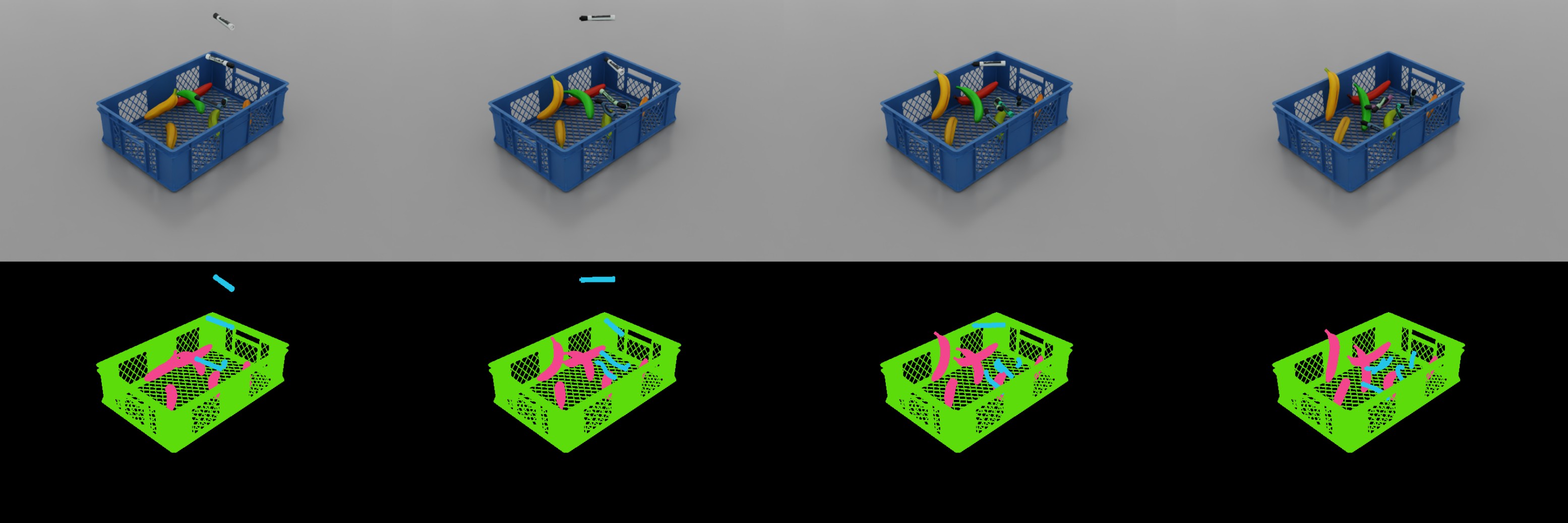
The standalone example can also be run directly (on Windows use python.bat instead of python.sh):
./python.sh standalone_examples/api/isaacsim.replicator.examples/sdg_deformables.py
Synthetic Data Generation with Deformables
import asyncio
import os
import random

import carb.settings
import omni.kit.app
import omni.replicator.core as rep
import omni.timeline
import omni.usd
from isaacsim.core.experimental.materials import VolumeDeformableMaterial
from isaacsim.core.experimental.prims import DeformablePrim
from isaacsim.core.simulation_manager import SimulationManager
from isaacsim.storage.native import get_assets_root_path_async
from pxr import Gf, Sdf, Usd, UsdShade

TRIGGER_HEIGHT = 0.15  # Capture when lowest vertex falls below this (m)
BASE_DROP_HEIGHT = 0.2  # Starting height for first asset (m)
HEIGHT_STEP = 0.15  # Height increment between assets (m)
SPAWN_XY_JITTER = 0.07  # Random horizontal offset +/- (m)
RNG_SEED = 12  # Reproducible randomization seed
MAX_STEPS = 200  # Maximum simulation steps
CRATE_USD = "/Isaac/Props/PackingTable/props/SM_Crate_A08_Blue_01/SM_Crate_A08_Blue_01.usd"

# (label, count, usd_path, youngs_modulus_Pa [higher=stiffer], poissons_ratio [0=compressible, 0.5=incompressible])
ASSETS_CONFIG = [
    ("banana", 6, "/Isaac/Props/YCB/Axis_Aligned/011_banana.usd", 500_000, 0.45),
    ("large_marker", 5, "/Isaac/Props/YCB/Axis_Aligned/040_large_marker.usd", 9_000_000, 0.5),
]


async def run_example_async(assets_config: list[tuple[str, int, str, float, float]]):
    await omni.usd.get_context().new_stage_async()
    assets_root_path = await get_assets_root_path_async()
    rng = random.Random(RNG_SEED)

    # Disable capture on play, frames will be captured manually
    rep.orchestrator.set_capture_on_play(False)

    # Set DLSS to Quality mode (2) for best SDG results (Options: 0 (Performance), 1 (Balanced), 2 (Quality), 3 (Auto)
    carb.settings.get_settings().set("rtx/post/dlss/execMode", 2)

    rep.functional.create.xform(name="World")
    rep.functional.create.dome_light(intensity=500, parent="/World", name="DomeLight")
    ground = rep.functional.create.cube(position=(0, 0, -0.5), scale=(10, 10, 1))
    rep.functional.physics.apply_collider(ground)
    crate = rep.functional.create.reference(
        usd_path=assets_root_path + CRATE_USD,
        position=(0, 0, 0),
        scale=0.01,
        semantics={"class": "crate"},
        parent="/World",
        name="Crate",
    )
    rep.functional.physics.apply_collider(crate, approximation="none")  # Triangle mesh for concave geometry

    # Create the deformable physics materials, one per asset type
    materials = {}
    for label, _, _, youngs_modulus, poissons_ratio in assets_config:
        materials[label] = VolumeDeformableMaterial(
            f"/World/physics_materials/{label}",
            youngs_moduli=[float(youngs_modulus)],
            poissons_ratios=[float(poissons_ratio)],
        )
        print(f"[SDG]  Created deformable material for {label}: {materials[label].paths[0]}")

    # Create asset prims: cook the first of each type, clone the rest
    # Clones inherit all deformable physics, avoiding redundant cooking
    all_prims = []
    labels = []
    for label, count, usd_path, _, _ in assets_config:
        for i in range(count):
            if i == 0:
                # Create + cook deformable physics + apply material
                prim = rep.functional.create.reference(
                    usd_path=assets_root_path + usd_path,
                    semantics={"class": label},
                    parent="/World",
                    name=f"{label.capitalize()}_{i}",
                )
                first_path = prim.GetPath().pathString
                deformable = DeformablePrim(first_path, deformable_type="volume")
                deformable.apply_physics_materials(materials[label])
            else:
                # Clone inherits cooked deformable physics and material
                prim = rep.functional.create.clone(
                    first_path,
                    parent="/World",
                    name=f"{label.capitalize()}_{i}",
                )
            all_prims.append(prim)
            labels.append(label)
            print(f"[SDG]  {prim.GetPath()} ({'created' if i == 0 else 'cloned'})")
    total = len(all_prims)

    # Assign random drop heights and Z-axis rotations
    positions, rotations = [], []
    for i in range(total):
        x = rng.uniform(-SPAWN_XY_JITTER, SPAWN_XY_JITTER)
        y = rng.uniform(-SPAWN_XY_JITTER, SPAWN_XY_JITTER)
        z = BASE_DROP_HEIGHT + i * HEIGHT_STEP
        positions.append((x, y, z))
        rotations.append((0, 0, rng.uniform(0, 360)))
    rep.functional.modify.pose(all_prims, position_value=positions, rotation_value=rotations)

    # Cache asset shader prims for material randomization, each capture trigger the shader color will change once
    shaders = []
    for prim in all_prims:
        asset_shaders = []
        for child in Usd.PrimRange(prim):
            if child.IsA(UsdShade.Shader):
                asset_shaders.append(child)
        shaders.append(asset_shaders)

    # Replicator setup, render product is disabled by default and enabled only at capture time
    camera = rep.functional.create.camera(position=(1, 1, 1), look_at=(0, 0, 0), parent="/World", name="Camera")
    render_product = rep.create.render_product(camera, (720, 480))
    render_product.hydra_texture.set_updates_enabled(False)
    output_dir = os.path.join(os.getcwd(), "_out_deformable_drop")
    backend = rep.backends.get("DiskBackend")
    backend.initialize(output_dir=output_dir)
    writer = rep.writers.get("BasicWriter")
    writer.initialize(backend=backend, rgb=True, semantic_segmentation=True, colorize_semantic_segmentation=True)
    writer.attach(render_product)

    # GPU physics required for deformable tensor API
    SimulationManager.set_physics_sim_device("cuda")
    SimulationManager.initialize_physics()

    # Keep track of which assets have been triggered
    triggered = [False] * total

    # Start the simulation
    print(f"[SDG] Starting simulation")
    timeline = omni.timeline.get_timeline_interface()
    timeline.play()

    # Wrap deformables for tensor API access (requires active simulation, no re-cooking)
    deformables = []
    for i in range(total):
        deformables.append(DeformablePrim(all_prims[i].GetPath().pathString))

    for _ in range(MAX_STEPS):
        # Advance the app which will advance the timeline (and implicitly the simulation)
        await omni.kit.app.get_app().next_update_async()

        # Detect assets whose lowest vertex crossed the trigger height
        newly_triggered = []
        for i in range(total):
            # Skip if the asset has already been triggered
            if triggered[i]:
                continue

            # Use the deformable prim's get_nodal_positions to get the actual mesh vertices (not xform, which is constant for deformables)
            node_positions, _, _ = deformables[i].get_nodal_positions()
            min_z = float(node_positions[0].numpy()[:, 2].min())

            # If the lowest vertex is below the trigger height, trigger the asset
            if min_z <= TRIGGER_HEIGHT:
                triggered[i] = True
                newly_triggered.append(i)

        # If a new asset has been triggered, enable the render product, randomize the material color and capture the asset
        if newly_triggered:
            render_product.hydra_texture.set_updates_enabled(True)
        for i in newly_triggered:
            color = Gf.Vec3f(rng.random(), rng.random(), rng.random())
            for shader_prim in shaders[i]:
                attr = shader_prim.GetAttribute("inputs:diffuse_tint")
                if not attr or not attr.IsValid():
                    attr = shader_prim.CreateAttribute("inputs:diffuse_tint", Sdf.ValueTypeNames.Color3f)
                attr.Set(color)
            print(f"[SDG]  Captured {all_prims[i].GetPath()}")
            await rep.orchestrator.step_async(delta_time=0.0, pause_timeline=False, rt_subframes=16)
        if newly_triggered:
            render_product.hydra_texture.set_updates_enabled(False)

        # If all assets have been triggered, stop the simulation
        if all(triggered):
            break

    # Pause the simulation and clean up resources
    print(f"[SDG] Simulation complete. {len(triggered)} frames saved to {output_dir}")
    timeline.pause()
    await rep.orchestrator.wait_until_complete_async()
    writer.detach()
    render_product.destroy()


asyncio.ensure_future(run_example_async(ASSETS_CONFIG))
Synthetic Data Generation with Deformables
"""Demonstrate synthetic data generation with deformable physics objects."""

from isaacsim import SimulationApp

simulation_app = SimulationApp(launch_config={"headless": False})

import os
import random

import carb.settings
import omni.kit.app
import omni.replicator.core as rep
import omni.timeline
import omni.usd
from isaacsim.core.experimental.materials import VolumeDeformableMaterial
from isaacsim.core.experimental.prims import DeformablePrim
from isaacsim.core.simulation_manager import SimulationManager
from isaacsim.storage.native import get_assets_root_path
from pxr import Gf, Sdf, Usd, UsdShade

TRIGGER_HEIGHT = 0.15  # Capture when lowest vertex falls below this (m)
BASE_DROP_HEIGHT = 0.2  # Starting height for first asset (m)
HEIGHT_STEP = 0.15  # Height increment between assets (m)
SPAWN_XY_JITTER = 0.07  # Random horizontal offset +/- (m)
RNG_SEED = 12  # Reproducible randomization seed
MAX_STEPS = 200  # Maximum simulation steps
CRATE_USD = "/Isaac/Props/PackingTable/props/SM_Crate_A08_Blue_01/SM_Crate_A08_Blue_01.usd"

# (label, count, usd_path, youngs_modulus_Pa [higher=stiffer], poissons_ratio [0=compressible, 0.5=incompressible])
ASSETS_CONFIG = [
    ("banana", 6, "/Isaac/Props/YCB/Axis_Aligned/011_banana.usd", 500_000, 0.45),
    ("large_marker", 5, "/Isaac/Props/YCB/Axis_Aligned/040_large_marker.usd", 9_000_000, 0.5),
]


def run_example(assets_config: list[tuple[str, int, str, float, float]]):
    """Run deformable drop simulation and capture frames on trigger height."""
    omni.usd.get_context().new_stage()
    assets_root_path = get_assets_root_path()
    rng = random.Random(RNG_SEED)

    # Disable capture on play, frames will be captured manually
    rep.orchestrator.set_capture_on_play(False)

    # Set DLSS to Quality mode (2) for best SDG results (Options: 0 (Performance), 1 (Balanced), 2 (Quality), 3 (Auto)
    carb.settings.get_settings().set("rtx/post/dlss/execMode", 2)

    rep.functional.create.xform(name="World")
    rep.functional.create.dome_light(intensity=500, parent="/World", name="DomeLight")
    ground = rep.functional.create.cube(position=(0, 0, -0.5), scale=(10, 10, 1))  # Thick to prevent tunneling
    rep.functional.physics.apply_collider(ground)
    crate = rep.functional.create.reference(
        usd_path=assets_root_path + CRATE_USD,
        position=(0, 0, 0),
        scale=0.01,
        semantics={"class": "crate"},
        parent="/World",
        name="Crate",
    )
    rep.functional.physics.apply_collider(crate, approximation="none")  # Triangle mesh for concave geometry

    # Create the deformable physics materials, one per asset type
    materials = {}
    for label, _, _, youngs_modulus, poissons_ratio in assets_config:
        materials[label] = VolumeDeformableMaterial(
            f"/World/physics_materials/{label}",
            youngs_moduli=[float(youngs_modulus)],
            poissons_ratios=[float(poissons_ratio)],
        )
        print(f"[SDG]  Created deformable material for {label}: {materials[label].paths[0]}")

    # Create asset prims: cook the first of each type, clone the rest
    # Clones inherit all deformable physics, avoiding redundant cooking
    all_prims = []
    labels = []
    for label, count, usd_path, _, _ in assets_config:
        for i in range(count):
            if i == 0:
                # Create + cook deformable physics + apply material
                prim = rep.functional.create.reference(
                    usd_path=assets_root_path + usd_path,
                    semantics={"class": label},
                    parent="/World",
                    name=f"{label.capitalize()}_{i}",
                )
                first_path = prim.GetPath().pathString
                deformable = DeformablePrim(first_path, deformable_type="volume")
                deformable.apply_physics_materials(materials[label])
            else:
                # Clone inherits cooked deformable physics and material
                prim = rep.functional.create.clone(
                    first_path,
                    parent="/World",
                    name=f"{label.capitalize()}_{i}",
                )
            all_prims.append(prim)
            labels.append(label)
            print(f"[SDG]  {prim.GetPath()} ({'created' if i == 0 else 'cloned'})")
    total = len(all_prims)

    # Assign random drop heights and Z-axis rotations
    positions, rotations = [], []
    for i in range(total):
        x = rng.uniform(-SPAWN_XY_JITTER, SPAWN_XY_JITTER)
        y = rng.uniform(-SPAWN_XY_JITTER, SPAWN_XY_JITTER)
        z = BASE_DROP_HEIGHT + i * HEIGHT_STEP
        positions.append((x, y, z))
        rotations.append((0, 0, rng.uniform(0, 360)))
    rep.functional.modify.pose(all_prims, position_value=positions, rotation_value=rotations)

    # Cache asset shader prims for material randomization, each capture trigger the shader color will change once
    shaders = []
    for prim in all_prims:
        asset_shaders = []
        for child in Usd.PrimRange(prim):
            if child.IsA(UsdShade.Shader):
                asset_shaders.append(child)
        shaders.append(asset_shaders)

    # Replicator setup, render product is disabled by default and enabled only at capture time
    camera = rep.functional.create.camera(position=(1, 1, 1), look_at=(0, 0, 0), parent="/World", name="Camera")
    render_product = rep.create.render_product(camera, (720, 480))
    render_product.hydra_texture.set_updates_enabled(False)
    output_dir = os.path.join(os.getcwd(), "_out_deformable_drop")
    backend = rep.backends.get("DiskBackend")
    backend.initialize(output_dir=output_dir)
    writer = rep.writers.get("BasicWriter")
    writer.initialize(backend=backend, rgb=True, semantic_segmentation=True, colorize_semantic_segmentation=True)
    writer.attach(render_product)

    # GPU physics required for deformable tensor API
    SimulationManager.set_physics_sim_device("cuda")
    SimulationManager.initialize_physics()

    # Keep track of which assets have been triggered
    triggered = [False] * total

    # Start the simulation
    print(f"[SDG] Starting simulation")
    timeline = omni.timeline.get_timeline_interface()
    timeline.play()

    # Wrap deformables for tensor API access (requires active simulation, no re-cooking)
    deformables = []
    for i in range(total):
        deformables.append(DeformablePrim(all_prims[i].GetPath().pathString))

    for _ in range(MAX_STEPS):
        # Advance the app which will advance the timeline (and implicitly the simulation)
        simulation_app.update()

        # Detect assets whose lowest vertex crossed the trigger height
        newly_triggered = []
        for i in range(total):
            # Skip if the asset has already been triggered
            if triggered[i]:
                continue

            # Use the deformable prim's get_nodal_positions to get the actual mesh vertices (not xform, which is constant for deformables)
            node_positions, _, _ = deformables[i].get_nodal_positions()
            min_z = float(node_positions[0].numpy()[:, 2].min())

            # If the lowest vertex is below the trigger height, trigger the asset
            if min_z <= TRIGGER_HEIGHT:
                triggered[i] = True
                newly_triggered.append(i)

        # If a new asset has been triggered, enable the render product, randomize the material color and capture the asset
        if newly_triggered:
            render_product.hydra_texture.set_updates_enabled(True)
        for i in newly_triggered:
            color = Gf.Vec3f(rng.random(), rng.random(), rng.random())
            for shader_prim in shaders[i]:
                attr = shader_prim.GetAttribute("inputs:diffuse_tint")
                if not attr or not attr.IsValid():
                    attr = shader_prim.CreateAttribute("inputs:diffuse_tint", Sdf.ValueTypeNames.Color3f)
                attr.Set(color)
            print(f"[SDG]  Captured {all_prims[i].GetPath()}")
            rep.orchestrator.step(delta_time=0.0, pause_timeline=False, rt_subframes=16)
        if newly_triggered:
            render_product.hydra_texture.set_updates_enabled(False)

        # If all assets have been triggered, stop the simulation
        if all(triggered):
            break

    # Pause the simulation and clean up resources
    print(f"[SDG] Simulation complete. {len(triggered)} frames saved to {output_dir}")
    timeline.pause()
    rep.orchestrator.wait_until_complete()
    writer.detach()
    render_product.destroy()


run_example(ASSETS_CONFIG)