


RTX Lidar Sensors#
Browse rotary and solid-state RTX Lidar models, profiles, and USD variants by manufacturer.
Find these digital twins in the Content Browser under Isaac Sim/Sensors, organized into
manufacturer subfolders.
RTX Lidars marked as “certified” have Lidar configurations verified by the sensor manufacturer and tested before release.
Some Lidar models feature multiple configurations or profiles, which are implemented as USD Variants. In those cases, the available variants and their characteristics will also be provided as tables in the appropriate section below.
Example rotary and solid-state lidar configurations.
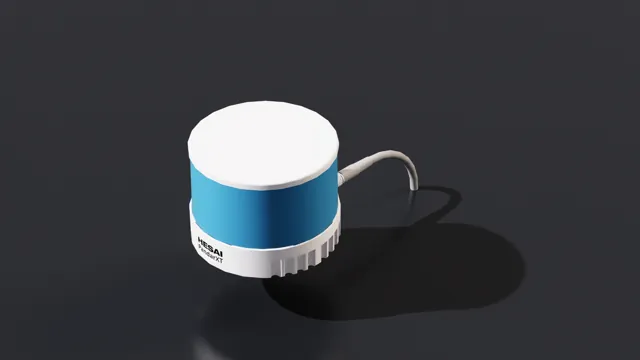
XT32 SD10 spinning lidar digital twin.
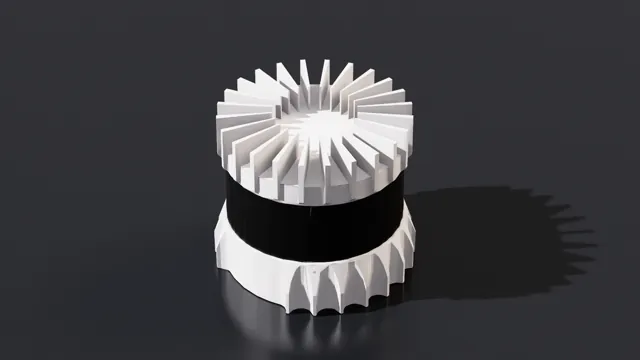
OS0, OS1, OS2, and VLS-128 models with configurable profiles.
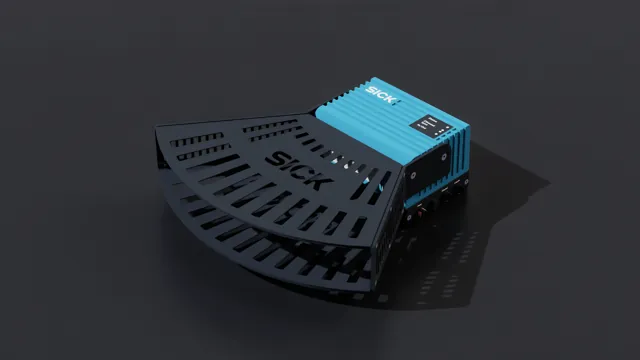
Industrial, safety, and multi-layer lidar models and variants.
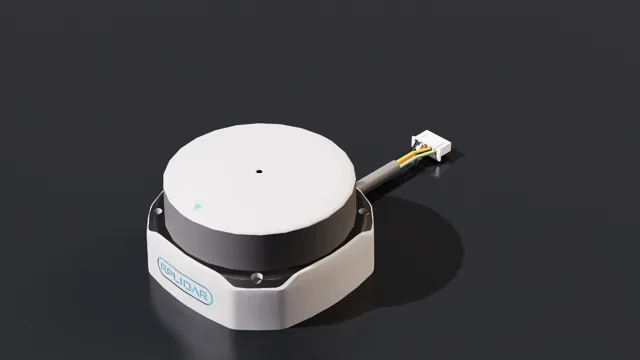
RPLIDAR S2E compact rotary lidar digital twin.
ML-30S and ML-XS solid-state lidar models.
NVIDIA#
These example lidar configurations ship with Isaac Sim and do not include a mesh. Only a prim appears in the Stage window when one is created.
A 10 Hz rotary lidar configuration with emitters in a single plane.
Asset details
Create menu:
Create > Sensors > RTX Lidar > NVIDIA > Example Rotary 2D
A 10 Hz rotary lidar configuration with emitters in a single plane.
Asset details
Create menu:
Create > Sensors > RTX Lidar > NVIDIA > Example Rotary
A solid-state lidar configuration.
Asset details
Create menu:
Create > Sensors > RTX Lidar > NVIDIA > Example Solid State
A compact 12-emitter configuration for debugging solid-state lidar behavior.
Asset details
Create menu:
Create > Sensors > RTX Lidar > NVIDIA > Simple Example Solid State
HESAI#
Asset details
USD Path:
HESAI/XT32_SD10/HESAI_XT32_SD10.usd
HESAI XT32 SD10 is a high precision, 32 Channels 360 degrees spinning mid range Lidar.
Features and Specification
name |
XT-32 10hz |
|---|---|
type |
lidar |
scanRateBaseHz |
10.0 |
reportRateBaseHz |
20000 |
numberOfEmitters |
32 |
nearRangeM |
0.05 |
farRangeM |
120.0 |
rangeResolutionM |
0.004 |
rangeAccuracyM |
0.02 |
minDistBetweenEchos |
0.05 |
minReflectance |
0.1 |
minReflectanceRange |
80.0 |
wavelengthNm |
905.0 |
pulseTimeNs |
10 |
azimuthErrorMean |
0.0 |
azimuthErrorStd |
0.015 |
elevationErrorMean |
0.0 |
elevationErrorStd |
0.0 |
maxReturns |
2 |
Other Features
Dimensions: 100 mm (Top Diameter) by 103 mm (Bottom Diameter) by 76.0 mm (Height)
Note
For the datasheet and full list of specifications, visit the XT32 SD10 product page.
Ouster#
Asset details
USD Path:
Ouster/OS0/OS0.usd
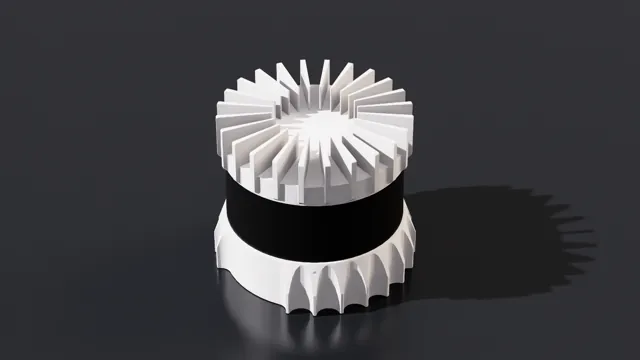
Ouster OS0 is a high precision Lidar for autonomous vehicles, heavy machinery, robot, and mapping solutions. Isaac Sim has several pre-configured frequencies and resolutions that can be added to the stage easily.
Features and Specification
name |
OS0 REV6 128 10hz @ 512 resolution |
|---|---|
type |
lidar |
scanRateBaseHz |
10.0 |
reportRateBaseHz |
5120 |
numberOfEmitters |
128 |
nearRangeM |
0.3 |
farRangeM |
50.0 |
rangeResolutionM |
0.001 |
rangeAccuracyM |
0.03 |
minReflectance |
0.1 |
minReflectanceRange |
20.0 |
wavelengthNm |
865.0 |
pulseTimeNs |
6 |
azimuthErrorMean |
0.0 |
azimuthErrorStd |
0.01 |
elevationErrorMean |
0.0 |
elevationErrorStd |
0.01 |
maxReturns |
2 |
name |
OS0 REV6 128 10hz @ 1024 resolution |
|---|---|
type |
lidar |
scanRateBaseHz |
10.0 |
reportRateBaseHz |
10240 |
numberOfEmitters |
128 |
nearRangeM |
0.3 |
farRangeM |
50.0 |
rangeResolutionM |
0.001 |
rangeAccuracyM |
0.03 |
minReflectance |
0.1 |
minReflectanceRange |
20.0 |
wavelengthNm |
865.0 |
pulseTimeNs |
6 |
azimuthErrorMean |
0.0 |
azimuthErrorStd |
0.01 |
elevationErrorMean |
0.0 |
elevationErrorStd |
0.01 |
maxReturns |
2 |
name |
OS0 REV6 128 10hz @ 2048 resolution |
|---|---|
type |
lidar |
scanRateBaseHz |
10.0 |
reportRateBaseHz |
20480 |
numberOfEmitters |
128 |
nearRangeM |
0.3 |
farRangeM |
50.0 |
rangeResolutionM |
0.001 |
rangeAccuracyM |
0.03 |
minReflectance |
0.1 |
minReflectanceRange |
20.0 |
wavelengthNm |
865.0 |
pulseTimeNs |
6 |
azimuthErrorMean |
0.0 |
azimuthErrorStd |
0.01 |
elevationErrorMean |
0.0 |
elevationErrorStd |
0.01 |
maxReturns |
2 |
name |
OS0 REV6 128 20hz @ 512 resolution |
|---|---|
type |
lidar |
scanRateBaseHz |
20.0 |
reportRateBaseHz |
10240 |
numberOfEmitters |
128 |
nearRangeM |
0.3 |
farRangeM |
50.0 |
rangeResolutionM |
0.001 |
rangeAccuracyM |
0.03 |
minReflectance |
0.1 |
minReflectanceRange |
20.0 |
wavelengthNm |
865.0 |
pulseTimeNs |
6 |
azimuthErrorMean |
0.0 |
azimuthErrorStd |
0.01 |
elevationErrorMean |
0.0 |
elevationErrorStd |
0.01 |
maxReturns |
2 |
name |
OS0 REV6 128 20hz @ 1024 resolution |
|---|---|
type |
lidar |
scanRateBaseHz |
20.0 |
reportRateBaseHz |
20480 |
numberOfEmitters |
128 |
nearRangeM |
0.3 |
farRangeM |
50.0 |
rangeResolutionM |
0.001 |
rangeAccuracyM |
0.03 |
minReflectance |
0.1 |
minReflectanceRange |
20.0 |
wavelengthNm |
865.0 |
pulseTimeNs |
6 |
azimuthErrorMean |
0.0 |
azimuthErrorStd |
0.01 |
elevationErrorMean |
0.0 |
elevationErrorStd |
0.01 |
maxReturns |
2 |
name |
OS0 REV7 128 10hz @ 512 resolution |
|---|---|
type |
lidar |
scanRateBaseHz |
10.0 |
reportRateBaseHz |
5120 |
numberOfEmitters |
128 |
nearRangeM |
0.5 |
farRangeM |
75.0 |
rangeResolutionM |
0.001 |
rangeAccuracyM |
0.025 |
minReflectance |
0.1 |
minReflectanceRange |
35.0 |
wavelengthNm |
865.0 |
pulseTimeNs |
6 |
azimuthErrorMean |
0.0 |
azimuthErrorStd |
0.01 |
elevationErrorMean |
0.0 |
elevationErrorStd |
0.01 |
maxReturns |
2 |
name |
OS0 REV7 128 10hz @ 1024 resolution |
|---|---|
type |
lidar |
scanRateBaseHz |
10.0 |
reportRateBaseHz |
10240 |
numberOfEmitters |
128 |
nearRangeM |
0.5 |
farRangeM |
75.0 |
rangeResolutionM |
0.001 |
rangeAccuracyM |
0.025 |
minReflectance |
0.1 |
minReflectanceRange |
35.0 |
wavelengthNm |
865.0 |
pulseTimeNs |
6 |
azimuthErrorMean |
0.0 |
azimuthErrorStd |
0.01 |
elevationErrorMean |
0.0 |
elevationErrorStd |
0.01 |
maxReturns |
2 |
name |
OS0 REV7 128 10hz @ 2048 resolution |
|---|---|
type |
lidar |
scanRateBaseHz |
10.0 |
reportRateBaseHz |
20480 |
numberOfEmitters |
128 |
nearRangeM |
0.5 |
farRangeM |
75.0 |
rangeResolutionM |
0.001 |
rangeAccuracyM |
0.025 |
minReflectance |
0.1 |
minReflectanceRange |
35.0 |
wavelengthNm |
865.0 |
pulseTimeNs |
6 |
azimuthErrorMean |
0.0 |
azimuthErrorStd |
0.01 |
elevationErrorMean |
0.0 |
elevationErrorStd |
0.01 |
maxReturns |
2 |
name |
OS0 REV7 128 20hz @ 512 resolution |
|---|---|
type |
lidar |
scanRateBaseHz |
20.0 |
reportRateBaseHz |
10240 |
numberOfEmitters |
128 |
nearRangeM |
0.5 |
farRangeM |
75.0 |
rangeResolutionM |
0.001 |
rangeAccuracyM |
0.025 |
minReflectance |
0.1 |
minReflectanceRange |
35.0 |
wavelengthNm |
865.0 |
pulseTimeNs |
6 |
azimuthErrorMean |
0.0 |
azimuthErrorStd |
0.01 |
elevationErrorMean |
0.0 |
elevationErrorStd |
0.01 |
maxReturns |
2 |
name |
OS0 REV7 128 20hz @ 1024 resolution |
|---|---|
type |
lidar |
scanRateBaseHz |
20.0 |
reportRateBaseHz |
20480 |
numberOfEmitters |
128 |
nearRangeM |
0.5 |
farRangeM |
75.0 |
rangeResolutionM |
0.001 |
rangeAccuracyM |
0.025 |
minReflectance |
0.1 |
minReflectanceRange |
35.0 |
wavelengthNm |
865.0 |
pulseTimeNs |
6 |
azimuthErrorMean |
0.0 |
azimuthErrorStd |
0.01 |
elevationErrorMean |
0.0 |
elevationErrorStd |
0.01 |
maxReturns |
2 |
Other Features
Rotation Rate: 10 or 20 hz (configurable)
Dimensions: 87 mm (Diameter) by 58.35 mm (Height). With thermal cap, height is 74.2 mm.
IMU supported: InvenSense IAM-20680HT
Note
For the datasheet and full list of specifications, visit the OS0 product page.
Asset details
USD Path:
Ouster/OS1/OS1.usd
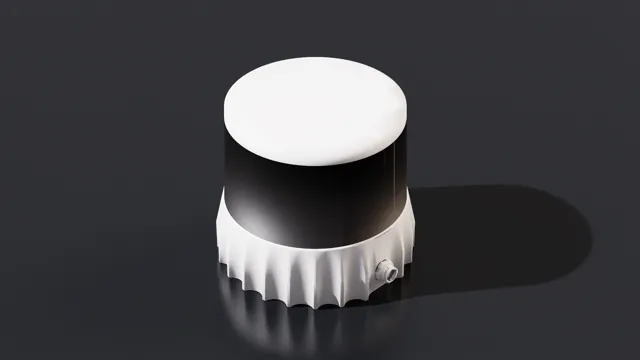
Ouster OS1 is a high precision Lidar for autonomous vehicles, heavy machinery, robot, and mapping solutions. Isaac Sim has several pre-configured frequencies and resolutions that can be easily added to the stage.
Features and Specification
name |
OS1 REV6 32 10hz @ 512 resolution |
|---|---|
type |
lidar |
scanRateBaseHz |
10.0 |
reportRateBaseHz |
5120 |
numberOfEmitters |
32 |
nearRangeM |
0.3 |
farRangeM |
120.0 |
rangeResolutionM |
0.001 |
rangeAccuracyM |
0.03 |
minReflectance |
0.1 |
minReflectanceRange |
55.0 |
wavelengthNm |
865.0 |
pulseTimeNs |
6 |
azimuthErrorMean |
0.0 |
azimuthErrorStd |
0.01 |
elevationErrorMean |
0.0 |
elevationErrorStd |
0.01 |
maxReturns |
2 |
name |
OS1 REV6 32 10hz @ 1024 resolution |
|---|---|
type |
lidar |
scanRateBaseHz |
10.0 |
reportRateBaseHz |
10240 |
numberOfEmitters |
32 |
nearRangeM |
0.3 |
farRangeM |
120.0 |
rangeResolutionM |
0.001 |
rangeAccuracyM |
0.03 |
minReflectance |
0.1 |
minReflectanceRange |
55.0 |
wavelengthNm |
865.0 |
pulseTimeNs |
6 |
azimuthErrorMean |
0.0 |
azimuthErrorStd |
0.01 |
elevationErrorMean |
0.0 |
elevationErrorStd |
0.01 |
maxReturns |
2 |
name |
OS1 REV6 32 10hz @ 2048 resolution |
|---|---|
type |
lidar |
scanRateBaseHz |
10.0 |
reportRateBaseHz |
20480 |
numberOfEmitters |
32 |
nearRangeM |
0.3 |
farRangeM |
120.0 |
rangeResolutionM |
0.001 |
rangeAccuracyM |
0.03 |
minReflectance |
0.1 |
minReflectanceRange |
55.0 |
wavelengthNm |
865.0 |
pulseTimeNs |
6 |
azimuthErrorMean |
0.0 |
azimuthErrorStd |
0.01 |
elevationErrorMean |
0.0 |
elevationErrorStd |
0.01 |
maxReturns |
2 |
name |
OS1 REV6 32 20hz @ 512 resolution |
|---|---|
type |
lidar |
scanRateBaseHz |
20.0 |
reportRateBaseHz |
10240 |
numberOfEmitters |
32 |
nearRangeM |
0.3 |
farRangeM |
120.0 |
rangeResolutionM |
0.001 |
rangeAccuracyM |
0.03 |
minReflectance |
0.1 |
minReflectanceRange |
55.0 |
wavelengthNm |
865.0 |
pulseTimeNs |
6 |
azimuthErrorMean |
0.0 |
azimuthErrorStd |
0.01 |
elevationErrorMean |
0.0 |
elevationErrorStd |
0.01 |
maxReturns |
2 |
name |
OS1 REV6 32 20hz @ 1024 resolution |
|---|---|
type |
lidar |
scanRateBaseHz |
20.0 |
reportRateBaseHz |
20480 |
numberOfEmitters |
32 |
nearRangeM |
0.3 |
farRangeM |
120.0 |
rangeResolutionM |
0.001 |
rangeAccuracyM |
0.03 |
minReflectance |
0.1 |
minReflectanceRange |
55.0 |
wavelengthNm |
865.0 |
pulseTimeNs |
6 |
azimuthErrorMean |
0.0 |
azimuthErrorStd |
0.01 |
elevationErrorMean |
0.0 |
elevationErrorStd |
0.01 |
maxReturns |
2 |
name |
OS1 REV6 128 10hz @ 512 resolution |
|---|---|
type |
lidar |
scanRateBaseHz |
10.0 |
reportRateBaseHz |
5120 |
numberOfEmitters |
128 |
nearRangeM |
0.3 |
farRangeM |
120.0 |
rangeResolutionM |
0.001 |
rangeAccuracyM |
0.03 |
minReflectance |
0.1 |
minReflectanceRange |
55.0 |
wavelengthNm |
865.0 |
pulseTimeNs |
6 |
azimuthErrorMean |
0.0 |
azimuthErrorStd |
0.01 |
elevationErrorMean |
0.0 |
elevationErrorStd |
0.01 |
maxReturns |
2 |
name |
OS1 REV6 128 10hz @ 1024 resolution |
|---|---|
type |
lidar |
scanRateBaseHz |
10.0 |
reportRateBaseHz |
10240 |
numberOfEmitters |
128 |
nearRangeM |
0.3 |
farRangeM |
120.0 |
rangeResolutionM |
0.001 |
rangeAccuracyM |
0.03 |
minReflectance |
0.1 |
minReflectanceRange |
55.0 |
wavelengthNm |
865.0 |
pulseTimeNs |
6 |
azimuthErrorMean |
0.0 |
azimuthErrorStd |
0.01 |
elevationErrorMean |
0.0 |
elevationErrorStd |
0.01 |
maxReturns |
2 |
name |
OS1 REV6 128 10hz @ 2048 resolution |
|---|---|
type |
lidar |
scanRateBaseHz |
10.0 |
reportRateBaseHz |
20480 |
numberOfEmitters |
128 |
nearRangeM |
0.3 |
farRangeM |
120.0 |
rangeResolutionM |
0.001 |
rangeAccuracyM |
0.03 |
minReflectance |
0.1 |
minReflectanceRange |
55.0 |
wavelengthNm |
865.0 |
pulseTimeNs |
6 |
azimuthErrorMean |
0.0 |
azimuthErrorStd |
0.01 |
elevationErrorMean |
0.0 |
elevationErrorStd |
0.01 |
maxReturns |
2 |
name |
OS1 REV6 128 20hz @ 512 resolution |
|---|---|
type |
lidar |
scanRateBaseHz |
20.0 |
reportRateBaseHz |
10240 |
numberOfEmitters |
128 |
nearRangeM |
0.3 |
farRangeM |
120.0 |
rangeResolutionM |
0.001 |
rangeAccuracyM |
0.03 |
minReflectance |
0.1 |
minReflectanceRange |
55.0 |
wavelengthNm |
865.0 |
pulseTimeNs |
6 |
azimuthErrorMean |
0.0 |
azimuthErrorStd |
0.01 |
elevationErrorMean |
0.0 |
elevationErrorStd |
0.01 |
maxReturns |
2 |
name |
OS1 REV6 128 20hz @ 1024 resolution |
|---|---|
type |
lidar |
scanRateBaseHz |
20.0 |
reportRateBaseHz |
20480 |
numberOfEmitters |
128 |
nearRangeM |
0.3 |
farRangeM |
120.0 |
rangeResolutionM |
0.001 |
rangeAccuracyM |
0.03 |
minReflectance |
0.1 |
minReflectanceRange |
55.0 |
wavelengthNm |
865.0 |
pulseTimeNs |
6 |
azimuthErrorMean |
0.0 |
azimuthErrorStd |
0.01 |
elevationErrorMean |
0.0 |
elevationErrorStd |
0.01 |
maxReturns |
2 |
name |
OS1 REV7 128 10hz @ 512 resolution |
|---|---|
type |
lidar |
scanRateBaseHz |
10.0 |
reportRateBaseHz |
5120 |
numberOfEmitters |
128 |
nearRangeM |
0.5 |
farRangeM |
170.0 |
rangeResolutionM |
0.001 |
rangeAccuracyM |
0.025 |
minReflectance |
0.1 |
minReflectanceRange |
90.0 |
wavelengthNm |
865.0 |
pulseTimeNs |
6 |
azimuthErrorMean |
0.0 |
azimuthErrorStd |
0.01 |
elevationErrorMean |
0.0 |
elevationErrorStd |
0.01 |
maxReturns |
2 |
name |
OS1 REV7 128 10hz @ 1024 resolution |
|---|---|
type |
lidar |
scanRateBaseHz |
10.0 |
reportRateBaseHz |
10240 |
numberOfEmitters |
128 |
nearRangeM |
0.5 |
farRangeM |
170.0 |
rangeResolutionM |
0.001 |
rangeAccuracyM |
0.025 |
minReflectance |
0.1 |
minReflectanceRange |
90.0 |
wavelengthNm |
865.0 |
pulseTimeNs |
6 |
azimuthErrorMean |
0.0 |
azimuthErrorStd |
0.01 |
elevationErrorMean |
0.0 |
elevationErrorStd |
0.01 |
maxReturns |
2 |
name |
OS1 REV7 128 10hz @ 2048 resolution |
|---|---|
type |
lidar |
scanRateBaseHz |
10.0 |
reportRateBaseHz |
20480 |
numberOfEmitters |
128 |
nearRangeM |
0.5 |
farRangeM |
170.0 |
rangeResolutionM |
0.001 |
rangeAccuracyM |
0.025 |
minReflectance |
0.1 |
minReflectanceRange |
90.0 |
wavelengthNm |
865.0 |
pulseTimeNs |
6 |
azimuthErrorMean |
0.0 |
azimuthErrorStd |
0.01 |
elevationErrorMean |
0.0 |
elevationErrorStd |
0.01 |
maxReturns |
2 |
name |
OS1 REV7 128 20hz @ 512 resolution |
|---|---|
type |
lidar |
scanRateBaseHz |
20.0 |
reportRateBaseHz |
10240 |
numberOfEmitters |
128 |
nearRangeM |
0.5 |
farRangeM |
170.0 |
rangeResolutionM |
0.001 |
rangeAccuracyM |
0.025 |
minReflectance |
0.1 |
minReflectanceRange |
90.0 |
wavelengthNm |
865.0 |
pulseTimeNs |
6 |
azimuthErrorMean |
0.0 |
azimuthErrorStd |
0.01 |
elevationErrorMean |
0.0 |
elevationErrorStd |
0.01 |
maxReturns |
2 |
name |
OS1 REV7 128 20hz @ 1024 resolution |
|---|---|
type |
lidar |
scanRateBaseHz |
20.0 |
reportRateBaseHz |
20480 |
numberOfEmitters |
128 |
nearRangeM |
0.5 |
farRangeM |
170.0 |
rangeResolutionM |
0.001 |
rangeAccuracyM |
0.025 |
minReflectance |
0.1 |
minReflectanceRange |
90.0 |
wavelengthNm |
865.0 |
pulseTimeNs |
6 |
azimuthErrorMean |
0.0 |
azimuthErrorStd |
0.01 |
elevationErrorMean |
0.0 |
elevationErrorStd |
0.01 |
maxReturns |
2 |
Other Features
Dimensions: 87 mm (Diameter) by 58.35 mm (Height). With thermal cap, height is 74.2 mm.
IMU supported: InvenSense IAM-20680HT
Note
For the datasheet and full list of specifications, visit the OS1 product page.
Asset details
USD Path:
Ouster/OS2/OS2.usd
Ouster OS2 is a high precision Lidar for autonomous vehicles, heavy machinery, robot, and mapping solutions. Isaac Sim has several pre-configured frequencies and resolutions that can be easily added to the stage.
Features and Specification
name |
OS2 REV6 128 10hz @ 512 resolution |
|---|---|
type |
lidar |
scanRateBaseHz |
10.0 |
reportRateBaseHz |
5120 |
numberOfEmitters |
128 |
nearRangeM |
1.0 |
farRangeM |
240.0 |
rangeResolutionM |
0.001 |
rangeAccuracyM |
0.03 |
minReflectance |
0.1 |
minReflectanceRange |
100.0 |
wavelengthNm |
865.0 |
pulseTimeNs |
6 |
azimuthErrorMean |
0.0 |
azimuthErrorStd |
0.01 |
elevationErrorMean |
0.0 |
elevationErrorStd |
0.01 |
maxReturns |
2 |
name |
OS2 REV6 128 10hz @ 1024 resolution |
|---|---|
type |
lidar |
scanRateBaseHz |
10.0 |
reportRateBaseHz |
10240 |
numberOfEmitters |
128 |
nearRangeM |
1.0 |
farRangeM |
240.0 |
rangeResolutionM |
0.001 |
rangeAccuracyM |
0.03 |
minReflectance |
0.1 |
minReflectanceRange |
100.0 |
wavelengthNm |
865.0 |
pulseTimeNs |
6 |
azimuthErrorMean |
0.0 |
azimuthErrorStd |
0.01 |
elevationErrorMean |
0.0 |
elevationErrorStd |
0.01 |
maxReturns |
2 |
name |
OS2 REV6 128 10hz @ 2048 resolution |
|---|---|
type |
lidar |
scanRateBaseHz |
10.0 |
reportRateBaseHz |
20480 |
numberOfEmitters |
128 |
nearRangeM |
1.0 |
farRangeM |
240.0 |
rangeResolutionM |
0.001 |
rangeAccuracyM |
0.03 |
minReflectance |
0.1 |
minReflectanceRange |
100.0 |
wavelengthNm |
865.0 |
pulseTimeNs |
6 |
azimuthErrorMean |
0.0 |
azimuthErrorStd |
0.01 |
elevationErrorMean |
0.0 |
elevationErrorStd |
0.01 |
maxReturns |
2 |
name |
OS2 REV6 128 20hz @ 512 resolution |
|---|---|
type |
lidar |
scanRateBaseHz |
20.0 |
reportRateBaseHz |
10240 |
numberOfEmitters |
128 |
nearRangeM |
1.0 |
farRangeM |
240.0 |
rangeResolutionM |
0.001 |
rangeAccuracyM |
0.03 |
minReflectance |
0.1 |
minReflectanceRange |
100.0 |
wavelengthNm |
865.0 |
pulseTimeNs |
6 |
azimuthErrorMean |
0.0 |
azimuthErrorStd |
0.01 |
elevationErrorMean |
0.0 |
elevationErrorStd |
0.01 |
maxReturns |
2 |
name |
OS2 REV6 128 20hz @ 1024 resolution |
|---|---|
type |
lidar |
scanRateBaseHz |
20.0 |
reportRateBaseHz |
20480 |
numberOfEmitters |
128 |
nearRangeM |
1.0 |
farRangeM |
240.0 |
rangeResolutionM |
0.001 |
rangeAccuracyM |
0.03 |
minReflectance |
0.1 |
minReflectanceRange |
100.0 |
wavelengthNm |
865.0 |
pulseTimeNs |
6 |
azimuthErrorMean |
0.0 |
azimuthErrorStd |
0.01 |
elevationErrorMean |
0.0 |
elevationErrorStd |
0.01 |
maxReturns |
2 |
name |
OS2 REV7 128 10hz @ 512 resolution |
|---|---|
type |
lidar |
scanRateBaseHz |
10.0 |
reportRateBaseHz |
5120 |
numberOfEmitters |
128 |
nearRangeM |
0.8 |
farRangeM |
350.0 |
rangeResolutionM |
0.001 |
rangeAccuracyM |
0.02 |
minReflectance |
0.1 |
minReflectanceRange |
200.0 |
wavelengthNm |
865.0 |
pulseTimeNs |
6 |
azimuthErrorMean |
0.0 |
azimuthErrorStd |
0.01 |
elevationErrorMean |
0.0 |
elevationErrorStd |
0.01 |
maxReturns |
2 |
name |
OS2 REV7 128 10hz @ 1024 resolution |
|---|---|
type |
lidar |
scanRateBaseHz |
10.0 |
reportRateBaseHz |
10240 |
numberOfEmitters |
128 |
nearRangeM |
0.8 |
farRangeM |
350.0 |
rangeResolutionM |
0.001 |
rangeAccuracyM |
0.02 |
minReflectance |
0.1 |
minReflectanceRange |
200.0 |
wavelengthNm |
865.0 |
pulseTimeNs |
6 |
azimuthErrorMean |
0.0 |
azimuthErrorStd |
0.01 |
elevationErrorMean |
0.0 |
elevationErrorStd |
0.01 |
maxReturns |
2 |
name |
OS2 REV7 128 10hz @ 2048 resolution |
|---|---|
type |
lidar |
scanRateBaseHz |
10.0 |
reportRateBaseHz |
20480 |
numberOfEmitters |
128 |
nearRangeM |
0.8 |
farRangeM |
350.0 |
rangeResolutionM |
0.001 |
rangeAccuracyM |
0.02 |
minReflectance |
0.1 |
minReflectanceRange |
200.0 |
wavelengthNm |
865.0 |
pulseTimeNs |
6 |
azimuthErrorMean |
0.0 |
azimuthErrorStd |
0.01 |
elevationErrorMean |
0.0 |
elevationErrorStd |
0.01 |
maxReturns |
2 |
name |
OS2 REV7 128 20hz @ 512 resolution |
|---|---|
type |
lidar |
scanRateBaseHz |
20.0 |
reportRateBaseHz |
10240 |
numberOfEmitters |
128 |
nearRangeM |
0.8 |
farRangeM |
350.0 |
rangeResolutionM |
0.001 |
rangeAccuracyM |
0.02 |
minReflectance |
0.1 |
minReflectanceRange |
200.0 |
wavelengthNm |
865.0 |
pulseTimeNs |
6 |
azimuthErrorMean |
0.0 |
azimuthErrorStd |
0.01 |
elevationErrorMean |
0.0 |
elevationErrorStd |
0.01 |
maxReturns |
2 |
name |
OS2 REV7 128 20hz @ 1024 resolution |
|---|---|
type |
lidar |
scanRateBaseHz |
20.0 |
reportRateBaseHz |
20480 |
numberOfEmitters |
128 |
nearRangeM |
0.8 |
farRangeM |
350.0 |
rangeResolutionM |
0.001 |
rangeAccuracyM |
0.02 |
minReflectance |
0.1 |
minReflectanceRange |
200.0 |
wavelengthNm |
865.0 |
pulseTimeNs |
6 |
azimuthErrorMean |
0.0 |
azimuthErrorStd |
0.01 |
elevationErrorMean |
0.0 |
elevationErrorStd |
0.01 |
maxReturns |
2 |
Other Features
Dimensions: 87 mm (Diameter) by 58.35 mm (Height). With thermal cap, height is 74.2 mm.
IMU supported: InvenSense IAM-20680HT
Note
For the datasheet and full list of specifications, visit the OS2 product page.
Asset details
USD Path:
Ouster/VLS_128/Ouster_VLS_128.usd
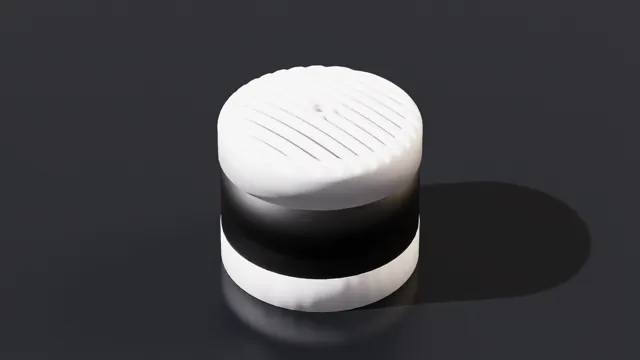
Ouster VLS 128 is a long range, ultra high resolution 3D Lidar for autonomous vehicles.
Features and Specification
name |
Velodyne VLS-128 |
|---|---|
type |
lidar |
scanRateBaseHz |
10.0 |
reportRateBaseHz |
18761 |
numberOfEmitters |
128 |
nearRangeM |
1.0 |
farRangeM |
200.0 |
rangeResolutionM |
0.004 |
rangeAccuracyM |
0.02 |
minReflectance |
0.1 |
minReflectanceRange |
120.0 |
wavelengthNm |
903.0 |
pulseTimeNs |
6 |
maxReturns |
2 |
Other Features
Dimensions: 165.5 mm (Diameter) by 141.3 mm (Height)
Operating Temperature: -20C to 60C
SICK#
Note
SICK lidar asset reorganization (Isaac Sim 6.0)
Several SICK lidar assets have been consolidated into family-level USDs that group related
sub-models as variants of a single parent asset. The standalone single-sensor USDs below have
been removed from SUPPORTED_LIDAR_CONFIGS; their scan profiles remain available through the
corresponding family asset’s variant set.
Removed standalone asset |
Replaced by family asset |
Variants providing the equivalent profiles |
|---|---|---|
|
|
Select a |
|
|
|
|
|
|
|
|
|
|
|
|
The retired standalone config names, such as SICK_LRS4581R, no longer resolve through
Lidar.create. Use the replacement family config and the exact variant selections in its
table below. Availability of historical standalone files depends on the asset release.
For assets with both Product and Profile variant sets, select Product first.
Pass the selections as a dictionary in that order; only the listed product/profile
combinations are supported. For example:
from isaacsim.sensors.experimental.rtx import Lidar

lidar = Lidar.create(
    path="/World/lidar",
    config="SICK_picoScan100",
    variant={
        "Product": "picoScan150Pro",
        "Profile": "Profile01_15Hz_0p5deg",
    },
)
Assets with only a Profile set also use a dictionary, for example
variant={"Profile": "Profile01_12p5Hz_0p25deg"} for SICK_MRS1000.
Asset details
USD Path:
SICK/LMS4000/SICK_LMS4000.usd
LMS4000 (Certified)#
The SICK LMS4000 is a 2D LiDAR sensor particularly well-suited for use in intralogistics, material handling and in all areas in which goods must be quickly and systematically analyzed and moved.
Features and Specification
Select the Product variant on the default prim first, using the product name above each table. Then select the exact Profile value from that product’s table. Only the listed combinations are supported.
LMS4111R#
Profile |
Maximum working range |
Angular resolution |
Laser diode |
Scan frequency |
|---|---|---|---|---|
Profile01_3p0m_0p0833deg |
3.0 m |
0.0833° |
10.0 mW |
600 Hz |
LMS4121R#
Profile |
Maximum working range |
Angular resolution |
Laser diode |
Scan frequency |
|---|---|---|---|---|
Profile01_3p0m_0p0833deg |
3.0 m |
0.0833° |
13.5mW |
600 Hz |
LMS4124R#
Profile |
Maximum working range |
Angular resolution |
Laser diode |
Scan frequency |
|---|---|---|---|---|
Profile01_5p5m_0p0833deg |
5.5 m |
0.0833° |
13.5mW |
600 Hz |
Note
For the datasheet and full list of specifications, visit the LMS4000 product page.
For guidance on how to use this sensor optimally in Isaac Sim, use the contact function on the SICK digital twin landing page.
Asset details
USD Path:
SICK/LMS5xx/SICK_LMS5xx.usd
LMS5xx (Certified)#
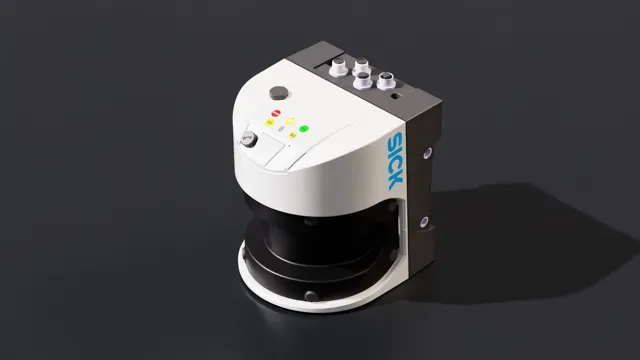
The SICK LMS5xx is a 2D LiDAR sensor for solving demanding industrial applications such as collision avoidance or measurement and monitoring in indoor and outdoor areas.
Features and Specification
Select the Product variant on the default prim first, using the product name above each table. Then select the exact Profile value from that product’s table. Only the listed combinations are supported.
LMS5xxExtendedRange#
Profile |
Scan frequency |
Angular resolution |
|---|---|---|
Profile00_25Hz_0p1667deg |
25 Hz |
0.1667° |
Profile01_25Hz_0p25deg |
25 Hz |
0.25° |
Profile02_35Hz_0p25deg |
35 Hz |
0.25° |
Profile03_35Hz_0p5deg |
35 Hz |
0.5° |
Profile04_50Hz_0p3333deg |
50 Hz |
0.3333° |
Profile05_50Hz_0p5deg |
50 Hz |
0.5° |
Profile06_75Hz_0p5deg |
75 Hz |
0.5° |
Profile07_75Hz_1p0deg |
75 Hz |
1.0° |
Profile08_100Hz_0p667deg |
100 Hz |
0.667° |
Profile09_100Hz_1p0deg |
100 Hz |
1.0° |
Profile10_50Hz_0p1667deg |
50 Hz |
0.1667° |
Profile11_75Hz_0p25deg |
75 Hz |
0.25° |
Profile12_100Hz_0p1667deg |
100 Hz |
0.1667° |
Profile13_100Hz_0p3333deg |
100 Hz |
0.3333° |
Profile14_100Hz_0p5deg |
100 Hz |
0.5° |
Profile15_25Hz_0p083deg |
25 Hz |
0.083° |
Profile16_25Hz_0p042deg |
25 Hz |
0.042° |
LMS5xxLiteHR#
Profile |
Scan frequency |
Angular resolution |
|---|---|---|
Profile01_25Hz_0p25deg |
25 Hz |
0.25° |
Profile03_35Hz_0p5deg |
35 Hz |
0.5° |
Profile05_50Hz_0p5deg |
50 Hz |
0.5° |
Profile06_75Hz_0p5deg |
75 Hz |
0.5° |
Profile07_75Hz_1p0deg |
75 Hz |
1.0° |
LMS5xxLiteSR#
Profile |
Scan frequency |
Angular resolution |
|---|---|---|
Profile01_25Hz_0p25deg |
25 Hz |
0.25° |
Profile03_35Hz_0p5deg |
35 Hz |
0.5° |
Profile05_50Hz_0p5deg |
50 Hz |
0.5° |
Profile06_75Hz_0p5deg |
75 Hz |
0.5° |
Profile07_75Hz_1p0deg |
75 Hz |
1.0° |
LMS5xxProHR#
Profile |
Scan frequency |
Angular resolution |
|---|---|---|
Profile00_25Hz_0p1667deg |
25 Hz |
0.1667° |
Profile01_25Hz_0p25deg |
25 Hz |
0.25° |
Profile02_35Hz_0p25deg |
35 Hz |
0.25° |
Profile03_35Hz_0p5deg |
35 Hz |
0.5° |
Profile04_50Hz_0p3333deg |
50 Hz |
0.3333° |
Profile05_50Hz_0p5deg |
50 Hz |
0.5° |
Profile06_75Hz_0p5deg |
75 Hz |
0.5° |
Profile07_75Hz_1p0deg |
75 Hz |
1.0° |
Profile08_100Hz_0p667deg |
100 Hz |
0.667° |
Profile09_100Hz_1p0deg |
100 Hz |
1.0° |
Profile10_50Hz_0p1667deg |
50 Hz |
0.1667° |
Profile11_75Hz_0p25deg |
75 Hz |
0.25° |
Profile12_100Hz_0p1667deg |
100 Hz |
0.1667° |
Profile13_100Hz_0p3333deg |
100 Hz |
0.3333° |
Profile14_100Hz_0p5deg |
100 Hz |
0.5° |
Profile15_25Hz_0p083deg |
25 Hz |
0.083° |
Profile16_25Hz_0p042deg |
25 Hz |
0.042° |
LMS5xxProSR#
Profile |
Scan frequency |
Angular resolution |
|---|---|---|
Profile00_25Hz_0p1667deg |
25 Hz |
0.1667° |
Profile01_25Hz_0p25deg |
25 Hz |
0.25° |
Profile02_35Hz_0p25deg |
35 Hz |
0.25° |
Profile03_35Hz_0p5deg |
35 Hz |
0.5° |
Profile04_50Hz_0p3333deg |
50 Hz |
0.3333° |
Profile05_50Hz_0p5deg |
50 Hz |
0.5° |
Profile06_75Hz_0p5deg |
75 Hz |
0.5° |
Profile07_75Hz_1p0deg |
75 Hz |
1.0° |
Profile08_100Hz_0p667deg |
100 Hz |
0.667° |
Profile09_100Hz_1p0deg |
100 Hz |
1.0° |
Profile10_50Hz_0p1667deg |
50 Hz |
0.1667° |
Profile11_75Hz_0p25deg |
75 Hz |
0.25° |
Profile12_100Hz_0p1667deg |
100 Hz |
0.1667° |
Profile13_100Hz_0p3333deg |
100 Hz |
0.3333° |
Profile14_100Hz_0p5deg |
100 Hz |
0.5° |
Profile15_25Hz_0p083deg |
25 Hz |
0.083° |
Profile16_25Hz_0p042deg |
25 Hz |
0.042° |
Note
For the datasheet and full list of specifications, visit the LMS5xx product page.
For guidance on how to use this sensor optimally in Isaac Sim, use the contact function on the SICK digital twin landing page.
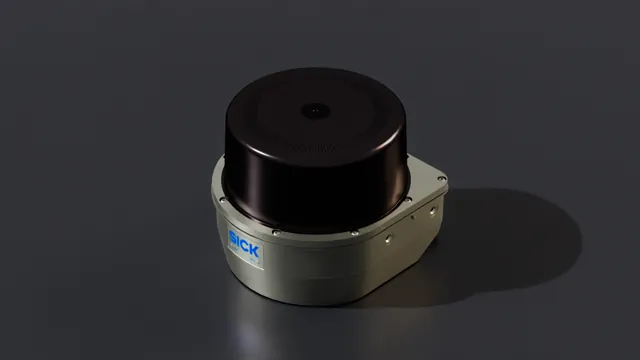
Asset details
USD Path:
SICK/LRS4000/SICK_LRS4000.usd
LRS4000 (Certified)#
The SICK LRS4000 is a 2D LiDAR sensor for large scanning ranges in outdoor applications or for localization tasks.
Features and Specification
Select the Profile variant on the default prim using an exact value from the table below.
Profile |
Scan frequency |
Angular resolution |
|---|---|---|
Profile01_12p5Hz_0p04deg |
12.5 Hz |
0.04° |
Profile02_12p5Hz_0p06deg |
12.5 Hz |
0.06° |
Profile04_12p5Hz_0p1deg |
12.5 Hz |
0.1° |
Profile05_12p5Hz_0p12deg |
12.5 Hz |
0.12° |
Profile11_12p5Hz_0p02deg |
12.5 Hz |
0.02° |
Profile31_12p5Hz_0p24deg |
12.5 Hz |
0.24° |
Profile32_12p5Hz_0p12deg |
12.5 Hz |
0.12° |
Profile33_12p5Hz_0p08deg |
12.5 Hz |
0.08° |
Profile35_12p5Hz_0p04deg |
12.5 Hz |
0.04° |
Profile61_25Hz_0p08deg |
25 Hz |
0.08° |
Profile62_25Hz_0p12deg |
25 Hz |
0.12° |
Profile64_25Hz_0p2deg |
25 Hz |
0.2° |
Profile65_25Hz_0p24deg |
25 Hz |
0.24° |
Profile71_25Hz_0p04deg |
25 Hz |
0.04° |
Profile91_25Hz_0p48deg |
25 Hz |
0.48° |
Profile92_25Hz_0p24deg |
25 Hz |
0.24° |
Profile93_25Hz_0p16deg |
25 Hz |
0.16° |
Profile95_25Hz_0p08deg |
25 Hz |
0.08° |
Note
For the datasheet and full list of specifications, visit the LRS4000 product page.
For guidance on how to use this sensor optimally in Isaac Sim, use the contact function on the SICK digital twin landing page.
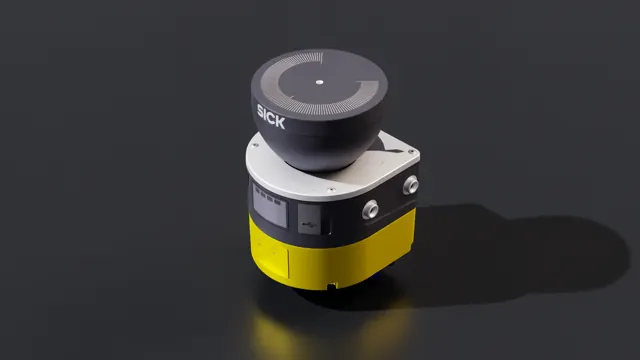
Asset details
USD Path:
SICK/microScan3/SICK_microScan3.usd
microScan3 (Certified)#
The SICK microScan3 safety laser scanner stands for the protection of very different applications: from stationary to mobile, from simple to complex and delivers high-precision measurement data.
Features and Specification
Select the Profile variant on the default prim using an exact value from the table below.
Profile |
Protective field range |
Scan frequency |
|---|---|---|
Profile01_4p0m_33p3Hz |
4.0 m |
33.3 Hz |
Profile02_4p0m_25p0Hz |
4.0 m |
25.0 Hz |
Profile03_5p5m_33p3Hz |
5.5 m |
33.3 Hz |
Profile04_5p5m_25p0Hz |
5.5 m |
25.0 Hz |
Profile05_9p0m_25p0Hz |
9.0 m |
25.0 Hz |
Profile06_9p0m_20p0Hz |
9.0 m |
20.0 Hz |
Note
For the datasheet and full list of specifications, visit the microScan3 product page.
For guidance on how to use this sensor optimally in Isaac Sim or for information about a higher-fidelity sensor model (including definition and evaluation of safety fields), use the contact function on the SICK digital twin landing page.
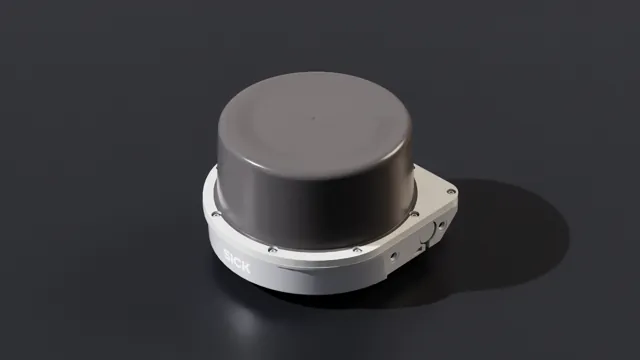
Asset details
USD Path:
SICK/MRS1000/SICK_MRS1000.usd
MRS1000 (Certified)#
The SICK MRS1000 is a 3D LiDAR sensor for collision protection and assistance for all traveling objects in production facilities or reliable monitoring in traffic management and building security.
Features and Specification
Select the Profile variant on the default prim using an exact value from the table below.
Profile |
Scan frequency |
Angular resolution |
|---|---|---|
Profile01_12p5Hz_0p25deg |
12.5 Hz |
0.25° |
Profile02_6p25Hz_0p125deg |
6.25 Hz |
0.125° |
Profile03_3p125Hz_0p0625deg |
3.125 Hz |
0.0625° |
Note For the datasheet and full list of specifications, visit the MRS1000 product page.
For guidance on how to use this sensor optimally in Isaac Sim, use the contact function on the SICK digital twin landing page.
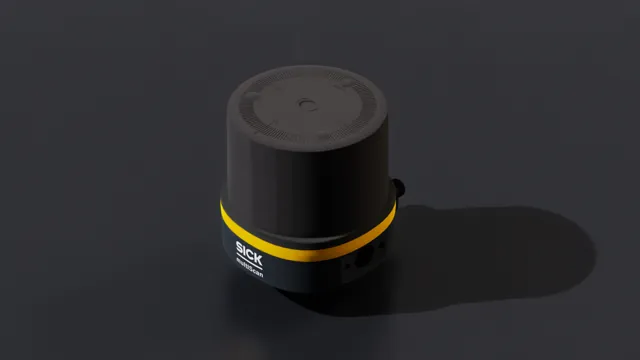
Asset details
USD Path:
SICK/multiScan100/SICK_multiScan100.usd
multiScan100 (Certified)#
The SICK multiScan100 is a 3D LiDAR sensor for mobile and stationary applications and reliably detects drop-off edges and obstacles ahead.
Features and Specification
Select the Product variant on the default prim first, using the product name above each table. Then select the exact Profile value from that product’s table. Only the listed combinations are supported.
multiScan136#
Profile |
Scan frequency |
Angular resolution |
|---|---|---|
Profile01_20Hz_0p125deg |
20 Hz |
0.125° |
multiScan165#
Profile |
Scan frequency |
Angular resolution |
|---|---|---|
Profile01_20Hz_0p5deg |
20 Hz |
0.5° |
multiScan165S#
Profile |
Scan frequency |
Angular resolution |
|---|---|---|
Profile01_20Hz_0p5deg |
20 Hz |
0.5° |
multiScan166#
Profile |
Scan frequency |
Angular resolution |
|---|---|---|
Profile01_20Hz_0p125deg |
20 Hz |
0.125° |
Note
For the datasheet and full list of specifications, visit the multiScan100 product page.
For guidance on how to use this sensor optimally in Isaac Sim, use the contact function on the SICK digital twin landing page.
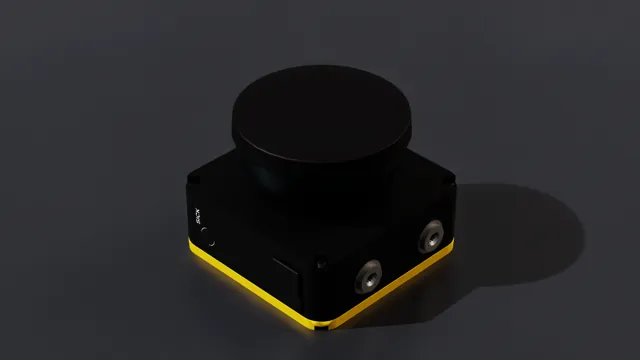
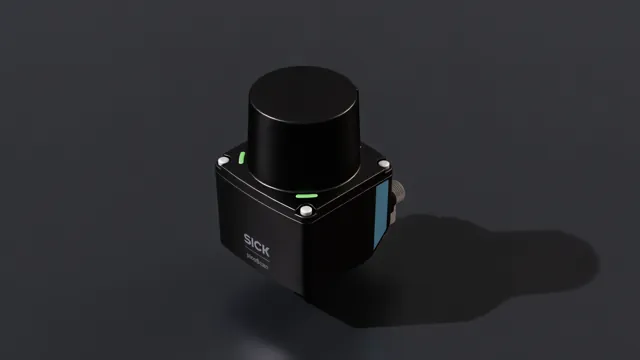
Asset details
USD Path:
SICK/nanoScan3/SICK_nanoScan3.usd
nanoScan3 (Certified)#
The SICK nanoScan3 is the smallest safety laser scanner, which is well suited for the protection and localization of mobile platforms.
Features and Specification#
This sensor has an angular resolution of 0.17° and a scan frequency of 33Hz.
Note
For the datasheet and full list of specifications, visit the nanoScan3 product page.
For guidance on how to use this sensor optimally in Isaac Sim or for information about a higher-fidelity sensor model (including definition and evaluation of safety fields), use the contact function on the SICK digital twin landing page.
Asset details
USD Path:
SICK/picoScan100/SICK_picoScan100.usd
picoScan100 (Certified)#
The SICK picoScan100 is a 2D LiDAR sensor for solving demanding industrial applications such as collision avoidance or measurement and monitoring in indoor and outdoor areas.
Features and Specification
Select the Product variant on the default prim first, using the product name above each table. Then select the exact Profile value from that product’s table. Only the listed combinations are supported.
picoScan120#
Profile |
Scan frequency |
Angular resolution |
|---|---|---|
Profile03_20Hz_0p1deg |
20 Hz |
0.1° |
picoScan150Core#
Profile |
Scan frequency |
Angular resolution |
|---|---|---|
Profile02_15Hz_0p33deg |
15 Hz |
0.33° |
Profile05_25Hz_0p25deg |
25 Hz |
0.25° |
Profile11_15Hz_1p0deg |
15 Hz |
1.0° |
picoScan150Prime#
Profile |
Scan frequency |
Angular resolution |
|---|---|---|
Profile01_15Hz_0p5deg |
15 Hz |
0.5° |
Profile02_15Hz_0p33deg |
15 Hz |
0.33° |
Profile03_20Hz_0p1deg |
20 Hz |
0.1° |
Profile04_20Hz_0p25deg |
20 Hz |
0.25° |
Profile05_25Hz_0p25deg |
25 Hz |
0.25° |
Profile06_30Hz_0p1deg |
30 Hz |
0.1° |
Profile07_40Hz_0p25deg |
40 Hz |
0.25° |
Profile08_50Hz_0p25deg |
50 Hz |
0.25° |
Profile09_15Hz_0p05deg |
15 Hz |
0.05° |
Profile10_40Hz_0p125deg |
40 Hz |
0.125° |
Profile11_15Hz_1p0deg |
15 Hz |
1.0° |
picoScan150Pro#
Profile |
Scan frequency |
Angular resolution |
|---|---|---|
Profile01_15Hz_0p5deg |
15 Hz |
0.5° |
Profile02_15Hz_0p33deg |
15 Hz |
0.33° |
Profile03_20Hz_0p1deg |
20 Hz |
0.1° |
Profile04_20Hz_0p25deg |
20 Hz |
0.25° |
Profile05_25Hz_0p25deg |
25 Hz |
0.25° |
Profile06_30Hz_0p1deg |
30 Hz |
0.1° |
Profile07_40Hz_0p25deg |
40 Hz |
0.25° |
Profile08_50Hz_0p25deg |
50 Hz |
0.25° |
Profile09_15Hz_0p05deg |
15 Hz |
0.05° |
Profile10_40Hz_0p125deg |
40 Hz |
0.125° |
Profile11_15Hz_1p0deg |
15 Hz |
1.0° |
Note
For the datasheet and full list of specifications, visit the picoScan100 product page.
For guidance on how to use this sensor optimally in Isaac Sim, use the contact function on the SICK digital twin landing page.
SLAMTEC#
Asset details
USD Path:
Slamtec/RPLIDAR_S2E/Slamtec_RPLIDAR_S2E.usd
SLAMTEC RPLIDAR S2E is a low cost 360 degrees 2D laser scanner Lidar from SLAMTEC.
Features and Specification
name |
RPLIDAR S2E |
type |
lidar |
scanRateBaseHz |
10.0 |
reportRateBaseHz |
32000 |
numberOfEmitters |
1 |
nearRangeM |
0.05 |
farRangeM |
30.0 |
rangeResolutionM |
0.013 |
rangeAccuracyM |
0.03 |
minDistBetweenEchos |
0.05 |
minReflectance |
0.1 |
minReflectanceRange |
10.0 |
wavelengthNm |
905.0 |
pulseTimeNs |
5 |
azimuthErrorMean |
0.0 |
azimuthErrorStd |
0.0 |
elevationErrorMean |
0.0 |
elevationErrorStd |
0.0 |
maxReturns |
1 |
Note
For the datasheet and full list of specifications, vist the RPLIDAR S2 product page.
ZVISION#
Asset details
USD Path:
ZVISION/ZVISION_ML30S.usda
ZVISION ML-30s+ is a short range automotive grade solid state Lidar. Note there is no mesh for this lidar, so when it is created via the UI, only a prim will appear in the Stage window.
Features and Specification
name |
ML-30s+ |
|---|---|
type |
lidar |
scanRateBaseHz |
10.0 |
reportRateBaseHz |
10 |
numberOfEmitters |
51200 |
numberOfChannels |
51200 |
nearRangeM |
0.2 |
farRangeM |
45.0 |
effectiveApertureSize |
0.01 |
focusDistM |
0.12 |
rangeResolutionM |
0.03 |
rangeAccuracyM |
0.03 |
minDistBetweenEchos |
0.2 |
minReflectance |
0.1 |
minReflectanceRange |
270.0 |
wavelengthNm |
905.0 |
pulseTimeNs |
6 |
azimuthErrorMean |
0.0 |
azimuthErrorStd |
0.025 |
elevationErrorMean |
0.0 |
elevationErrorStd |
0.025 |
maxReturns |
2 |
To create the sensor from the menu: Create>Sensors>RTX Lidar>ZVISION>ML30S+
Note
For the datasheet and full list of specifications, visit the ML-30s+ product page.
Asset details
USD Path:
ZVISION/ZVISION_MLXS.usda
ZVISION ML-Xs is a long range automotive high performance grade solid state Lidar. Note there is no mesh for this lidar, so when it is created via the UI, only a prim will appear in the Stage window.
Features and Specification
name |
ML-Xs |
|---|---|
type |
lidar |
scanRateBaseHz |
10.0 |
reportRateBaseHz |
10 |
numberOfEmitters |
108000 |
numberOfChannels |
108000 |
nearRangeM |
0.5 |
farRangeM |
250 |
effectiveApertureSize |
0.01 |
focusDistM |
0.12 |
rangeResolutionM |
0.03 |
rangeAccuracyM |
0.05 |
minReflectance |
0.1 |
minReflectanceRange |
270.0 |
wavelengthNm |
1550.0 |
pulseTimeNs |
6 |
azimuthErrorMean |
0.0 |
azimuthErrorStd |
0.025 |
elevationErrorMean |
0.0 |
elevationErrorStd |
0.025 |
maxReturns |
2 |
To create the Lidar prim: Create>Sensors>RTX Lidar>ZVISION>MLXS
Note
For the datasheet and full list of specifications, visit the ML-Xs product page.